Quick summary
Content Snare is the best client onboarding software for service businesses collecting a new client’s details, documents and sign-off without chasing. PandaDoc suits businesses selling one-off projects, Ignition suits firms and agencies that bill recurring fees, and HoneyBook suits solo creatives and coaches who want proposals, contracts and payment in one place.
This is for owners and managers of service businesses that take on clients: accounting and bookkeeping firms, law firms, financial planners, marketing and design agencies, consultants and coaches. It’s written for US, Australian and UK readers, and each entry says where a tool only sells in some countries.
It covers bringing a new client on board, from the signed proposal to the first piece of work. It doesn’t cover onboarding the users of a software product, or new staff.
The short answer
Collecting client details, documents and access
- 1 Content Snare : Best for collecting a new client's details, documents and sign-off
- 2 Clustdoc : Best for one checklist for forms, uploads, signing and payment
- 3 Leadsie : Best for agencies getting access to client ad and social accounts
Proposals, contracts and payment
- 4 PandaDoc : Best for priced proposals signed and paid in one go
- 5 Ignition : Best for recurring fees signed and payment set up together
All-in-one client management for small service businesses
How I chose these
I’ve set up client onboarding and document workflows for a lot of service businesses, so I judged these on what goes wrong in practice:
- Which step it covers: the proposal and contract, the client’s details, documents and access, or the proposal, invoice, scheduling and client records.
- Client effort: can a new client finish it from the email link, or do they have to create an account, set a password or get an app?
- Chasing: will it remind a client who stalls, so you don’t have to?
- Fit for your kind of business: templates and features for your work, and whether it sells in your country.
- ID and compliance checks: can it verify who the client is, for firms that have to?
I read each vendor’s product, help, pricing and security pages, plus reviews on G2, Capterra, the Xero App Store, Trustpilot and Reddit. I haven’t given anything a score, and prices change too often to list. Each card says how the tool charges, with a link to its pricing page.
Not included: GuideCX, Rocketlane, Dock and other tools for software companies onboarding customers, HR tools for new staff, and onboarding tools built only for accounting firms.
Facts checked September 2026.
Three things people mean by client onboarding software
Search for client onboarding software and three kinds of tool come back mixed together.
- A service business bringing on a new client. An accountant, law firm, financial planner, agency, consultant or coach agrees the work, gets it signed and paid for, collects the client’s details, documents and access, and books the kickoff. That’s the one covered here.
- A software company onboarding its customers. GuideCX, Rocketlane and Dock run implementation plans and kickoff checklists for customer success teams.
- An employer onboarding new staff. HR tools like BambooHR and Gusto handle contracts, payroll and training.
For a service business, onboarding a client is a series of steps. You agree the scope and fee, the client signs and pays, they hand over details, documents and access, and then you kick off. The tools below are grouped by the step they cover, and the all-in-ones in the last group cover most steps at a lighter depth.
Client onboarding software compared
| Tool | Best for | Type | Client login needed? | Onboarding step | E-signature | Pricing model |
|---|---|---|---|---|---|---|
| Content Snare | Collecting a new client’s details, documents and sign-off | Collection portal | No (secure link)1 | Details, documents, ID and sign-off | Signature field; PDFs via FuseSign or Annature | Flat plans by volume |
| Clustdoc | One checklist for forms, uploads, signing and payment | Onboarding portal | Yes (client account)2 | Details, documents, ID, signing and payment | Built in3 | Flat plans by volume4 |
| Leadsie | Agencies getting access to client ad and social accounts | Account access requests | No (secure link)5 | Access to ad, social and analytics accounts | No | Flat plans by volume6 |
| PandaDoc | Priced proposals signed and paid in one go | Proposals and e-signature | No (secure link) | Proposal, contract and payment | Built in | Per user7 |
| Ignition | Recurring fees signed and payment set up together | Proposals and billing | No (secure link) | Proposal, contract and recurring payment | Built in | Flat plans by active clients, plus payment fees |
| HoneyBook | Solo creatives and coaches wanting one client flow | All-in-one client management | No (secure link)8 | Proposal, contract, invoice, questionnaire and scheduling | Built in | Flat plans, plus payment fees |
| Dubsado | Small businesses automating every step after an inquiry | All-in-one client management | No (secure link)9 | Proposal, contract, invoice, forms and scheduling | Built in | Flat plans, plus payment fees10 |
| Bonsai | Agencies tying onboarding to projects and time tracking | All-in-one client management | No (secure link)11 | Proposal, contract, deposit, questionnaire and projects | Built in | Per user, plus payment fees12 |
- A PIN or a full client account can be switched on.
- A link starts it, and the client sets a password to come back.
- Limited use on the entry plan.
- Plans above the entry plan are quoted after a demo.
- The client signs in to Meta, Google and so on, not to Leadsie.
- Metered by new-client credits.
- Monthly document limits, with overage fees. Reminders and pricing tables need the Business plan.
- An emailed code can be switched on. The optional portal uses a magic link, code or password.
- The optional portal signs clients in with their email, or a password you set.
- Automations and scheduling are on the Premier plan.
- A client paying by bank transfer may need a free account if their bank uses micro-deposits.
- Proposals and contracts start on the Essentials plan.
Collecting client details, documents and access
For businesses whose onboarding stalls while clients send their details, documents, ID or account access. It’s the step with the most back and forth.
1. Content Snare
Best for: service businesses that need a new client’s details, documents and sign-off without chasing
- Type
- Collection portal
- Client login
- No, a secure link (a PIN or client account can be switched on)
- Pricing model
- Flat plans by volume
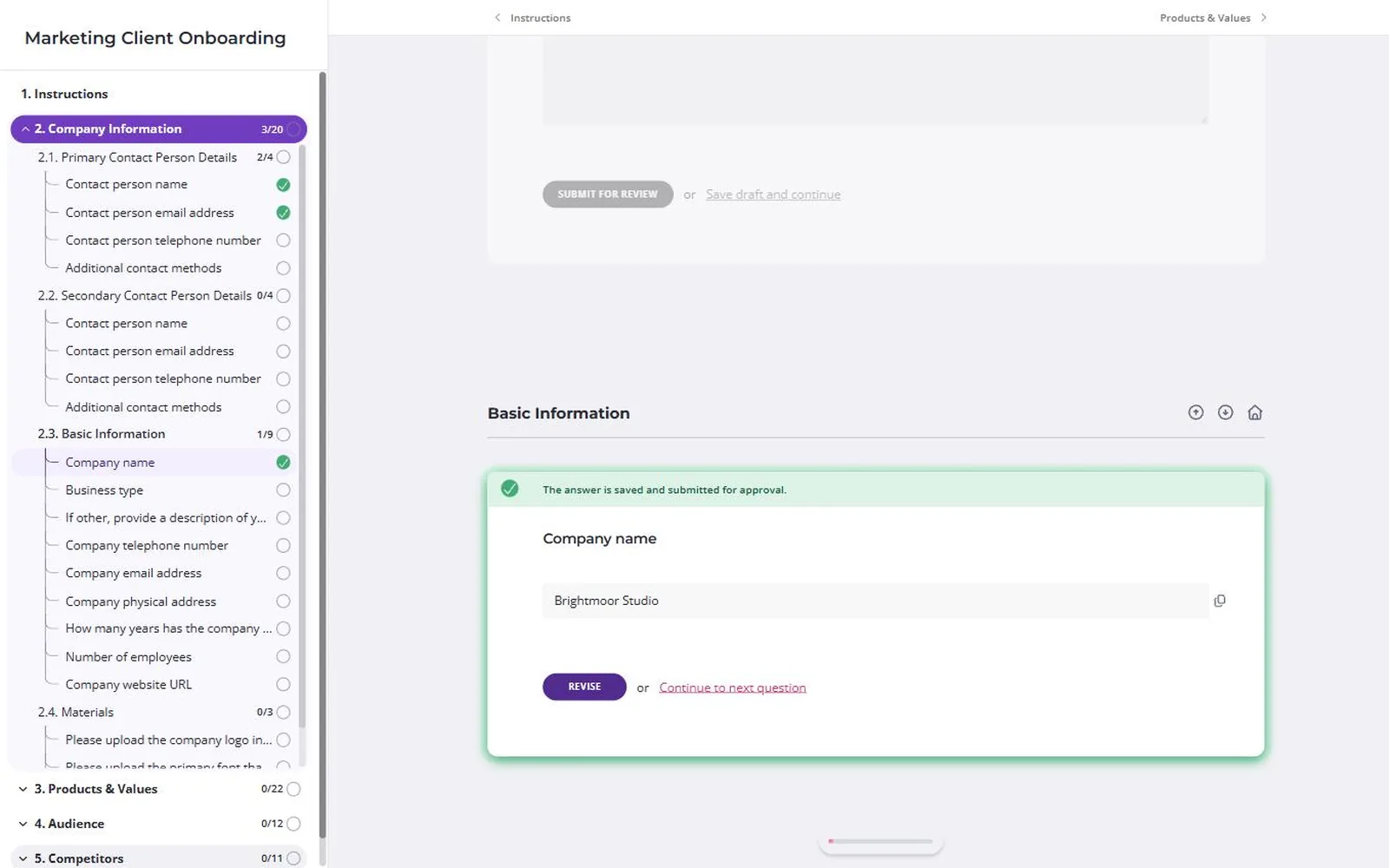
Content Snare is client onboarding software for service businesses. It swaps the email chain for one guided request, so a new client can see what to send and you don’t have to chase it.
Why I picked Content Snare
Client information collection is the step with the most back and forth, and it’s the one Content Snare is built for. Accountants and bookkeepers, law firms and financial planners, and agencies and consultants all onboard with it. You start from a built-in template, with onboarding versions for accounting and bookkeeping firms, marketing agencies and law firms. A client can repeat a section for each director or property they have. Firms that have to check who a client is can run ID verification (Stripe Identity) and AML screening (ComplyCube) in the same request.
The client signs off in a drawn signature field, and through FuseSign or Annature they can sign an actual PDF, either one you upload or the request’s own PDF export. A Calendly field lets them book the kickoff call before they close the tab. Accounting firms on Xero Practice Manager can create the client there once the request is done.
It’s certified to ISO 27001. 79% of businesses using it said their clients had given them positive feedback about it, in Content Snare’s customer survey (customer-reported).
Content Snare pros
- Built-in onboarding templates for several kinds of business
- ID checks, AML screening and sign-off in one request
- Follows up on its own when a new client goes quiet
Content Snare cons
- It doesn’t do proposals or fee quotes, so pair it with PandaDoc, Ignition or an all-in-one.
- It doesn’t take payments or send invoices, so the deposit is collected elsewhere.
- It has no CRM, so you can’t track prospects or deals before they sign.
- PDF signing runs through FuseSign or Annature, built for Australian, New Zealand and UK firms. Elsewhere, the sign-off is the drawn signature field.
What Content Snare users say
It’s transformed our client onboarding with beautifully designed questionnaires that introduce our team, guide clients through next steps, handle ID verification, and more.
Onboarding a new website client used to take two to three weeks. After switching to Content Snare, that dropped to two or three days.
Owner, Hometown Design Studio
Works with: Google Drive, Dropbox, OneDrive and SharePoint, FuseSign and Annature for PDF signing, Stripe Identity and ComplyCube for ID and AML checks, a Calendly field, Xero Practice Manager, FYI and SuiteFiles, and Zapier, Make and an API.
Pricing model: Flat monthly plans, tiered by how many requests are open at once, with unlimited clients on every plan. Custom branding and the premium integrations start on the Plus plan.
2. Clustdoc
Best for: businesses whose new clients work down one checklist of forms, uploads, signing and payment
- Type
- Onboarding portal
- Client login
- Yes, a client account with a password (a link starts it)
- Pricing model
- Flat plans by volume
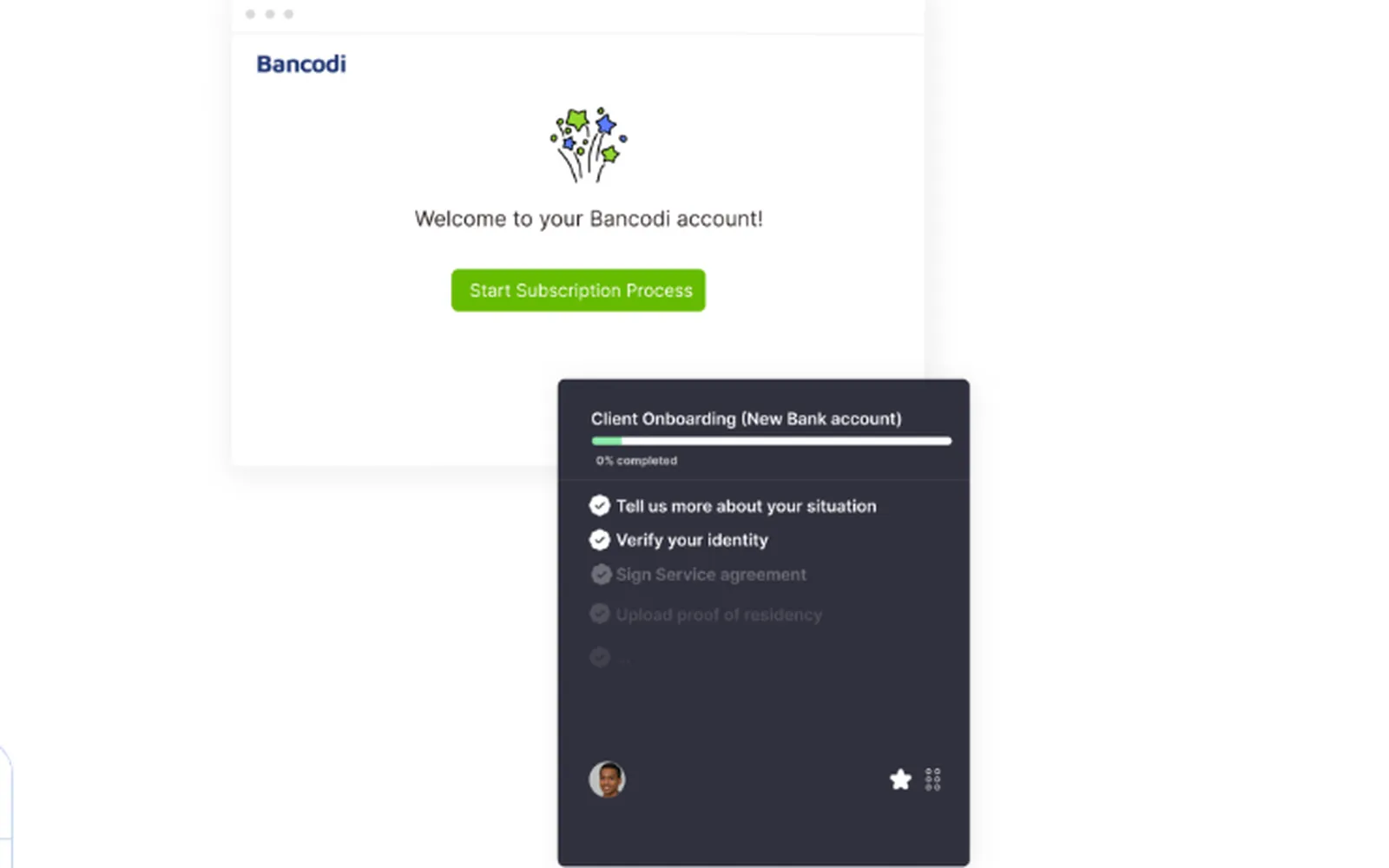
Clustdoc is a client onboarding portal built around a checklist. Each item can be a questionnaire, an upload, an ID check, an e-signature or a payment.
Why I picked Clustdoc
It’s the nearest thing here to one onboarding checklist that covers every step. The client works down the list, your team approves each item or sends it back, and reminders go out by email or SMS. It sells across industries, though its 2026 site leans towards regulated businesses, and you buy through a demo.
Clustdoc pros
- ID and selfie checks built into the checklist
- Signing and card payment without leaving the checklist
- Embeds in your website or runs from a public link
Clustdoc cons
- The client needs a password to get back into their checklist.
- Almost all the positive reviews are from 2019 to 2021, and the newest G2 review (January 2026) is a reliability complaint about bugs and forms losing their settings.
- A 2022 G2 reviewer and a 2020 AppSumo buyer said features they’d already had were moved into paid extras.
What Clustdoc users say
Essentially a checklist when viewed by the client, so doesn’t look daunting, but the app has flexibility to customize all items
Works with: HubSpot, Salesforce, Pipedrive, Zapier, Make, an API and webhooks. It says it copies files to Google Drive or Dropbox. E-signature, payments and ID checks are built in.
Pricing model: Plans by seats, monthly applications and storage. The entry plan’s price is published, the higher plans are quoted after a demo, and reminders and e-signatures have limited use on the entry plan.
3. Leadsie
Best for: marketing agencies that need access to a new client’s ad, social and analytics accounts
- Type
- Account access requests
- Client login
- No, the client signs in to Meta, Google and so on, not to Leadsie
- Pricing model
- Flat plans by volume
Leadsie is for marketing and advertising agencies only. One link gets a new client to give you access to their Meta, Google Ads, Google Analytics, TikTok and LinkedIn accounts. They sign in with their own Facebook, Google, LinkedIn or TikTok login and don’t need a Leadsie account. Access is the step agencies say takes the most back and forth, and it’s the only tool here that handles it. It collects no forms or documents, and it has no contracts or payments. A Leadsie link can go inside a Content Snare request as one step.
Pricing model: Monthly or annual plans metered by new-client credits, with overage packs once you go over. 14-day trial.
Proposals, contracts and payment
For businesses that want the client to agree the scope, sign and hand over payment details in one step. PandaDoc suits one-off and project work, and Ignition suits recurring fees.
4. PandaDoc
Best for: agencies and consultants who want priced proposals signed and paid in one go
- Type
- Proposals and e-signature
- Client login
- No, a secure link for each document
- Pricing model
- Per user

PandaDoc is proposal and contract software with e-signature built in. The client can also pay from the same document when they sign.
Why I picked PandaDoc
It’s the proposal and contract tool service businesses name most often. You build a proposal from a template with optional line items, send it and see when the client opens it. The client signs and pays from a link without an account. 70% of its G2 reviewers are small businesses, and marketing agencies are its second-biggest industry there.
PandaDoc pros
- Clients choose optional line items before they sign
- Payment by card, bank or PayPal at signing
- Signers can upload a file inside the document
PandaDoc cons
- Reminders, pricing tables, CRM and QuickBooks integrations and most payment options need the Business plan.
- Signing emails landing in spam is a repeated complaint (Capterra 2025, Trustpilot 2026), and that’s a new client’s first email from you.
- It scores 2.2 from 690 Trustpilot reviews, mostly about billing and renewals.
What PandaDoc users say
The ability to see when a document has been viewed, completed, or is still pending is especially useful for managing customer follow-ups.
Works with: HubSpot, Salesforce, Pipedrive, QuickBooks Online, Stripe, PayPal, Square, Google Drive, and Zapier and Make on Business. E-signature is built in. Xero connects through Zapier only. ID checks cost extra, and there’s no AML screening.
Pricing model: Per user, monthly or annual, with a free e-signature plan, then Starter, Business and a quoted Enterprise plan. Documents sent count against monthly limits, with overage fees. Web forms and bulk send are paid add-ons even on Business. 14-day trial.
5. Ignition
Best for: firms on recurring fees wanting signing and payment set up in one step
- Type
- Proposals and billing
- Client login
- No, a secure link
- Pricing model
- Flat plans by active clients, plus payment fees
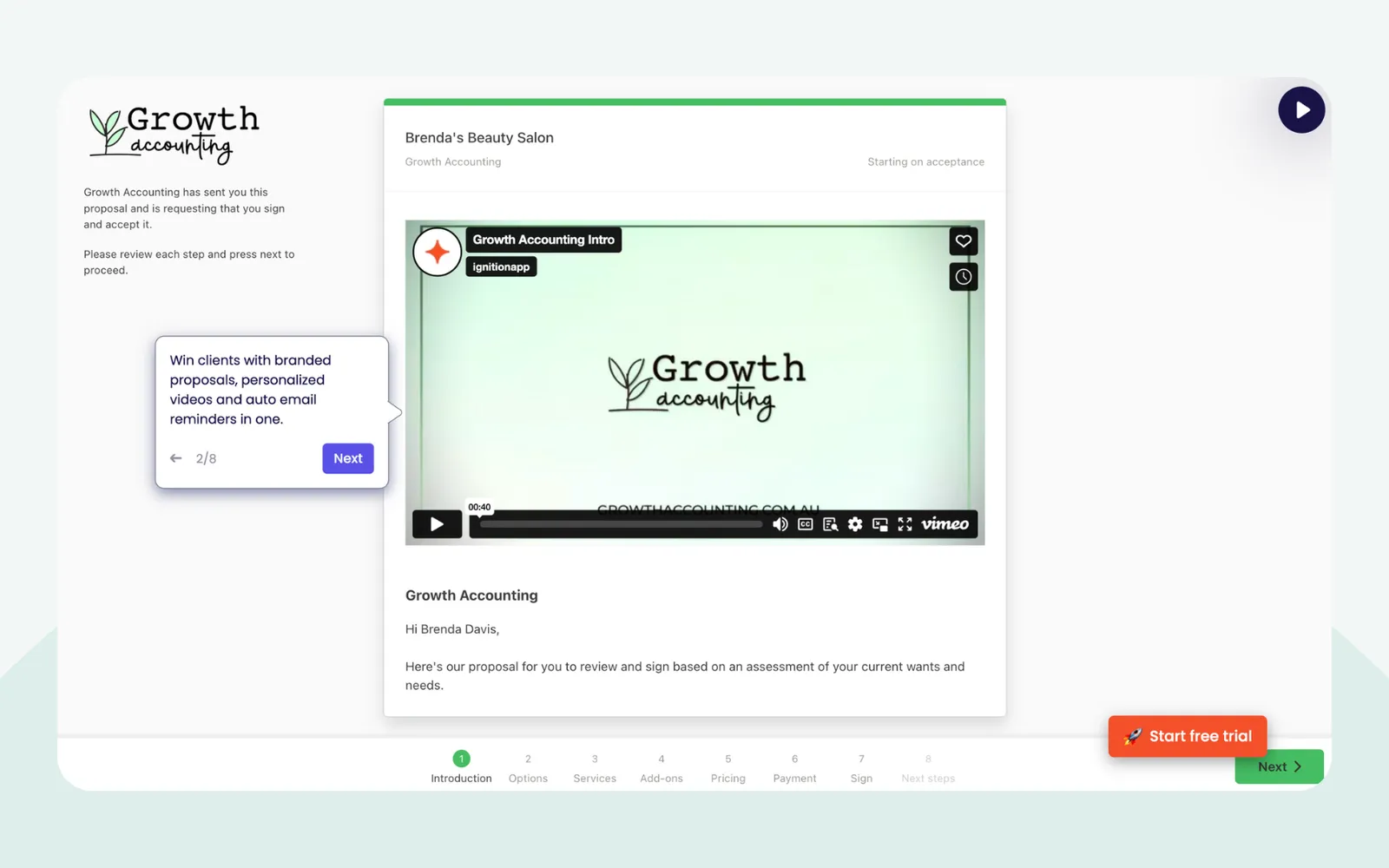
Ignition is proposal and billing software for professional services. Once a client signs, it bills them automatically from the card or bank details they handed over.
Why I picked Ignition
For recurring fees, it sets up the agreement and the payment in one sitting, with up to three options for the client to pick from. It sells to agencies and consultants as well as accountants, though 92 of its 123 G2 reviewers are accounting firms. Its help centre puts the split this way: “Ignition automates the contract and payments steps, while Content Snare automates the gathering of client information and documentation.”
Ignition pros
- Payment surcharges can pass card fees on to the client
- Bulk annual renewals with price increases, on Pro and up
- Clients update their payment method from a secure link
Ignition cons
- Price rises are the main complaint, with “Expensive” tagged 16 times on G2 and Reddit posters describing repeated rises.
- Stripe is the only payment processor, and standard payouts take five to seven days on the lower plans.
- Pricing scales with active clients who have signed agreements, so a small, steady client list can end up paying for a tier sized for more volume than it uses.
What Ignition users say
I no longer need to use separate systems to get engagement letters sent, get invoices paid and send proposals.
Works with: Xero, QuickBooks Online, MYOB and Sage for invoices, Stripe, Slack, and Karbon, other practice management tools and Zapier on Pro. E-signature is built in. ID and AML checks for Australian and UK firms have been in early access since June 2026.
Pricing model: Flat monthly plans capped by active clients with signed agreements and by users, with a per-client fee above each cap, plus payment processing fees. 14-day trial.
All-in-one client management for small service businesses
For solo operators and small teams who’d rather run proposals, contracts, invoices, forms and scheduling in one system than connect separate tools. The trade-off is less depth in any one step.
6. HoneyBook
Best for: solo creatives, coaches and consultants who want inquiry to payment in one flow
- Type
- All-in-one client management
- Client login
- No, a secure link (an emailed code can be switched on)
- Pricing model
- Flat plans, plus payment fees

HoneyBook is all-in-one client management for independent service businesses, covering proposals, contracts, invoices, payments, questionnaires and scheduling. Clients act on all of it from a link.
Why I picked HoneyBook
It’s what small service businesses reach for when they want the proposal, contract, invoice and questionnaire in one place. One “smart file” can carry them all, and automations handle the reminders and follow-ups along the way. 98% of its labelled G2 reviews come from businesses of 50 staff or fewer, mostly in photography, events, design and marketing. It isn’t built for accountants or law firms.
HoneyBook pros
- Clients pay by card, Apple Pay, Google Pay or ACH
- Unlimited clients and projects on every plan
- Built-in scheduler for discovery and kickoff calls
HoneyBook cons
- It sells only in the US, Canada, the UK and Australia, the last two since May 2026. New Zealand businesses can’t sign up.
- Price rises since February 2025 top the complaints on G2, Capterra and Trustpilot.
- Clients can only pay HoneyBook invoices through HoneyBook’s own payment processing. You can’t switch to Stripe or PayPal.
What HoneyBook users say
You can manage the entire client journey from inquiry to contract to payment and delivery in one place.
Works with: QuickBooks Online (Essentials and up), Gmail, Outlook, Google Calendar, Calendly, Acuity, Zoom, Flodesk and Zapier. E-signature and payments are built in. Xero and Dropbox connect only through Zapier.
Pricing model: Flat monthly plans (Starter, Essentials, Premium) with unlimited clients and projects. Team members, lead forms, the scheduler and automations need a higher plan, plus per-transaction payment fees. 30-day trial.
7. Dubsado
Best for: small service businesses happy to spend setup time automating every step after an inquiry
- Type
- All-in-one client management
- Client login
- No, secure links (clients can sign in to the optional portal by email)
- Pricing model
- Flat plans, plus payment fees
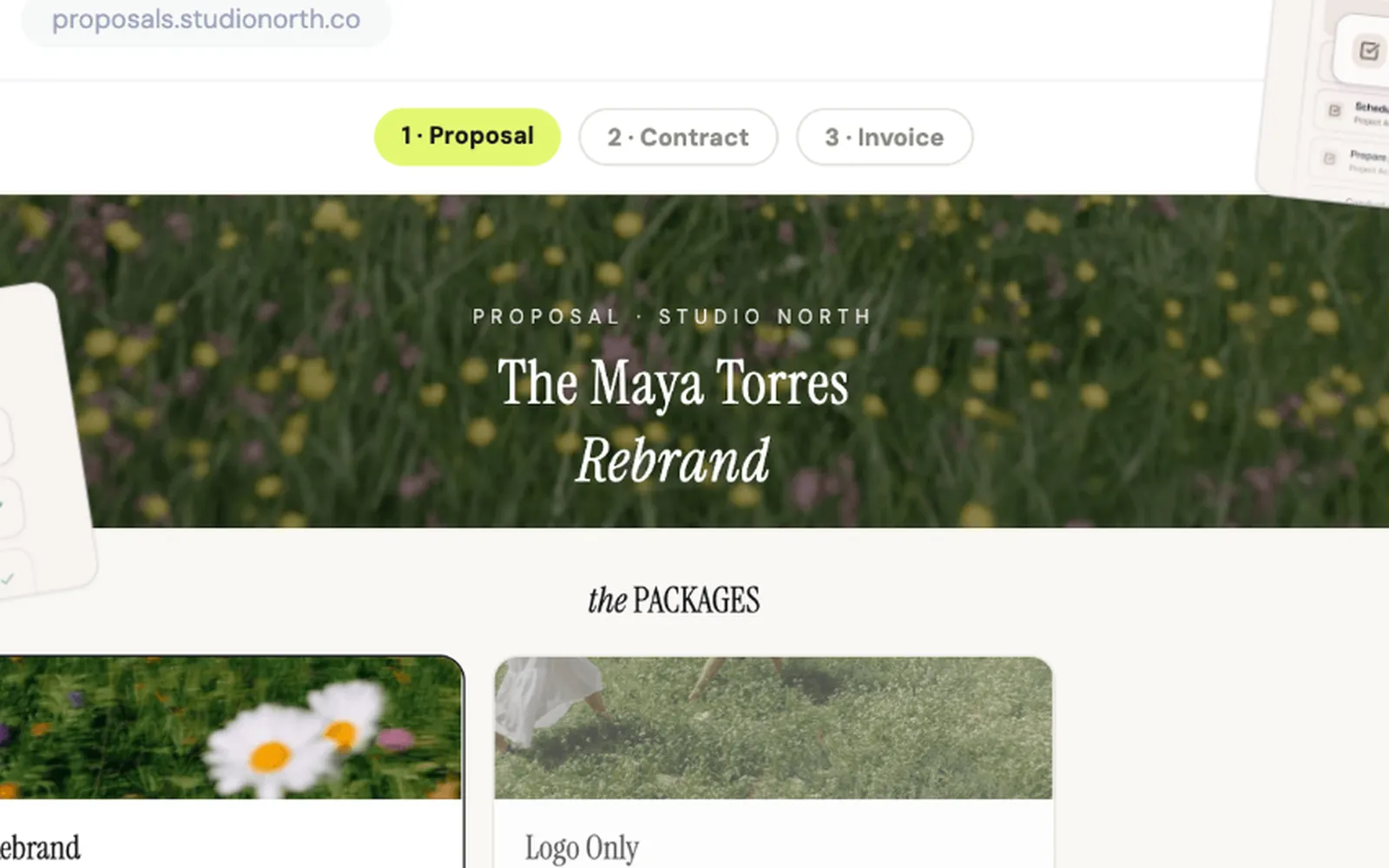
Dubsado is client management software for small service businesses, covering proposals, contracts, invoices, forms, scheduling and a client portal. It says it’s built for teams of one to about ten.
Why I picked Dubsado
It’s the pick for owners who want fewer manual handoffs after an inquiry. A proposal bundles the package, contract and invoice in one link, and Flows, its automation builder, sends the questionnaire, reminders and scheduler after each step. Clients act from links without an account. It lists coaches, designers and consultants among its users, and accountants and bookkeepers too.
Dubsado pros
- Custom CSS and a custom domain for your branding
- Payment plans and autopay, plus Klarna and Affirm
- Two-way Gmail, Outlook and calendar sync
Dubsado cons
- Setup takes time, the main complaint on G2 and Capterra (Capterra’s ease of use score is 3.7). Dubsado says its November 2025 rebuild fixed this, but recent reviews don’t show it yet.
- Automations, scheduling, Zapier and the accounting integrations start on Premier.
- Clients upload files inside forms, at up to 8 MB each, and there’s no per-item document checklist.
What Dubsado users say
What I like most is that I can have clients easily accept a proposal, sign a contract, and pay their invoices all at once.
Works with: QuickBooks Online and Xero (Premier), Gmail, Outlook, Google and Microsoft calendars, Stripe, PayPal and Square, and Zapier (Premier). E-signature and payments are built in. There’s no public API.
Pricing model: Two flat plans, Starter and Premier, monthly or annual, with unlimited clients and projects. Extra brands and users cost more, and payment processing fees apply. New pricing has applied to new subscriptions since 1 December 2025. 21-day trial.
8. Bonsai
Best for: small agencies and consultancies that want onboarding tied to projects, time tracking and invoicing
- Type
- All-in-one client management
- Client login
- No, a secure email link (some bank transfers need a free account)
- Pricing model
- Per user, plus payment fees
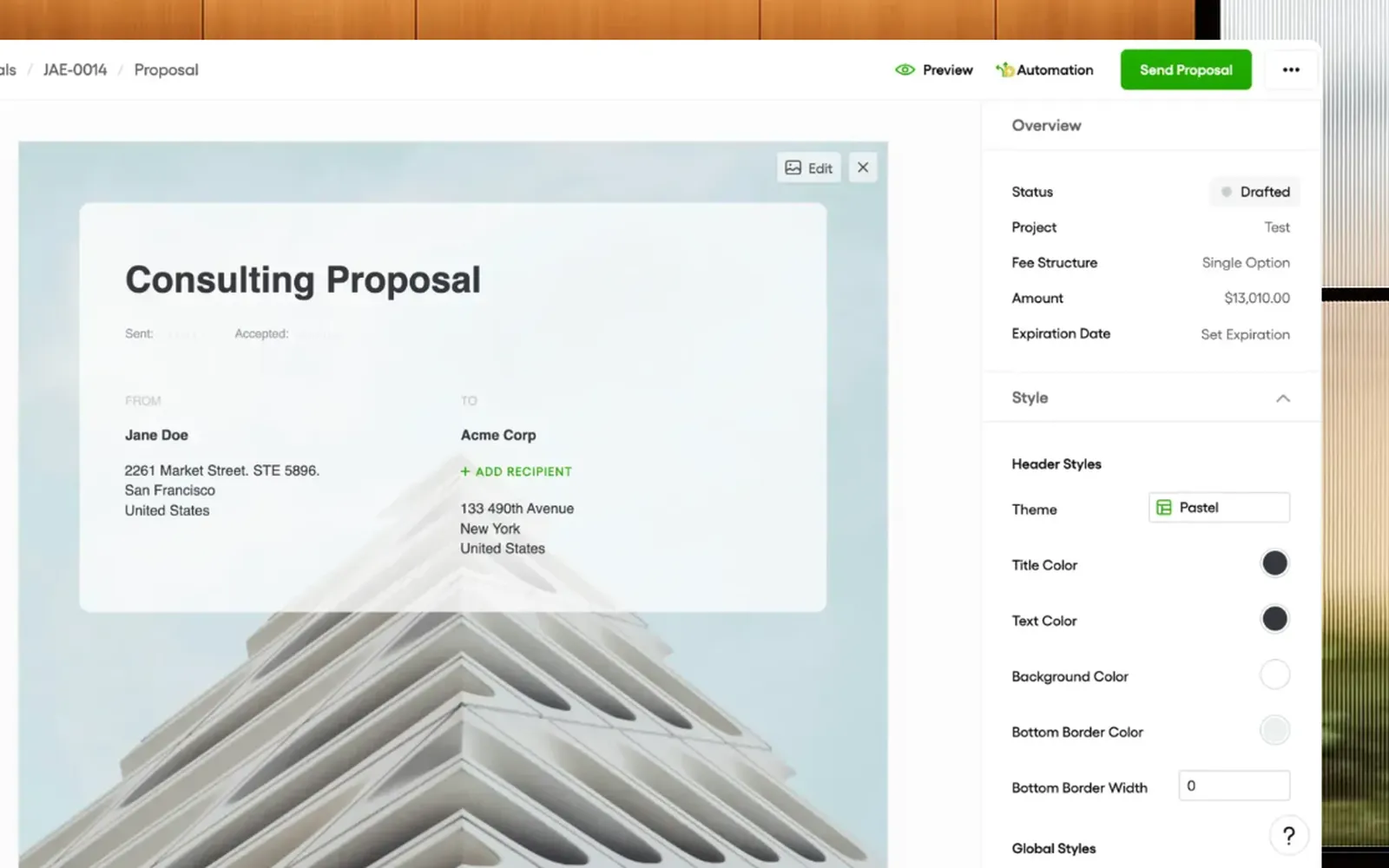
Bonsai is all-in-one business software for agencies and consultancies, covering proposals, contracts, payments, forms, projects, time tracking and invoicing.
Why I picked Bonsai
It takes a client from proposal to contract to deposit to intake questionnaire, then carries on into projects, time tracking and invoices, which suits agencies billing by the hour or the project. Clients do all of it from emailed links without an account. Zoom bought Bonsai in late 2025 and says it will stay a standalone brand.
Bonsai pros
- Hours tracked on a project flow into invoices
- Proposals with packages or multiple services to pick
- Deposit requested automatically once the contract is signed
Bonsai cons
- New accounts wait 7 to 10 business days for payouts, and UK and Canadian accounts stay there. Capterra and Reddit reviewers complain about fees and held funds.
- Proposals, contracts and the client portal start on Essentials, and the accounting integrations and Zapier on Premium.
- A G2 reviewer (March 2024) wanted the proposal, contract, invoice and questionnaire to chain together better.
What Bonsai users say
It’s great to be able to use one tool to manage all 3 major transactional events with clients.
Works with: QuickBooks Online and Xero (Premium and up), Stripe, PayPal, Gmail, Google Calendar, Calendly, Slack, Zoom, Zapier and an API. E-signature and payments are built in, with Bonsai Payments in the US, Canada, the UK and Australia.
Pricing model: Per user, per month, across Basic, Essentials, Premium and Elite. Basic has no proposals, contracts or payments, so onboarding needs Essentials or above. Payment processing fees on top. 7-day trial.
What else I looked at
If you’re a software company onboarding customers, GuideCX, Rocketlane and Dock are built for that. For new employees, HR tools like BambooHR or Gusto do the onboarding.
I left out onboarding tools built only for accountants, like Seamlss for Australian firms on Xero Practice Manager. Practice management systems like Karbon and TaxDome have onboarding built in, and they’re in my list of client portals for accountants.
- Moxo: a portal for multi-step client workflows, sold to financial services, legal and accounting firms. For most small businesses it’s more client portal than onboarding tool, and my client portal roundup covers it.
- ClickUp and Asana: plenty of agencies run onboarding as a task template in a project management tool. That organises your team’s side, but the client still sends everything by email.
Pick a tool you’ll still use after onboarding
Onboarding is the easy request. A new client is keen, the questions are simple, and it only happens once. The requests that stall come later, and they depend on the business: an accountant’s tax returns and monthly queries, an agency’s website copy and campaign assets, a planner’s annual review documents.
Content Snare’s 2026 Client Response Benchmark shows the gap. It covers 238,000 requests from June 2025 to May 2026, every one sent by a Content Snare customer, and most of the work types it measures are accounting work. Onboarding requests came back in a median of 2.7 days, with 37% back within a day. Company and trust returns took 5.0 days, and FBT returns took 9.4.
A tool bought only for onboarding handles the quick part, and six months later you’re shopping for something to handle the slow part. An accounting partner described the fix in a G2 review of Content Snare:
We were using one piece of software for tax/accounting queries to clients and another piece of software for client onboarding. We are now able to use Content Snare to do both which provides a better experience for our clients.
The all-in-ones avoid that because the proposal, invoice, booking and client records stay in one system, which works when requests stay simple. The proposal tools stop at the signature, and that’s fine, because that step happens once. For the collecting step, test whether the tool you pick for a new client’s details will also handle your next big request.
The first request is a first impression
The onboarding request is often the first real thing a new client does with you. They’ve just agreed to pay you. If what lands next is ugly or confusing, they start wondering whether they picked the right firm, and that’s buyer’s remorse on day one.
For many of our clients, that initial onboarding form is the first real interaction they have with us, so it needs to feel smooth and organized.
Founder, Ex Animo Advisory
People remember how you treated them, and in a service business that shows up as friction. Every extra login, every unexplained question and every “sorry, I also need” counts. On this list, only Clustdoc asks a new client to set a password. Everything else starts from a link.
It’s easy to build a process, connect the tools and assume it works. Go through it as the client and you’ll see the friction they hit. Two habits I’d copy from the best onboarding processes: give the client one named contact and ask for one on their side, and send “no update” updates, that tell a new client where things stand even when nothing has changed.
When it goes well, clients notice, as an accounting firm wrote in a Xero App Store review of Content Snare:
My client was extremely impressed with our professional onboarding process, recommending our services to others as a consequence.
What I’d pick for your situation
- An accounting or bookkeeping firm: I’d pair Ignition for the proposal and recurring payment with Content Snare for details, ID and documents, which can create the client in Xero Practice Manager when the request is done. If you’d rather onboard inside practice management, look at Karbon or TaxDome.
- A marketing, design or web agency: PandaDoc for the proposal and contract, Content Snare for the brief, brand files and website copy, and Leadsie for account access.
- A coach, consultant or solo creative with a few new clients a month: HoneyBook or Dubsado as the one system for proposal, contract, invoice, questionnaire and booking, or Bonsai if you bill by the hour and want time tracking too. Add a collection tool only when intake runs long or needs documents.
- A firm that has to check who its clients are, like a financial planner, accountant or law firm: Content Snare, for ID verification and AML screening inside the onboarding request. Clustdoc if you want signing and payment in the same checklist and your clients won’t mind a password. For legal intake tools, law firms can start with my client intake software list.
Onboard yourself first
This week, sign yourself up as a new client with a personal email address and go through your whole onboarding, from the proposal to the first request for documents. Count the emails, logins and codes it takes, and note where you sighed. The step where you sighed is the one to fix first, and the group above that covers it is where to start.
Frequently asked questions
What is the best client onboarding software?
Content Snare is the best client onboarding software for collecting a new client’s details, documents and sign-off. For the contract and payment, PandaDoc suits one-off and project work and Ignition suits recurring fees. A small business that wants one system for proposals, invoices and client records should look at HoneyBook or Dubsado.
What should a client onboarding process include?
A client onboarding process should cover four steps. Agree the scope and fee, get the agreement signed and the first payment made, collect the client’s details, documents and access, then hold a kickoff. Give the client one named contact from the start, and tell them what you need from them and by when.
What’s the difference between client onboarding and customer onboarding software?
Client onboarding software helps a service business bring on a new client, with the contract, payment, details and documents. Customer onboarding software helps a software company get new customers set up on its product, with implementation plans and checklists for customer success teams. GuideCX and Rocketlane are customer onboarding tools.
Do I need separate software for contracts and e-signatures?
Usually not. PandaDoc, Ignition, Clustdoc, HoneyBook, Dubsado and Bonsai all have e-signature built in, so the contract gets signed in the same place as the proposal or checklist. A separate e-signature tool only makes sense if clients can’t sign documents in your onboarding tool, or it can’t handle the kind of signing you need.
What is the best client onboarding software for accountants?
For most accounting firms, the best pairing is Ignition for the proposal, engagement letter and recurring payment, and Content Snare for collecting the client’s details, ID and documents. Firms that would rather run onboarding inside their practice management system should look at Karbon or TaxDome instead.