Quick summary
Content Snare is the best client portal for accounting firms whose clients are the hold-up in sending back tax documents and answers. It runs alongside Karbon or Xero Practice Manager for document collection. If it’s your own workflow slowing things down, TaxDome or Karbon puts portal, billing and jobs in one system.
This is for the owner or practice manager at a 5 to 50 person accounting or bookkeeping firm. It’s written for US firms first, with notes where a tool falls down for Australian and UK firms on Xero.
It covers getting documents and information from clients, not storing your own files or running the whole practice, though some of these tools do those jobs too.
The short answer
Dedicated collection portals
- 1 Content Snare : Best for getting tax documents and answers from clients without a login
- 2 SmartVault : Best for US tax firms that file straight from their tax software
- 3 Liscio : Best for US firms that want AI to sort client files
- 4 ShareFile : Best for swapping large files with clients, with signing built in
Practice management with a portal inside
- 5 TaxDome : Best for portal, billing and workflow in one US system
- 6 Karbon : Best for team workflow and email, with client tasks
- 7 Canopy : Best for US tax resolution work, with IRS transcripts built in
- 8 Financial Cents : Best for small QuickBooks Online firms wanting simple workflow
- 9 Client Hub : Best for bookkeepers clearing uncategorised transactions with clients
Add-ons to your tax software
- 10 SafeSend : Best for return delivery and signing on big US tax software
- 11 Intuit Link : Best for free document requests for Intuit tax software users
How I chose these
I’ve set up client onboarding and document workflows for a lot of service businesses, so I judged these on what goes wrong in practice:
- Client effort: can clients reply without a login, an app or a password reset?
- Tax season volume: can one request go to hundreds of clients, and repeat next year?
- Chasing: does it follow up and show who’s behind?
- Fit with what you run: does it work alongside Karbon, TaxDome or Xero Practice Manager, or replace them?
- Security: is there an independent certification, or only a padlock icon?
For each tool I read the vendor’s product, help, pricing and security pages, plus reviews on G2, Capterra, TrustRadius, Trustpilot and Reddit. There are no scores out of 10 and no prices. Each entry says how the tool charges and links to its pricing page.
Not included: Xero Ask and QuickBooks client requests, which are features inside accounting software, not tools you’d buy on their own.
Facts checked September 2026.
Three kinds of client portal for accountants
The first is practice management with a portal inside it. TaxDome, Karbon, Canopy, Financial Cents and Client Hub work this way. Workflow, billing and the portal share one system, and the whole firm moves onto it.
The second is a dedicated collection portal that runs next to the practice management tool you already have. Content Snare, SmartVault, Liscio and ShareFile are in this group. Karbon or Xero Practice Manager keeps running the work, and clients get a portal built for sending you documents and answers.
Which one you need depends on whether your practice management tool is the problem or your clients are. If deadlines slip because nobody can see who’s doing what, fix the practice management and the portal comes with it. If the work runs fine once documents arrive, and clients are the hold-up, a new practice management system won’t help. It gives them one more login to forget.
The third only applies if you run US tax software. SafeSend and Intuit Link bolt onto it and collect what the return needs.
The 11 tools compared
| Tool | Best for | Type | Client login needed? | Works alongside your practice management tool? | Pricing model |
|---|---|---|---|---|---|
| Content Snare | Getting tax documents and answers from clients without a login | Collection portal | No (secure link)1 | Yes, alongside Karbon, XPM2 | Flat plans by volume |
| SmartVault | US tax firms that file straight from their tax software | Document management + portal | Yes (client account)3 | Yes, few PM integrations4 | Per user, minimum seats |
| Liscio | US firms that want AI to sort client files | Client portal + document AI | Yes (client account), web or app | Yes, by design | Per user5 |
| ShareFile | Swapping large files with clients, with signing built in | File sharing + requests | Optional6 | Yes, imports from tax software | Per user, minimum seats |
| TaxDome | Portal, billing and workflow in one US system | Practice management | Yes (client account), web or app | It is the practice management tool | Per user |
| Karbon | Team workflow and email, with client tasks | Practice management | No (magic link)7 | It is the practice management tool | Per user |
| Canopy | US tax resolution work, with IRS transcripts built in | Practice management | Yes (client account), web or app | It is the practice management tool | Per user, plus add-ons |
| Financial Cents | Small QuickBooks Online firms wanting simple workflow | Practice management | No (secure link), code required | It is the practice management tool | Per user |
| Client Hub | Bookkeepers clearing uncategorised transactions with clients | Practice management | Yes (client account)8 | It is the practice management tool | Per user |
| SafeSend | Return delivery and signing on big US tax software | Tax software add-on | No (secure link), identity check9 | Yes, bolts onto your tax software | Per return, quote-based |
| Intuit Link | Free document requests for Intuit tax software users | Tax software add-on | Yes (Intuit Account)10 | Only inside Intuit tax software | Free with Intuit tax software |
- Clients open a link with no account. A PIN or a full client account can be switched on.
- Xero Practice Manager is a native integration. Karbon has none, and some firms connect the two through the API and webhooks.
- Clients get a guest user account. SmartVault’s security page says clients have to log in to reach any document.
- No Xero Practice Manager, Karbon or TaxDome integration, and no Zapier. Financial Cents lists a SmartVault integration on its Scale plan.
- Annual packages per user, with organizer sends, return deliveries and e-signatures also sold per item.
- File Drop Links need no login. Document Request Lists need the account-based client portal.
- The link is tied to the device it was opened on, and firms can require two-factor sign-in.
- The vendor says clients create a login once and stay signed in while active in the past 30 days. One 2026 Capterra reviewer describes access by secure link.
- A secure link plus knowledge-based identity questions, with no password. The separate returning-client portal uses an access code and PIN.
- The same Intuit Account system used by TurboTax and QuickBooks.
Dedicated collection portals
These work alongside whatever runs your firm. Pick one when your practice management is fine and it’s clients who are slow.
1. Content Snare
Best for: accounting firms that need clients to send tax documents and answers without logging in
- Type
- Collection portal
- Client login
- No, secure link by default (PIN or full account optional)
- Pricing model
- Flat plans by volume
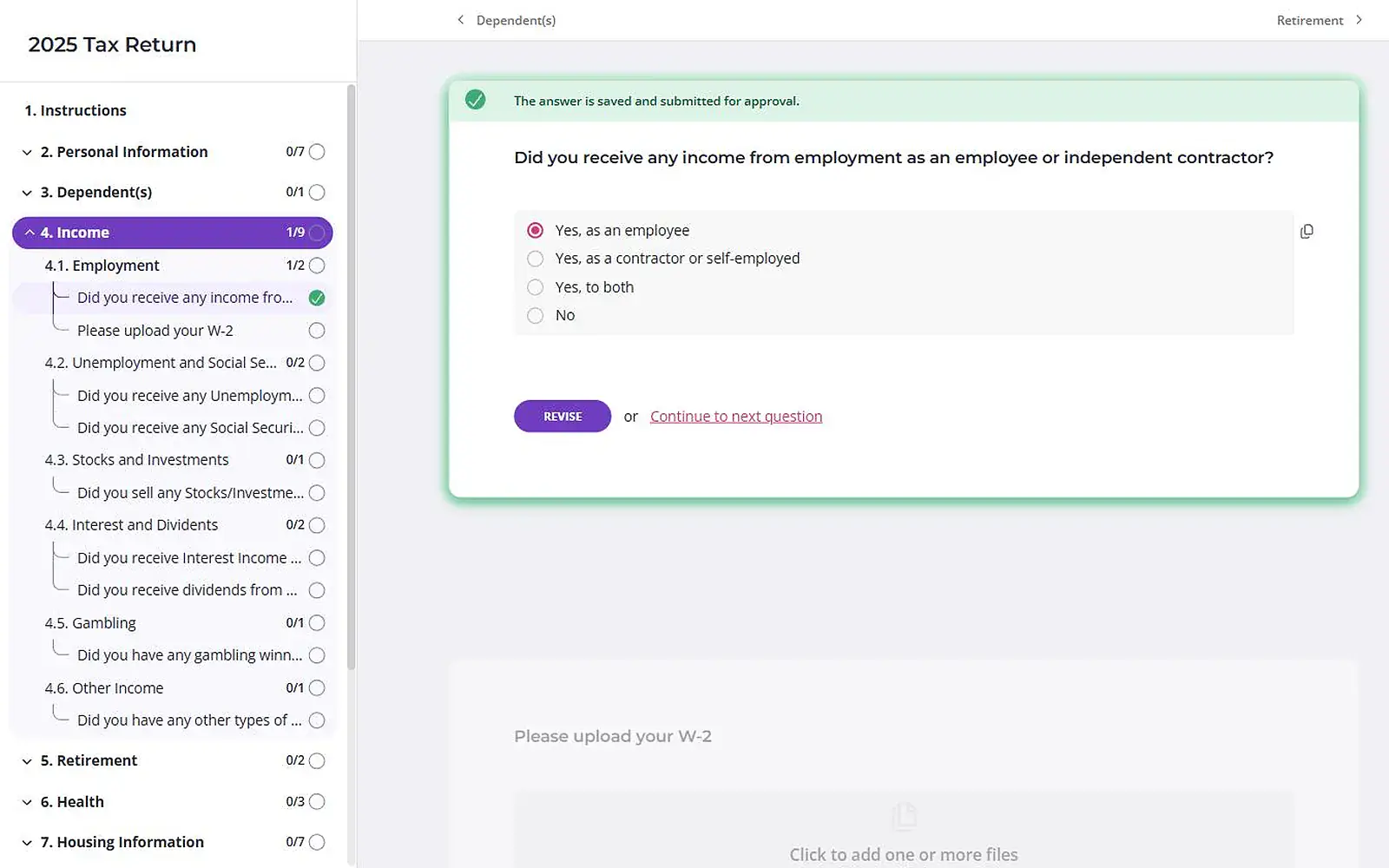
Content Snare is a client portal for accounting firms that collects documents and information from clients. Clients open a link and work through a checklist of questions and uploads, and nothing is lost if they close the tab halfway.
Why I picked Content Snare
Most firms already have a practice management tool they’re happy with. What’s missing is a way to get clients to hand things over on time. Content Snare fills that gap, running alongside Karbon or Xero Practice Manager rather than replacing them.
The tax document collection features are why it’s first. Recurring and bulk requests go to hundreds of clients from one template and a CSV. Conditional logic means a sole trader never sees the rental property questions. A table lets clients paste in uncoded transactions for a bookkeeping query. Clients need no login, with a PIN or account for sensitive work. Firms using it report saving 30 to 60 minutes per individual tax return.
It’s ISO 27001 certified and independently audited. On the Plus plan and up, you can change the logo, colours and the button and label wording clients see.
Content Snare pros
- Clients finish over several sittings without losing anything
- Automatic reminders to whoever hasn’t finished
- Approve or reject each item, with comments on the question
Content Snare cons
- No billing or payments. You’ll still need Ignition or your practice management tool to get paid.
- No job management. It tracks requests, not the work your team does once documents arrive.
- Signing runs through FuseSign or Annature, both Australian and both separate subscriptions. A US firm on DocuSign keeps sending its engagement letters from DocuSign.
- Building your own templates takes setup time, which several Capterra reviewers mention. Starting from one of its built-in templates (110+ at the time of writing, September 2026) cuts most of it.
What Content Snare users say
Content Snare was easier for both me and the client to use than the other products (Xero Ask & Karbon Tasks) I considered
Having Content Snare allows us to focus on our knowledge and expertise rather than chasing information.
Senior Manager, Tax & Compliance, DFK Hirn Newey
Works with: Xero Practice Manager (import clients, and create a client when a request is done), FYI, SuiteFiles, Google Drive, Dropbox, OneDrive, SharePoint, FuseSign and Annature for signing, Zapier, Make and an API. Used alongside Karbon, with no native integration.
Pricing model: Flat monthly plans, tiered by how many requests are open at once, with unlimited clients on every plan. Custom branding and the XPM and FYI integrations start on the Plus plan.
2. SmartVault
Best for: US tax firms that want storage and client requests wired into their tax software
- Type
- Document management + portal
- Client login
- Yes, a guest user account
- Pricing model
- Per user, minimum seats
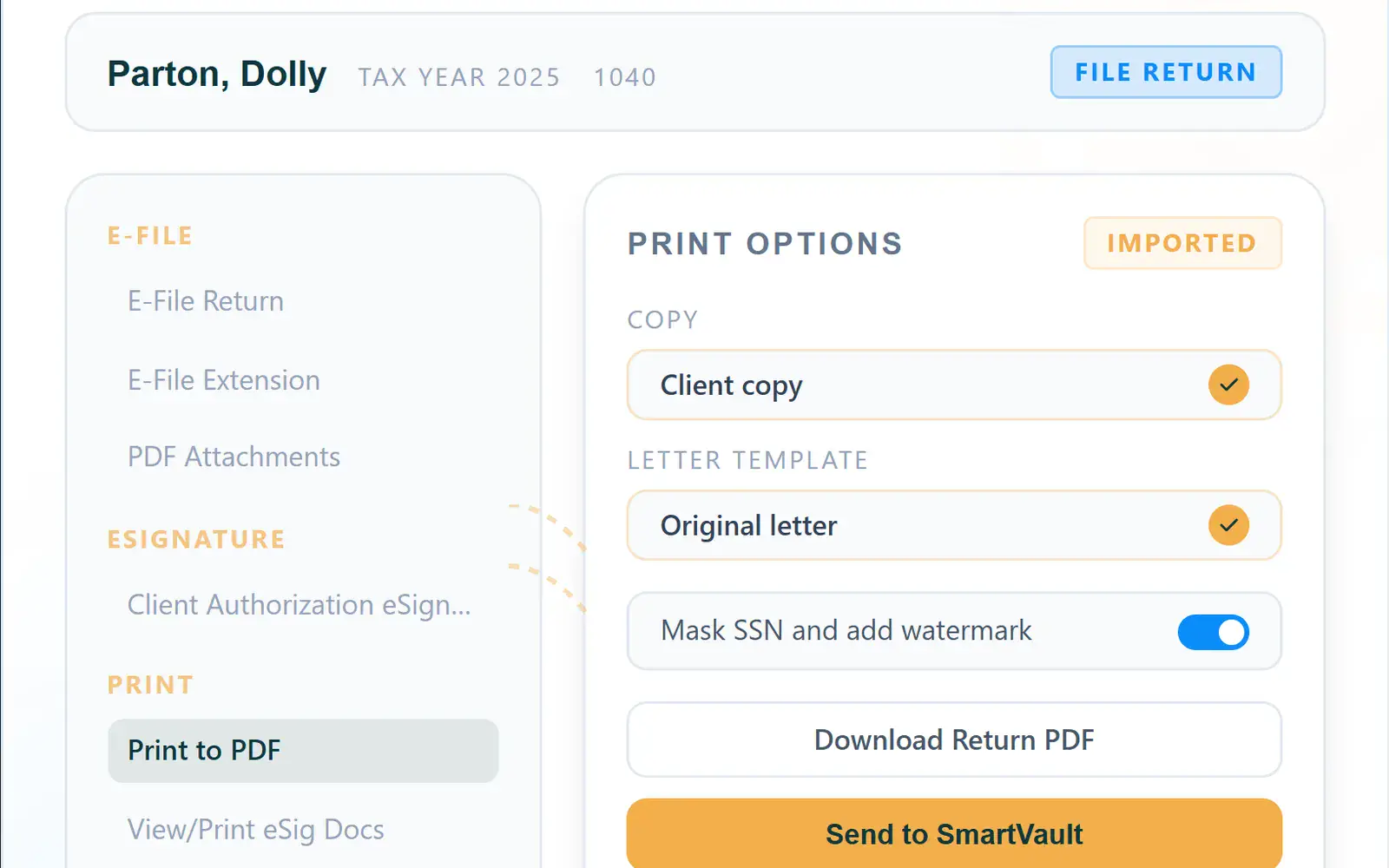
SmartVault is cloud document management for accounting firms, with a client portal and a request feature called Request Docs. It stores all your firm’s files, including what clients send.
Why I picked SmartVault
The draw is the tax software link. SmartVault prints returns from Lacerte, ProSeries and ProConnect into the right client folder, and Request Docs sends one checklist to hundreds of clients and chases what’s missing. UK firms get TaxCalc. I couldn’t find an Australian tax software link.
SmartVault pros
- Prints returns from Intuit tax software into client folders
- Unlimited client users on every plan
- SOC 2 Type 2 and ISO 27001, per its security page
SmartVault cons
- Clients need a guest account to upload. SmartVault’s marketing says they just click a link.
- Two accounting firms on Capterra said their clients found it hard to use (2022, 2024).
- No Xero Practice Manager, Karbon, TaxDome or Zapier connection.
What SmartVault users say
I liked that it offered a good folder structure and I liked that it was geared towards professional services firms.
Works with: Lacerte, ProSeries, ProConnect, UltraTax CS, Drake, CCH Axcess, QuickBooks, TaxCalc, Liscio, DocuSign for signing, and an open API.
Pricing model: Per user, per month, with a two or three user minimum depending on plan. E-signatures and ID checks through DocuSign cost extra except on the top plan, and SmartRequestAI, which builds a request list from last year’s return, is charged per return.
3. Liscio
Best for: US tax firms that want AI to read, sort and rename client files
- Type
- Client portal + document AI
- Client login
- Yes, client account (web or app)
- Pricing model
- Per user
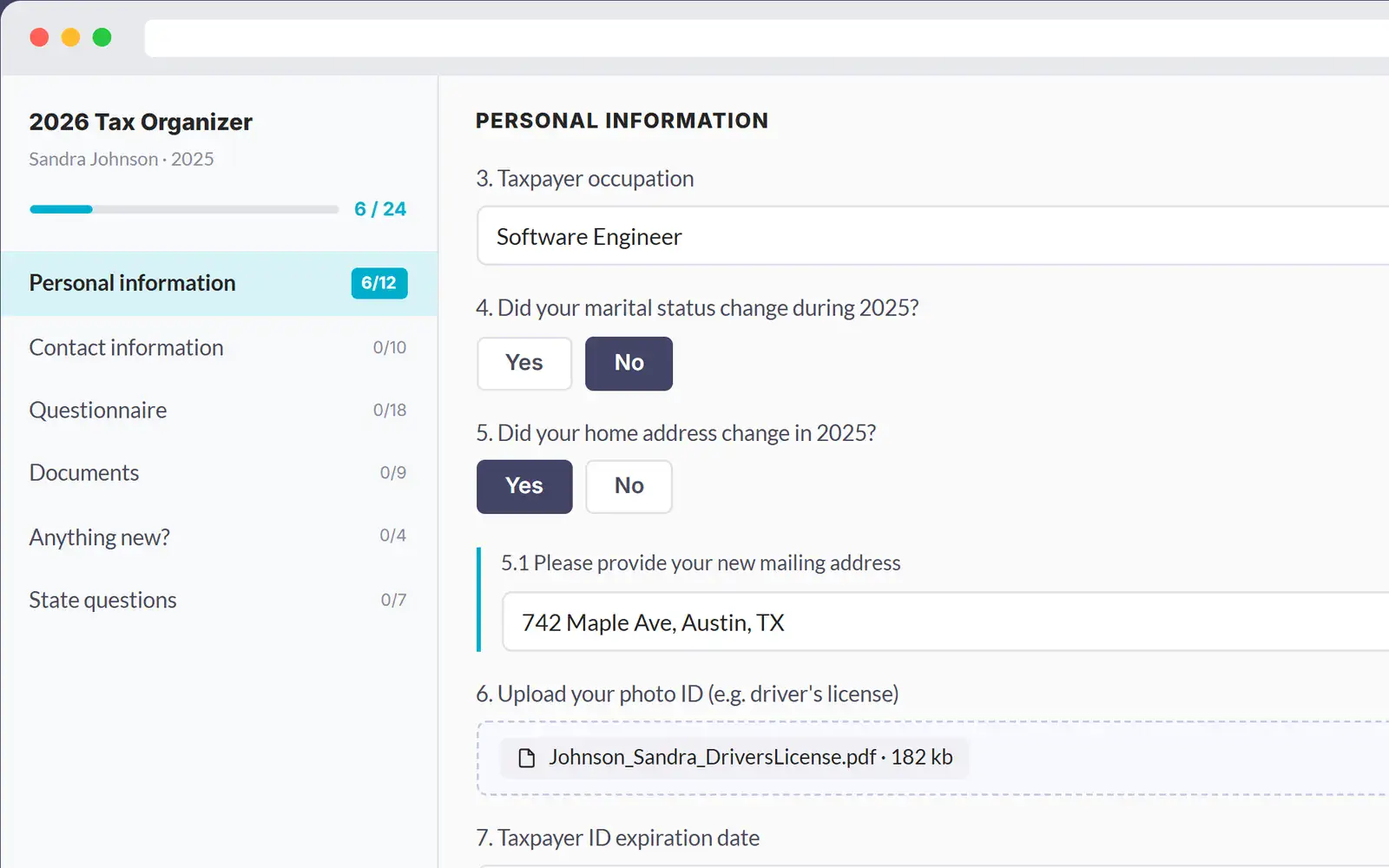
Liscio is a client portal for US accounting firms that used to lead with secure messaging and now leads with File Intelligence, AI that reads, sorts and renames client files.
Why I picked Liscio
Liscio’s FAQ says it isn’t practice management and names TaxDome, Karbon and Canopy as tools firms run alongside it. That puts it in this group, though it’s closer to a file-handling tool with a portal on top.
Liscio pros
- Reads, sorts and renames uploaded files with AI
- Tax organizers that track returns and follow up
- Native phone apps with a document scanner
Liscio cons
- Clients need an account, on the web or in the app, with no link-only option I could find.
- US only, with no Xero or XPM integration.
- Files use tags, not folders, and two Capterra reviewers found bulk backup missing or painful (2023, 2025).
What Liscio users say
We love Liscio for so many reasons. It’s secure, it’s reliable, WE CAN FIND OUR FILES
Works with: organizers from UltraTax CS, Lacerte, ProSeries, Drake and CCH, Adobe Sign, SmartVault, Google Drive, OneDrive, Outlook, Gmail and Calendly.
Pricing model: Per user, billed annually, across three packages, with a quote for high-volume firms. Organizer sends, return deliveries and e-signatures are also sold per item beyond each plan’s allowance.
4. ShareFile
Best for: firms that swap large files with clients both ways and want signing built in
- Type
- File sharing + requests
- Client login
- Optional (none for File Drop Links, an account for Request Lists)
- Pricing model
- Per user, minimum seats

ShareFile is file sharing and e-signature software, owned by Progress Software since October 2024, with request lists and a client portal on its higher plans.
Why I picked ShareFile
Plenty of firms already pay for ShareFile. The accounting plan imports files from CCH Axcess, Drake, Lacerte, ProSeries and UltraTax. A File Drop Link needs no login, but Request Lists need a client account, and reviewers say that’s where clients stall.
ShareFile pros
- Built-in e-signature, including bulk send and identity checks
- File Drop Links take uploads without a client account
- SOC 2 Type II and ISO 27001, per its trust centre
ShareFile cons
- I couldn’t find automatic reminders for Request Lists, and forum users asked for them in 2025.
- Xero and QuickBooks integrations only work for US-based accounts, per its pricing page.
What ShareFile users say
Where it doesn’t work as well for us is when trying to get clients to make use of a login to access folders. We find them reluctant to take on the learning curve.
Works with: tax software import (accounting plan), Microsoft 365, Gmail, Google Drive, Salesforce, QuickBooks Online and Xero (US accounts only), built-in signing and Zapier.
Pricing model: Per user, per month, with a three-user minimum. Request Lists, e-signature and the fuller client portal start on Premium. Tax templates and tax software import need Industry Advantage.
Practice management with a portal inside
These run the whole firm, with the portal as one module, and suit firms whose own workflow needs fixing. Check each login line, because it varies.
5. TaxDome
Best for: small US tax firms that want portal, billing, signing and workflow in one system
- Type
- Practice management
- Client login
- Yes, client account (web or app)
- Pricing model
- Per user

TaxDome is all-in-one practice management for tax, bookkeeping and accounting firms, with CRM, workflow, billing, e-signature and a client portal and app.
Why I picked TaxDome
TaxDome is the name that comes up most when accountants compare portals, and for a small US tax firm it earns that. Organizers, request lists, e-signatures and invoices share one client login. Clients have to create that account, and when one reviewer complained about clients who won’t, TaxDome’s reply amounted to saying it can’t force them.
TaxDome pros
- Portal, billing, signing and workflow under one login
- Client mobile app with a scanner and push notifications
- Automations move jobs along as clients complete tasks
TaxDome cons
- No native Xero, MYOB or ATO integration, Zapier only. Just 4 of its 729 G2 reviews come from Australia and New Zealand.
- G2 reviewers put average implementation at two months.
- Since it dropped CPACharge in May 2026, r/taxpros firms say clients must verify a bank account to pay.
What TaxDome users say
Our clients had no trouble setting up their accounts, unlike the issues I’ve run into in the past with my tax software portal.
Works with: QuickBooks Online, Drake, Lacerte, ProConnect, UltraTax CS, CCH Axcess, IRS transcripts, Companies House (UK), Stripe, and Zapier for Xero.
Pricing model: Per user, billed annually upfront, with discounts for two or three year terms and seasonal seats for temporary staff. Firms with 25 or more seats get a quote.
6. Karbon
Best for: firms whose team workflow and shared inbox are the mess, more than their clients
- Type
- Practice management
- Client login
- No, magic link tied to the device (two-factor optional)
- Pricing model
- Per user
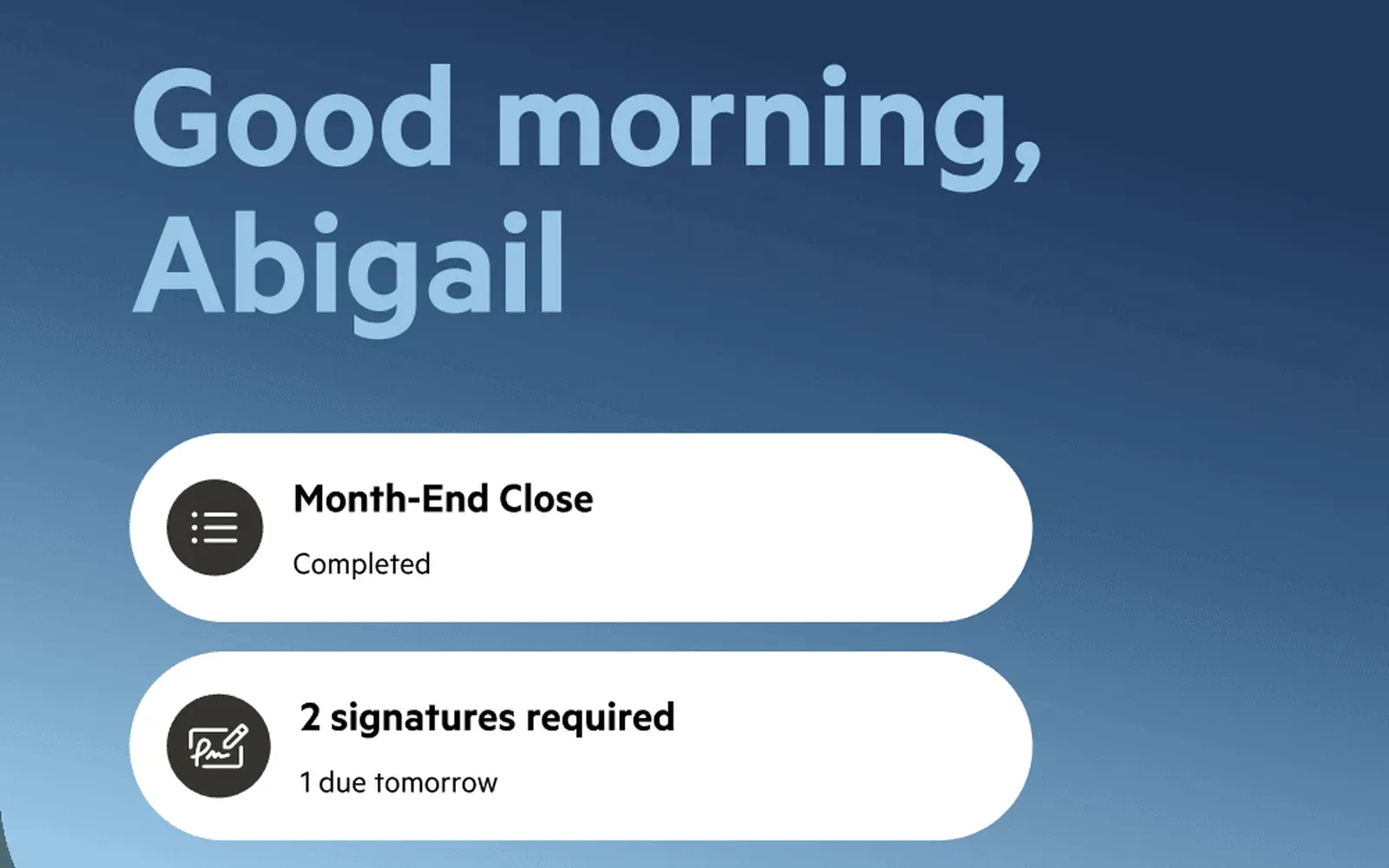
Karbon is practice management built around team workflow and email, with a client portal called Karbon for Clients and native phone apps.
Why I picked Karbon
If the problem is inside the firm, Karbon is the strongest option here. It turns a shared inbox into tracked work per client. Clients get in by magic link with no password, though reviewers rate the portal below dedicated tools. It holds SOC 2 Type II, and its security page says it hasn’t been certified against ISO 27001.
Karbon pros
- Templates keep recurring jobs consistent
- Native Xero, XPM, QuickBooks Online and BGL integrations
- Magic link client access with optional two-factor
Karbon cons
- Automatic client reminders start on the Business plan, not Team.
- One 2026 Trustpilot reviewer says each task comment emails the client separately.
- Requests come from checklists, not a questionnaire builder. Its directory lists StanfordTax for tax organizers.
What Karbon users say
The interface is functional rather than delightful, and setup takes real time and follow-through from leadership. Half-set it up and it will half-work.
Works with: Xero, XPM, QuickBooks Online Accountant, CCH Axcess Tax, ProConnect, BGL, Google Drive, OneDrive, SharePoint, Annature, Zapier and an API.
Pricing model: Per user, per month, across Team, Business and Enterprise, with annual billing cheaper than monthly. E-signatures use credits bought separately, and client reminders start on Business.
7. Canopy
Best for: US firms doing tax resolution work that want IRS transcripts in the same system
- Type
- Practice management
- Client login
- Yes, client account (web or app)
- Pricing model
- Per user, plus add-ons

Canopy is cloud practice management built for US accounting and tax firms, with CRM, workflow, billing, e-signature and a client portal app.
Why I picked Canopy
Practitioners single out Canopy’s tax resolution module against TaxDome and Karbon. For heavy IRS notice and transcript work, that alone can decide it. One G2 reviewer even shows the client portal to prospects, because it makes the firm look more sophisticated.
Canopy pros
- One-click IRS transcript pulls and tax resolution cases
- Organizers and document checklists with automatic reminders
- Smart Intake builds request lists from prior-year data
Canopy cons
- US only, with multi-currency listed as coming soon.
- Clients need a portal account, invited by email.
- Tax Resolution, the module practitioners rate, is a paid add-on. Small-firm reviewers on G2 and Capterra (2025, 2026) call the cost a big lift.
Works with: QuickBooks Online, Xero, Drake, Lacerte, UltraTax, CCH Axcess, ProConnect, ProSeries, IRS transcripts, Outlook, Gmail and Zapier.
Pricing model: Per user, per month, across Standard, Plus and Premium, billed annually, with a quote for large firms. AI intake credits, Close Automation, Tax Resolution and identity checks cost extra.
8. Financial Cents
Best for: small firms on QuickBooks Online that want simple workflow with client requests built in
- Type
- Practice management
- Client login
- No (secure link), code required
- Pricing model
- Per user
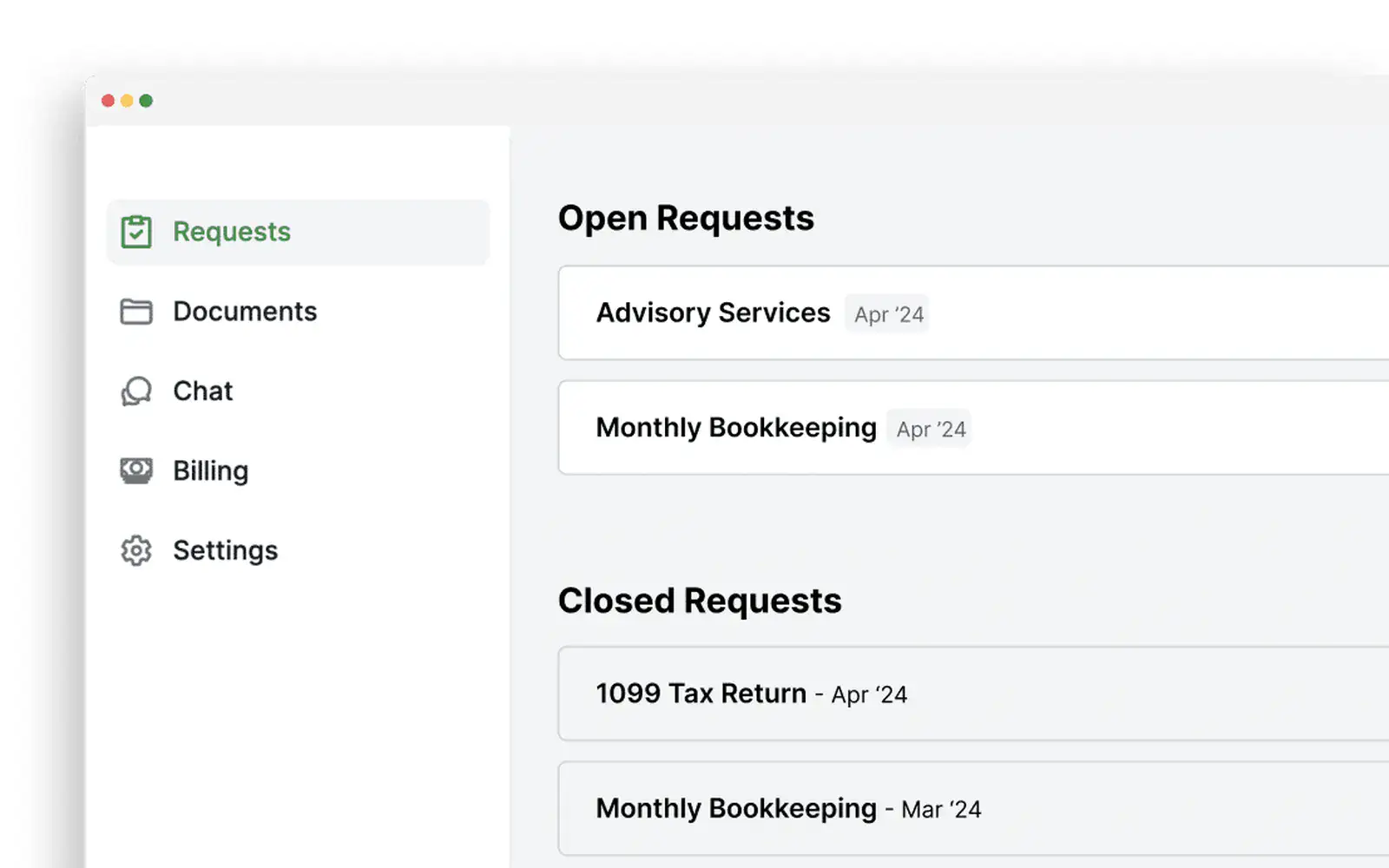
Financial Cents is practice management for accounting and bookkeeping firms, built around workflow templates, with a client portal for requests and uploads.
Why I picked Financial Cents
Financial Cents is the simplest practice management tool here, and small firms rate it for that. Clients get a magic link plus a 6-digit code on each visit, so there’s no password to forget. Bookkeepers can send clients their uncategorised QuickBooks Online transactions to explain, though one reviewer notes that’s charged per client.
Financial Cents pros
- 250+ workflow templates for recurring jobs
- Recategorises QuickBooks Online transactions from client answers
- AI flags a wrong upload as soon as the client sends it
Financial Cents cons
- No native Xero integration (Zapier only), which three Capterra reviewers raised.
- The branded portal and automatic follow-ups start on the Scale plan.
- Its security page claims SOC 2 Type I, not Type II.
What Financial Cents users say
Financial Cents seems purpose-built for accounting firms. The interface is clean, the workflow structure is intuitive, and it gives strong visibility into recurring tasks, deadlines, and team accountability.
Works with: QuickBooks Online, Drake, UltraTax, ProConnect, ProSeries, CCH Axcess, Google Drive, OneDrive, SmartVault, Gmail, Outlook, Adobe Sign, and Zapier for Xero.
Pricing model: Per user across Solo, Team, Scale and Enterprise, on annual agreements. Paying monthly needs five or more users. Month-end close and identity-checked signatures are paid add-ons.
9. Client Hub
Best for: bookkeepers who want clients answering uncategorised transaction questions from their phone
- Type
- Practice management
- Client login
- Yes, per the vendor (a login that stays active for 30 days)
- Pricing model
- Per user
Client Hub started in 2017 as a client portal and is now practice management for bookkeeping and accounting firms. For month-end, it pulls uncategorised transactions from QuickBooks Online or Xero into each client’s task list, and syncs the answers back to the ledger. Its FAQ says clients create a login once and stay signed in while active, though one 2026 reviewer describes a secure link, so test it. Its ISO and SOC claims cover its hosting providers, Google Cloud and AWS, not Client Hub itself.
Pricing model: Per firm user, per month, with a discount for annual billing. A single-user tier sits below Practice Manager, and the full QuickBooks and Xero integrations need Practice Manager Plus.
Add-ons to your tax software
These only work with the US tax software they plug into.
10. SafeSend
Best for: US firms on UltraTax, CCH or Lacerte that want return delivery and signing automated
- Type
- Tax software add-on
- Client login
- No, secure link plus identity questions
- Pricing model
- Per return, quote-based
SafeSend, owned by Thomson Reuters since early 2025, works with UltraTax CS, GoSystem Tax RS, CCH Axcess, ProSystem fx and Lacerte. It handles organizers and engagement letters, then assembly, e-signature, K-1 delivery and payment. Clients use a secure link and identity questions, with no password. On r/taxpros, practitioners say the delivery half works as advertised and aim their complaints at the Gather intake half.
Pricing model: Priced per return or per delivery, by quote, across Essential Gather, Essential Deliver and Premium packages. SafeSend says there are no per-seat fees.
11. Intuit Link
Best for: solo 1040 preparers on ProConnect, Lacerte or ProSeries who want something free
- Type
- Tax software add-on
- Client login
- Yes, an Intuit Account
- Pricing model
- Free with Intuit tax software
Intuit Link comes free with ProConnect, Lacerte and ProSeries. Clients get an organizer and document checklist, upload files or phone photos, and can import W-2s and 1099s into the return. The catch is the login. Clients sign in with an Intuit Account, and for several seasons practitioners on r/taxpros and Intuit’s forum have reported existing TurboTax or QuickBooks logins colliding with Link. It’s built for individual returns.
Pricing model: Included at no extra cost with ProConnect, Lacerte and ProSeries. It isn’t sold on its own.
Regional note
If you’re in Australia, New Zealand or the UK
Most of this list assumes US tax software. These two are built for your markets.
FYI is document management and practice automation for Australian, New Zealand and UK accounting firms, with deep Xero Practice Manager sync. Its client portal, Collaborate, is a SharePoint site where clients log in and upload files, on the Pro and Elite plans. A separate Forms feature sends structured requests with automatic follow-ups.
Glasscubes is a UK client portal for accountants, covering personal tax, audit and accounts, and payroll. Clients open a link with no password, and its AI spots missing data, organises replies and automates reminders.
What else I looked at
If you need audit request lists, Suralink is built for audit and assurance teams working through PBC lists. If you want AI to help prepare the return itself, StanfordTax, Soraban and Truss automate organizers, document processing and workpapers.
- FileInvite: rebranded in 2026 as a document collection platform for commercial and complex lending, with no accounting integrations.
Clients aren’t accountants
Your clients don’t want to learn accounting software, but a practice management portal is built around the firm’s workflow and makes them learn it anyway. A client who sends documents once a year has to find the invite, set a password, find the upload button and remember it all next year.
Ryan Lazanis makes the same point in his Future Firm roundup of client portals for accountants. Before listing a single tool, he gives a whole section to why you might not want a portal at all, and quotes a practitioner who can’t see why firms keep making clients log in.
An accounting firm that used both Content Snare and TaxDome wrote in a June 2025 Trustpilot review of Content Snare: “TaxDome, on the other hand, feels cluttered and unintuitive for clients, which creates unnecessary support issues and frustration.” That’s one firm’s view. Every client who can’t find the upload button becomes a phone call to your team, and nobody budgets for those.
The test I’d run on any portal is the one Jodi Porteous, CEO of Northwest Accountancy, ran on Content Snare as if she were the client.
I sent myself a request, drove to school to pick up my kids, and completed the whole tax return upload in the car park from my phone in about 10 minutes, including uploading documents.
CEO, Northwest Accountancy
Send yourself a request from each shortlisted tool, on your phone, somewhere inconvenient. If you get stuck, your least technical client won’t get past the first screen.
Where a portal earns its keep in tax season
Individual returns go out in waves in tax season, and the replies trickle back for months.
Content Snare’s 2026 Client Response Benchmark covers 238,000 requests from June 2025 to May 2026. Onboarding forms come back in a median of 2.7 days. Individual tax returns take 9.3 days, with 18% still out after a month. Year-end and workpapers take 10.1 days, with 21% still out after a month. Every request in that data went out through Content Snare, so a portal on its own doesn’t fix the long tail.
How the firm asks matters too. The fastest quarter of accounting firms get 48% of requests back within a day, against 24% for a typical firm, and the benchmark puts that down to how they ask, not better clients.
What I’d check in any tool:
- Bulk sends: one return request goes to 400 clients from a single template.
- Recurring requests: next year’s round and monthly bookkeeping queries go out on a schedule.
- Uncoded transactions as a table: clients paste answers into rows each month, so nobody emails a spreadsheet back and forth.
- Conditional logic: a salaried client never sees the business income questions.
Plenty of tools can send a checklist. Ask each vendor to show you all four, for 400 clients at once.
Too many handovers
The client coordinator asks for ID and the engagement letter. A week later the accountant asks for bank statements, then the bookkeeper wants the uncoded transactions. That’s three people sending three emails, and one client wondering what on earth is going on.
Jacqui Trumper of Black Cat Accounting saw it at the firms she worked at before, where “clients would get confused who they were supposed to send things to. They’d get confused what they were supposed to send, so they’d send the wrong things. Which led to more queries. Then no one other than the person who sent the email would know what was needed or where it was at.”
When a request lives in one person’s inbox, nobody else can see it, so two people chase the same client, or nobody does.
A portal fixes this only if everyone at the firm uses it for every ask. That’s a process decision first. The tool has to make it easy, with one place per client showing what’s been asked, by whom and what’s still missing.
Then test the small asks. Time how long it takes to request one missing document from one client. If it’s slower than writing an email, your team will write the email.
Where to start
Decide which problem you’re fixing before you book a single demo. If it’s your own workflow, start with the practice management group and take the portal that comes with it. If it’s your clients, keep what you run and shortlist two collection portals.
Then give each one an afternoon. Build your real individual return request in it, send it to your own phone, and ask the vendor to show you a bulk send to 400 clients. Pick the one you’d still be happy using in the middle of tax season.
Frequently asked questions
What software do most CPAs use?
CPA firms usually run three kinds of software: tax preparation, practice management and a client portal. UltraTax CS, Lacerte, ProConnect, Drake and CCH Axcess are common for tax. TaxDome, Karbon and Canopy come up most for practice management, and the portal is either built in or separate, like SmartVault or ShareFile.
Is a client portal safe for tax documents?
Yes, if it has independent security certification and controls how clients get in, which makes it safer than email. Look for ISO 27001 or SOC 2 Type II. On this list, Content Snare, SmartVault and ShareFile hold ISO 27001, and TaxDome, Karbon, Canopy, SmartVault and ShareFile claim SOC 2 Type II.
What should be in a client portal?
An accounting client portal should let clients send documents without a password reset, save as they go and get automatic reminders. Your team needs bulk and recurring requests, a view of what’s missing per client, a way to reject a wrong file with a comment, and a link to your other software.
Do I need a client portal if I already use TaxDome or Karbon?
Not if your clients already use the TaxDome or Karbon portal without complaint. Add a dedicated collection portal when requests come back half done or sit for weeks in tax season. Many firms run Content Snare alongside Karbon, so the work stays in Karbon and clients get a link with no login.
How much does a client portal cost for an accounting firm?
Accounting client portals are priced four ways: per user, flat plans by volume, per return, or free with your tax software. TaxDome, Karbon, Canopy, SmartVault, ShareFile and Liscio charge per user. SafeSend charges per return by quote, and Intuit Link is free with Intuit’s tax software.