Quick summary
Content Snare is the best client intake software for law firms whose immigration, estate planning, family law or bankruptcy matters stall waiting on client documents after clients sign. Lawmatics suits lead-heavy firms automating follow-up to a signed agreement, and Clio Grow suits firms already running Clio Manage, both for signing the client beforehand.
This is for the managing partner or intake coordinator at a small or mid-size law firm doing immigration, estate planning, family law or bankruptcy work. It’s written for US firms first, with a section for Australia and the UK.
It covers getting a new client signed and then getting their documents and facts in. It leaves out running the matter and billing.
The short answer
Document and questionnaire tools
- 1 Content Snare : Best for firms whose matters stall waiting on client documents
- 2 Gavel : Best for turning client answers into finished Word documents
Legal CRMs for signing new clients
- 3 Lawmatics : Best for lead-heavy firms automating follow-up to a signed agreement
- 4 Clio Grow : Best for Clio Manage firms signing clients without leaving Clio
- 5 Law Ruler : Best for high-volume personal injury and mass tort intake teams
Practice management with intake built in
- 6 MyCase : Best for small US firms wanting intake and billing together
- 7 DocketWise : Best for US immigration firms prefilling USCIS forms from one questionnaire
- 8 Smokeball : Best for AU, UK and US small firms wanting a no-password portal
- 9 PracticePanther : Best for solo US firms wanting simple practice management and billing
How I chose these
I’ve set up client onboarding and document workflows for a lot of service businesses, so I judged these on what goes wrong in practice:
- Stage it covers: signing the client, getting the documents in, or both.
- Client effort after signing: can a client send documents without a login or a password reset?
- Chasing: does it follow up on missing items so your team doesn’t have to?
- Document-heavy matters: can it skip questions that don’t apply, and let a client add another child or property?
- Conflict checks: are they built in, and on which plans?
For each tool I read the vendor’s product, help, pricing and security pages, plus reviews on G2, Capterra, Software Advice, Trustpilot and Reddit. There are no scores out of 10 and no prices. Each entry says how the tool charges and links to its pricing page.
Not included: form builders such as Typeform and Jotform, because they aren’t built for legal intake.
Facts checked September 2026.
Two stages of legal client intake
Most lawyers collect documents in two goes. An intake form takes the enquiry and the basic facts. Once the client signs, the firm sends a list of the documents it needs, usually by email, and chases until they arrive. Most software handles one of those stages well.
Stage one is signing the client. The lead comes in, you run a conflict check, book the consult and get the engagement letter signed. Legal CRMs like Lawmatics, Clio Grow and Law Ruler are built for this.
Stage two is getting the documents and facts in afterwards. For a marriage-based green card that means passports, birth certificates, the marriage certificate and proof the marriage is real. For an estate plan it’s every asset, account and beneficiary. This is where immigration, estate planning, family law and bankruptcy matters stall, and it’s what the document and questionnaire tools are for.
The practice management suites, MyCase, Smokeball and PracticePanther, cover stage one and then hold the matter. DocketWise is the immigration version, built around USCIS forms. All four do less for stage two. Clients get a portal and an upload button, usually behind a password, and I couldn’t find a list of what’s still owed with reminders that chase the client in any of them.
Before you shortlist anything, work out which stage your matters stall in.
The 9 tools compared
| Tool | Best for | Type | Client login needed? | Stage it covers | Conflict checks | Pricing model |
|---|---|---|---|---|---|---|
| Content Snare | Firms whose matters stall waiting on client documents | Document intake | No (secure link)1 | Documents and facts | No | Flat plans by volume |
| Gavel | Turning client answers into finished Word documents | Document automation | Optional2 | Documents and facts | No | Per user |
| Lawmatics | Lead-heavy firms automating follow-up to a signed agreement | Legal CRM | No (secure link)3 | Signing the client | Yes4 | Quote-based |
| Clio Grow | Clio Manage firms signing clients without leaving Clio | Legal CRM | No (magic link)5 | Signing the client | Yes, some plans | Quote-based |
| Law Ruler | High-volume personal injury and mass tort intake teams | Legal CRM | Not stated6 | Signing the client | Not stated | Quote-based |
| MyCase | Small US firms wanting intake and billing together | Practice management | Yes (client account) | Both, strongest at signing | Yes7 | Per user |
| DocketWise | US immigration firms prefilling USCIS forms from one questionnaire | Immigration practice management | Optional8 | Documents and facts9 | Not stated | Per user |
| Smokeball | AU, UK and US small firms wanting a no-password portal | Practice management | No (magic link) | Both, strongest at signing | Yes, some plans | Per user |
| PracticePanther | Solo US firms wanting simple practice management and billing | Practice management | Yes (client account) | Both, strongest at signing | Not stated10 | Per user |
- Clients open a link with no account. A PIN or a full client account can be switched on.
- The firm picks per workflow: anyone with the link, or a client account with a password.
- Intake forms and file requests open by link. The client portal, on Premium and up, needs a password.
- A basic check on the Essential plan and an advanced one on Premium and up. New leads are scanned automatically.
- Grow’s intake forms open by link. After the matter converts, clients use Clio Manage’s Clio for Clients portal, which signs them in with an emailed link.
- Intake forms open by link. Law Ruler’s current help centre doesn’t document a client portal.
- MyCase’s pricing page and its help centre disagree on which plan includes conflict check tracking.
- Questionnaires open by link. The client portal needs a password.
- Mostly the facts that fill USCIS forms. Its CRM, on Pro and up, handles leads.
- Mentioned in PracticePanther’s marketing copy. I found no feature page or help article for it.
Document and questionnaire tools
These handle stage two and work next to your practice management system. Pick one when signing clients goes fine and it’s the paperwork that drags.
1. Content Snare
Best for: law firms whose immigration, estate or family matters stall waiting on client documents
- Type
- Document intake
- Client login
- No, secure link by default (PIN or full account optional)
- Pricing model
- Flat plans by volume

Content Snare handles legal intake for document-heavy matters. Clients open a link to a checklist of questions and uploads, and each answer saves as they go, so they can finish it over several evenings.
Why I picked Content Snare
It’s built for stage two, the part the CRMs and practice management suites handle worst. A client with no children never sees the custody questions, thanks to conditional logic, and repeatable sections let them add each child, asset or property as they go. PIN codes and confidential fields protect sensitive answers, and a client stuck on one question can comment on that exact question. You approve or reject each item, and reminders chase whoever hasn’t finished.
Built-in legal templates include the Law firm client intake form, the Immigration intake form and the Estate planning questionnaire. Customers in Content Snare’s customer survey reported a 67% reduction in stalled projects.
It’s ISO 27001 certified and independently audited. It doesn’t replace your CRM or practice management, and connecting it to them takes Zapier or its API.
Content Snare pros
- Clients finish over several sittings without losing anything
- Reminders chase each client until it’s done
- Approve or reject each item, commenting on the question
Content Snare cons
- It’s not a CRM, so lead tracking needs another tool.
- It can’t run conflict checks. Your CRM or practice management does those.
- There’s no calendar-first consult scheduling. A Calendly field can sit inside a request instead.
- Its signature field is a drawn sign-off. Engagement letters go through FuseSign or Annature, which are Australian and separate subscriptions, so a US firm on DocuSign keeps sending its engagement letters from DocuSign.
What Content Snare users say
I love Content Snare so much that I literally pay for it separately despite having form capabilities in our other practice management software.
Business Reset is a restructuring and insolvency firm, not a law firm, but its client paperwork looks a lot like a bankruptcy practice’s.
A year ago we struggled to do eight small business restructures a month. We now do over 20.
Director and Registered Liquidator, Business Reset
Works with: a signature field for sign-offs on the form, FuseSign and Annature for getting a PDF signed (an uploaded document or the request’s PDF export), a Calendly booking field, Google Drive, Dropbox, OneDrive, SharePoint, Zapier, Make and an API. Clio Manage, MyCase, PracticePanther and Smokeball connect through Zapier.
Pricing model: Flat monthly plans, tiered by how many requests are open at once, with unlimited clients on every plan.
2. Gavel
Best for: firms that want client answers turned straight into finished Word documents
- Type
- Document automation
- Client login
- Optional (a link or a client account, set per workflow)
- Pricing model
- Per user

Gavel, formerly Documate, turns a guided client questionnaire into finished Word or PDF documents. Relativity, an eDiscovery company, bought it in June 2026.
Why I picked Gavel
Gavel is the best fit here when client answers need to become finished documents. An estate planning client answers once, with a repeating section for each child, and Gavel generates the documents from those answers. You’ll still need another tool for CRM, conflict checks and consult booking.
Gavel pros
- Nested conditional logic and repeating sections
- Two-way Clio Manage integration on every paid plan
- Clients can pause and come back with answers saved
Gavel cons
- Relativity’s announcement was about Gavel Exec, its AI contract review product, and didn’t mention the intake product.
- Two Capterra reviewers in 2025 complained about pricing, one about a change mid-contract without notice.
- One Capterra reviewer couldn’t get Excel files or larger PDFs to upload (November 2025).
- I couldn’t find automatic reminders or a way to approve or reject each uploaded file.
What Gavel users say
Gavel’s ability to allow complex workflows and integrations was key for my practice. Other platforms were either too self-contained or unable to handle the logic we needed.
Works with: Clio Manage (two-way), LegalServer, DocuSign for signing (Pro and up), Stripe, Zapier and an API.
Pricing model: Per user, across Lite, Standard, Pro and Scale, billed monthly or annually. Zapier starts on Standard, DocuSign on Pro and the API on Scale. There’s a 7-day free trial.
Legal CRMs for signing new clients
This group covers stage one, from first enquiry to signed engagement letter. Most firms run one in front of a practice management system.
3. Lawmatics
Best for: lead-heavy firms that want automated follow-up from first enquiry to signed agreement
- Type
- Legal CRM
- Client login
- No for intake forms and file requests (the portal, on Premium and up, needs a password)
- Pricing model
- Quote-based
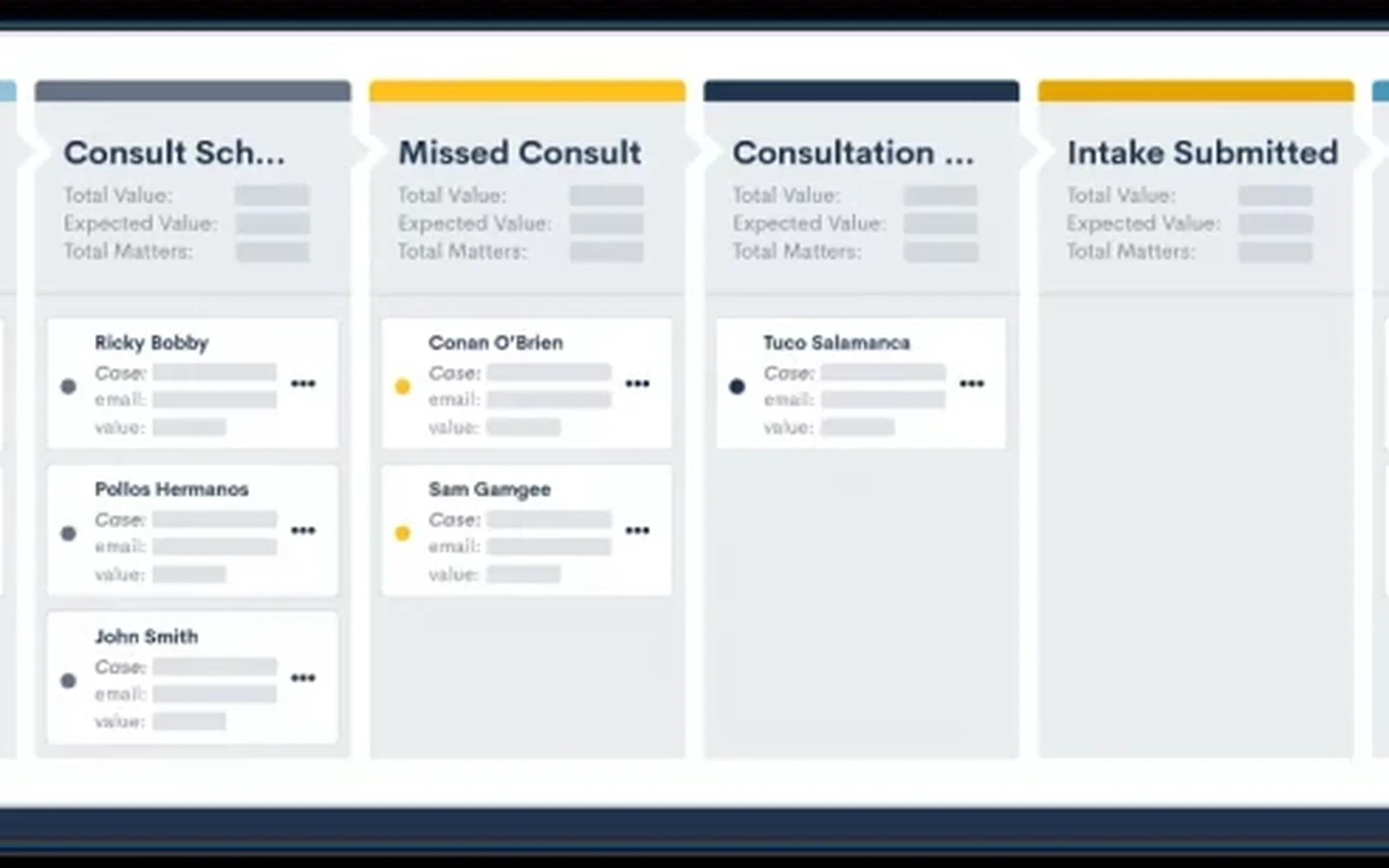
Lawmatics is a legal CRM and intake automation tool. It takes a lead from first enquiry to signed engagement agreement, then hands the matter to your practice management system.
Why I picked Lawmatics
In Reddit threads comparing the two, practitioners rate Lawmatics above Clio Grow for intake. When a new lead comes in, Lawmatics can scan for conflicts, send a consult booking link and send an engagement agreement for signing, all from automations you build once. The matter then syncs to Clio Manage, MyCase, Smokeball, PracticePanther, Filevine, LEAP, SmartAdvocate or Rocket Matter.
Lawmatics pros
- Conflict scan runs as soon as a lead is added
- Syncs matters to eight practice management systems
- Collection blocks let clients add repeat entries (Premium)
Lawmatics cons
- One Capterra reviewer’s setup took about six months (2025). A Reddit poster’s ops team was still working through it with Lawmatics’ support (2023).
- There’s no test environment, so an automation goes live the moment you switch it on (one Capterra review, October 2025).
- For stage two, I couldn’t find a way to approve or reject each uploaded document.
- It’s US only, as far as I could find.
What Lawmatics users say
It typically takes about 4 to 6 weeks of focused building and onboarding before the system is running smoothly.
Works with: the eight practice management systems above, OneDrive, CallRail, built-in e-signature, Zapier, webhooks and an API.
Pricing model: Quote-based, across Essential, Premium and Enterprise, with a three-user minimum (five on Enterprise). Reviewers mention a setup fee. There’s no free trial.
4. Clio Grow
Best for: Clio Manage firms that want leads, consults and engagement letters inside Clio
- Type
- Legal CRM
- Client login
- No for intake forms (Clio for Clients, after conversion, uses an emailed sign-in link)
- Pricing model
- Quote-based

Clio Grow is the intake and legal CRM half of Clio. It collects documents only through a file attachment question on the intake form (50 MB a file), which locks once submitted.
Why I picked Clio Grow
If you already run Clio Manage, Grow lets you sign clients without leaving Clio. Leads land in one inbox, then get an intake form, a consult booking and an engagement letter with unlimited e-signatures. When the client hires you, the matter converts into Clio Manage with its contacts, notes and files.
Clio Grow pros
- Grow AI agents answer enquiries after hours (phone US only)
- Consult booking with text reminders through Clio Scheduler
- Conflict checks across Grow and Manage (select plans)
Clio Grow cons
- Forms allow one level of follow-up questions, and clients can’t add another child or property.
- Several users say Grow and Manage still feel like two products, one of them a current user in 2026.
- Grow has no Zapier connection. Clio’s help centre says Zapier only works with Clio Manage.
- I found no list of documents still owed and no reminders for missing files.
What Clio Grow users say
Organization of leads, scheduling and sending out preliminary forms that easily transfer over into Clio Manage.
Works with: Clio Manage, Clio Payments, Dropbox Sign (built in), Zoom, Outlook and the Grow API.
Pricing model: Quote-based. Bundled into Clio’s Elite plan, or an add-on to Core and Signature, with no public Grow-only plan. Grow AI is charged per matter it helps you sign.
5. Law Ruler
Best for: personal injury and mass tort intake teams handling high lead volumes
- Type
- Legal CRM
- Client login
- Not stated (intake forms open by link)
- Pricing model
- Quote-based
Law Ruler, owned by ProfitSolv, is a legal CRM built for volume litigation intake: personal injury, mass tort, social security disability and employment. Intake teams get two-way texting, a click-to-call dialer and one-click e-signature by text. It’s last in this group because I found no family law, estate planning or bankruptcy pages on its site, and I couldn’t find a conflict check feature either.
Pricing model: Quote-based across Pro, Premium and Enterprise (10-user minimum), with a one-time onboarding fee on every plan. There’s no free plan or trial.
Practice management with intake built in
These suit firms that want one system for leads, matters and billing. Client access varies a lot, so read each login line.
6. MyCase
Best for: small US firms that want leads, intake forms and billing in one login
- Type
- Practice management
- Client login
- Yes for the portal (intake forms open by link)
- Pricing model
- Per user
8am MyCase, called plain MyCase until its parent rebranded in 2025, is practice management for small US firms, with a legal CRM, intake forms, e-signature, billing and a client portal.
Why I picked MyCase
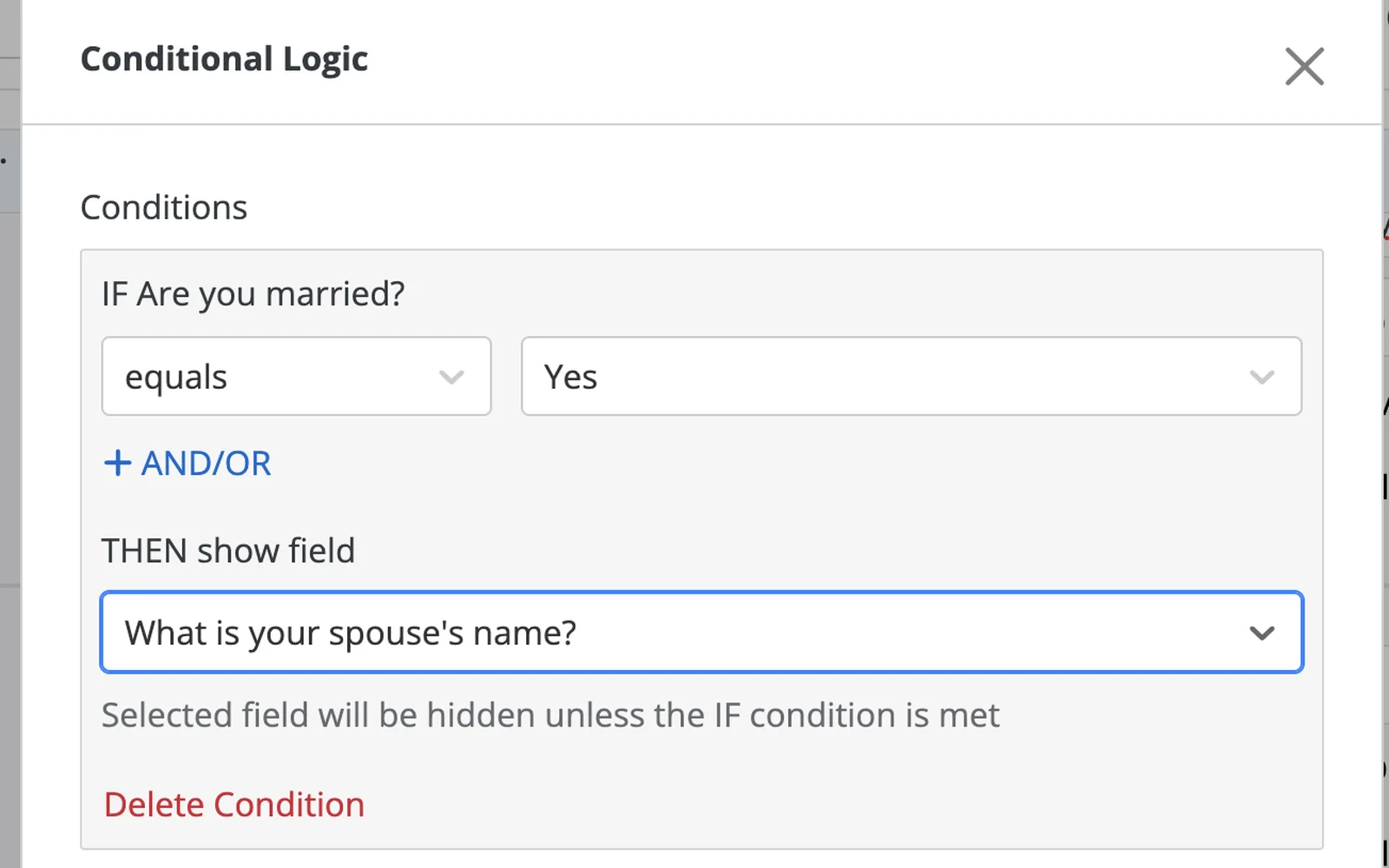
MyCase covers stage one well for a small US firm. Intake forms open by link, take file uploads and can be finished later, and conditional logic means a client uploads a marriage licence only if they’re married. On Pro and up, the same system tracks leads, sends the retainer for signing and bills the client.
MyCase pros
- Intake forms with conditional logic and file uploads
- Unlimited e-signatures on Pro and Advanced
- Zapier on Pro, with case triggers and document actions
MyCase cons
- The portal needs a password, and clients upload one file at a time or a zip.
- Several reviewers say prices rose while features moved to higher tiers.
- Payments run through LawPay. Capterra reviewers complain about the fees and about not being able to use another processor.
- Some users report its advanced document automation hasn’t worked reliably, and it was the subject of a lawsuit filed in September 2026.
What MyCase users say
I wish our clients could initiate matters/upload documents or conversations without having to link it to a case. I think the portal is pretty basic.
Works with: LawPay (built in), DocketWise, QuickBooks Online (US), Dropbox, NetDocuments, Lawmatics, DecisionVault, Zapier and an API.
Pricing model: Per user, across Basic, Pro and Advanced, billed monthly or annually, with every user on the same tier. The CRM and intake forms start on Pro, and the API and webhooks need Advanced. There’s a 10-day free trial.
7. DocketWise
Best for: US immigration firms turning one client questionnaire into prefilled USCIS forms
- Type
- Immigration practice management
- Client login
- Optional (questionnaires by link, the portal by password)
- Pricing model
- Per user
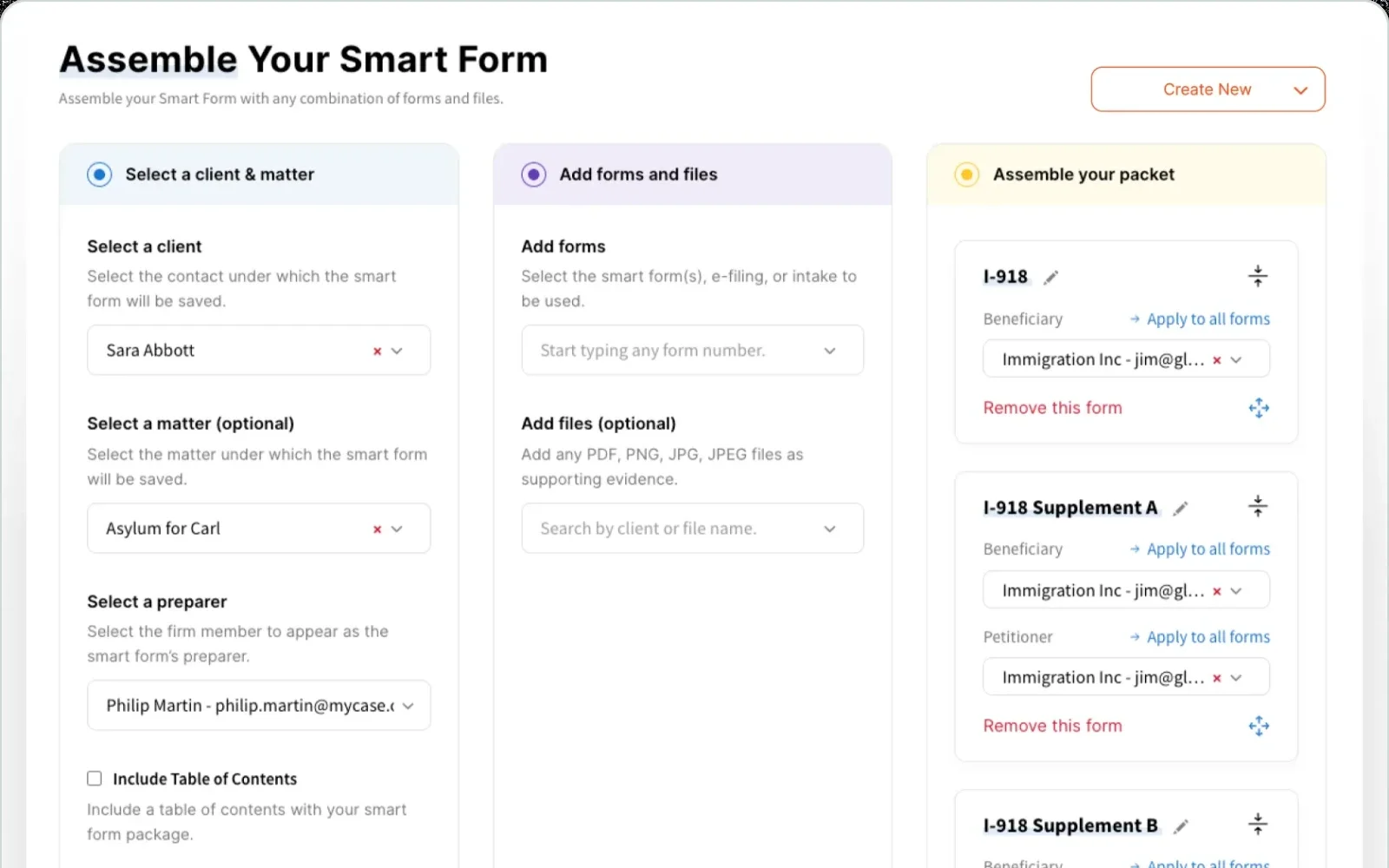
8am DocketWise is US immigration practice management, built around Smart Forms, which turn one client questionnaire into prefilled USCIS, EOIR, DOL and DOS forms. It has the same owner as MyCase.
Why I picked DocketWise
For an immigration firm, DocketWise is the shortest route from client answers to finished government forms, and the answers carry into the client’s next matter. It collects facts, so the supporting evidence still has to come from somewhere else.
DocketWise pros
- One questionnaire fills every USCIS form in a case
- Government form questions in 12 languages
- Native sync with Clio, MyCase and PracticePanther
DocketWise cons
- Several reviewers in 2025 and 2026 say answers don’t always carry from the questionnaire into the forms.
- I couldn’t find automatic reminders for unfinished questionnaires.
- Custom questions don’t translate and have no conditional logic.
- Its Zapier app only handles contacts.
What DocketWise users say
Sometimes we have five different matters for the same client, and it’s so helpful that we already have all of their information right there.
Works with: Clio, MyCase and PracticePanther (two-way sync), Lawmatics, LawPay, QuickBooks Online, Outlook, Zapier and an API.
Pricing model: Per user, across Basic, Pro and Advanced, billed monthly or yearly, with unlimited cases. The CRM and e-signature start on Pro. There’s a 7-day free trial.
8. Smokeball
Best for: small firms in Australia, the UK or US wanting a no-password portal
- Type
- Practice management
- Client login
- No, an emailed login link (the firm can require MFA)
- Pricing model
- Per user
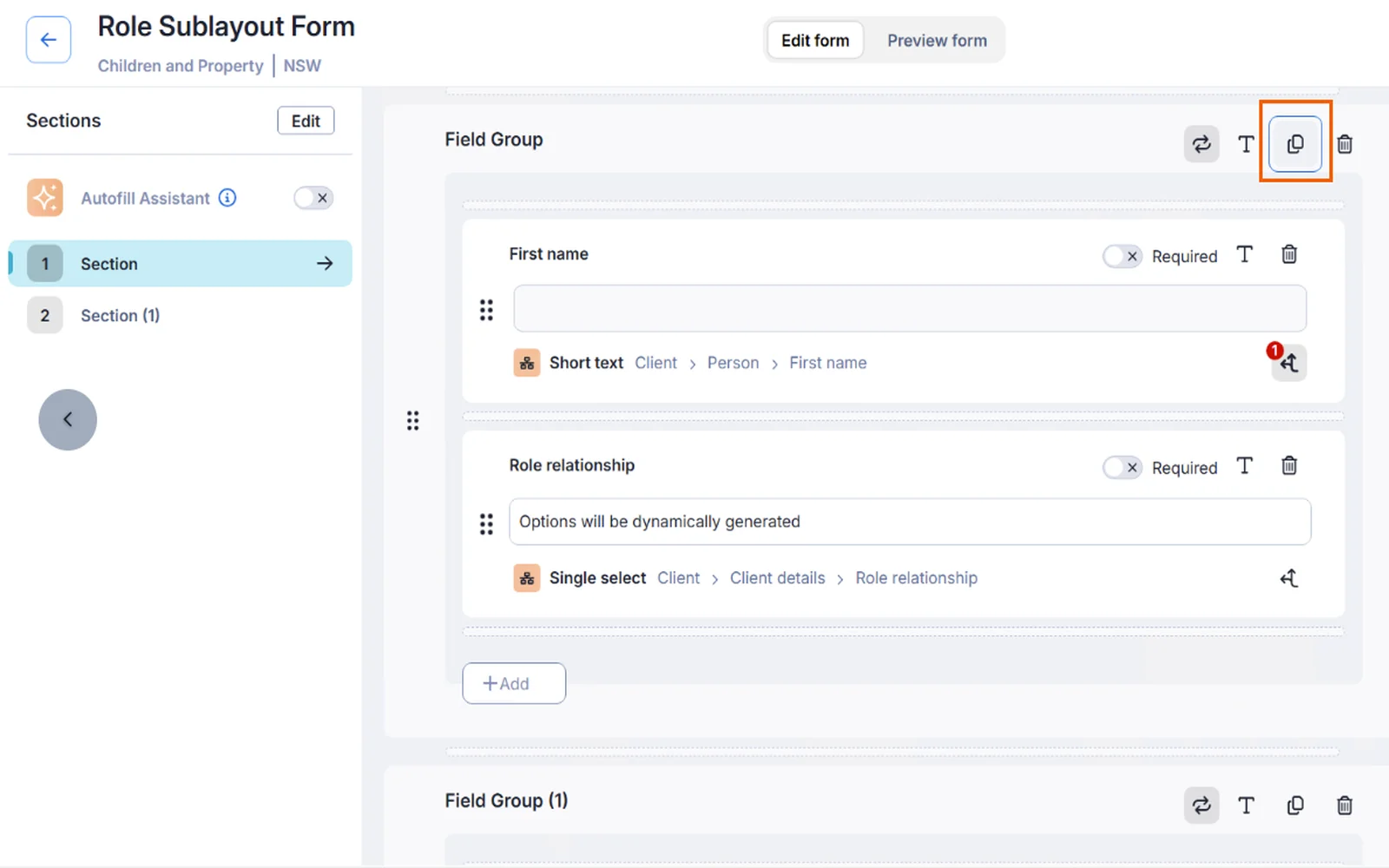
Practice management software for small law firms, Smokeball ships in separate Australian, UK and US versions. It records time automatically, works inside Word and Outlook, and has a client portal called Communicate.
Why I picked Smokeball
Smokeball has the easiest client access of the practice management suites here. Clients enter their email and get a secure login link, so there’s no password to forget. Intake forms use conditional logic and repeatable groups, and its AI can build a form from a PDF you already use. ATI Global, which owns LEAP, bought it in October 2025.
Smokeball pros
- Client app for iPhone and Android
- ISO 27001 certified, per its Australian security page
- Zapier on every plan, including file uploads to a matter
Smokeball cons
- Lead management is Prosper+ only, and intake is a paid add-on on Boost and Grow.
- An intake form takes one upload batch of up to five files, used for autofill.
- Australian reviewers report price rises at renewal and 36-month contracts.
- The desktop app on Grow and Prosper+ is Windows only.
What Smokeball users say
Smokeball has streamlined our workflows by keeping case information, documents, communications, tasks, and deadlines organized in one platform.
Works with: Word and Outlook, InfoTrack for e-signature (DocuSign or InfoSign), Xero and MYOB (Australia), QuickBooks Online (US), Lawmatics, Zapier and an API.
Pricing model: Per user, across Bill, Boost, Grow and Prosper+. The Australian site publishes prices for the first three, and the US site is quote-based. Intake is an add-on below Prosper+, and e-signature, eFiling and card payments carry fees.
9. PracticePanther
Best for: solo and small US firms that want simple practice management and billing
- Type
- Practice management
- Client login
- Yes for the portal (intake forms open by link)
- Pricing model
- Per user
PracticePanther is practice management for solo and small US firms, owned by Paradigm, and reviewers rate it the easiest here to learn. Billing and built-in e-signature are its strengths. Intake is the weak spot. Its January 2026 tutorial shows a form that takes typed answers by link, with no file upload field or conditional logic, and documents go through a portal that needs a password. Two Reddit users, in 2021 and 2026, call that portal’s file sharing poor.
Pricing model: Per user, across Solo, Essential, Business and Business Pro, billed monthly or annually. Intake forms and built-in e-signature start on Business. There’s a 7-day free trial.
Regional note
If you’re in Australia or the UK
Smokeball has Australian and UK versions, and Clio Grow is sold in both countries as part of Clio.
LEAP is the one you’re most likely paying for already. On r/auslaw it comes up again and again as the incumbent, and ATI Global now owns both LEAP and Smokeball. Its client portal, LawConnect, needs a sign-in or a one-time link.
For signing new clients in Australia, LEAP’s feature page says LEAP CRM is “available now”, with conflict checking and conversion to a matter. Its help articles, which also cover consult booking into Outlook, still say “coming soon”. Settify’s family law intake comes bundled with it.
What else I looked at
If it’s case management you need, Reddit users pair Filevine with Lawmatics or Law Ruler for the leads.
- LollyLaw: immigration practice management from Paradigm, PracticePanther’s owner, and one of the alternatives to DocketWise that keeps coming up.
- eImmigration by Cerenade: immigration case and forms software that practitioners compare against DocketWise.
Where legal matters stall
One missing document holds up the whole matter. Take a marriage-based green card, with the I-130 and I-485 filed together. USCIS’s checklists ask for evidence from both spouses. The petitioner proves citizenship or a green card. The couple proves the marriage with the certificate, proof earlier marriages ended, and evidence it’s real, such as a joint lease or affidavits from people who know them. The applicant adds photos, ID, a birth certificate, proof of how they entered the US, the I-693 medical exam and, if required, the I-864 affidavit of support. Leave out a required I-693 and USCIS may reject the I-485.
Clients go quiet for weeks, then send nine of the ten things you asked for. Jarvis Archer runs Business Reset, a restructuring and insolvency firm rather than a law firm, and anyone doing bankruptcy work will recognise this.
What might be a one-day job can’t start until you have everything, or you get some of it and enter this pick up, put down phase, which is incredibly frustrating.
Director and Registered Liquidator, Business Reset
The fix for wrong or missing answers is better instructions, not more chasing. Break the request into pages, put the critical documents on the first one, and explain each item the way you would across the desk. A client who doesn’t know what “inspection and admission documentation” means won’t ask. They’ll stop.
Then you need software that keeps track. I checked all nine tools for three things: a list of the documents still owed, reminders that chase what’s missing, and a way to send back one wrong file. Content Snare has all three, and I couldn’t find all three built into any of the other eight. MyCase comes closest, with a per-task accept or reject step behind a portal login. Lawmatics can chase through automations a firm builds itself.
Connecting Content Snare to your CRM or practice management
Content Snare has no native integration with any of these legal tools, so it connects through Zapier, Make or its API. I’ve built plenty of Zaps (Zapier Mastery covers the basics), and a basic Zap works like this. Your CRM or practice management system says the client has signed, and Zapier uses Content Snare’s “Create Request” action with the right template. When the request is done, its “Request Completed” trigger sends the files back to the matter. Each vendor’s Zapier app decides how much of that works.
Lawmatics. Its Zapier app can start a Zap when a matter’s status changes, so moving a matter to signed can create the request. It also sends webhooks when a document is signed, if you’d rather skip Zapier.
Clio. Clio Grow has no Zapier connection, so the trigger is Clio Manage’s “New Matter”, which fires once Grow converts the matter. When the request is done, Clio Manage’s “Upload Document to Matter” and “Create Matter Note” actions put the files and a note on the matter.
Smokeball. Zapier is on every plan. “Matter Converted” or “Matter Stage Updated” starts the request, and “Upload File” and “Create Matter Memo” put the files and a note on the matter. Pick your region (AU, US or UK) when you connect it.
LEAP. Its Zapier app can only push things into LEAP, so the request has to start from something else, and the files go into the matter by hand.
Where to start
Look at your last ten matters and note where each one waited longest, before the engagement letter was signed or after.
If it’s before, shortlist one legal CRM. If it’s after, shortlist one document tool. Then send yourself its intake on your phone, fill it in like a client would, and time the documents part. Anything that confuses you will stop a client who has never seen a USCIS form.
Frequently asked questions
What is client intake?
Client intake is everything between a first enquiry and having what you need to start the matter. It covers the lead, the conflict check, the consult and the engagement letter, then the client’s documents and facts. Legal CRMs handle the first part, and document tools the last.
Is Clio Grow a CRM?
Yes. Clio calls Grow client intake and legal CRM software, with a lead inbox, intake stages, consult booking and engagement letters. Once the client hires you, the matter moves to Clio Manage. Grow comes bundled in Clio’s Elite plan or as an add-on to Core and Signature.
What software do most law firms use?
Most small firms run a practice management suite. The names that come up most are Clio, MyCase, PracticePanther and Smokeball in the US, and LEAP and Smokeball in Australia. Firms with a lot of new enquiries often add a legal CRM such as Lawmatics for intake.
How do I collect documents from immigration clients?
Start from the official USCIS checklist for the case type and turn it into a request the client can finish over several sittings. DocketWise fills the forms from the client’s answers. For the supporting evidence, use a tool that lists what’s still owed and chases the missing files, such as Content Snare.
Can intake software run conflict checks?
Some can. Clio Grow, Lawmatics, MyCase, Smokeball (on Grow and Prosper+) and, in Australia, LEAP CRM all run conflict checks. Content Snare and Gavel don’t. In most tools it’s a search someone on your team runs, though Lawmatics scans each new lead automatically.