Quick summary
Content Snare is the best document collection software for firms that send clients the same structured document requests again and again, such as tax return or loan paperwork checklists. Pipefile suits small law and tax offices wanting a no-login upload link, and FileInvite is built for banks and commercial lenders collecting loan documents from borrowers.
You send the email with the list. Two weeks later you’ve got half of it, a blurry photo of one bank statement, and a reply asking which payslips you meant.
If you own or run a 5 to 50 person accounting, bookkeeping, mortgage broking or law firm, you know the loop. The tools here help you collect documents and information from clients. Storing your own files once they arrive is a separate category.
The short answer
Built for collecting from clients
- 1 Content Snare : Best for repeat document requests that chase and check themselves
- 2 FileInvite : Best for banks and commercial lenders collecting loan documents from borrowers
- 3 Pipefile : Best for small law, lending and tax offices wanting no-login upload links
- 4 Clustdoc : Best for application-style intake with review, signing and payment in one flow
- 5 Collect : Best for software companies and agencies onboarding clients, with AI sorting uploads
- 6 Superdocu : Best for small HR, real estate and broker teams collecting compliance documents
Collection inside a storage or practice management tool
- 7 SmartVault : Best for US accounting firms wanting storage first, client requests second
- 8 ShareFile : Best for firms already on ShareFile wanting tracked document request lists
- 9 TaxDome : Best for US tax firms tying requests to workflow and billing
- 10 Dropbox File Request : Best for one-off uploads into your Dropbox from people without accounts
How I chose these
I’ve set up client onboarding and document workflows for a lot of service businesses, so I judged these on what goes wrong in practice:
- Client effort: does a link get the client in, or do they have to set up an account first?
- Chasing: does it follow up on what’s still missing by itself?
- Checking what comes back: can you accept an item, or return it with a note saying what’s wrong?
- Structure: can you list each document, with instructions, and see what’s outstanding?
- Where the files end up: does it sync to your storage, or keep everything inside?
I went through each vendor’s product, help, pricing and security pages, then checked reviews on G2, Capterra, TrustRadius, Trustpilot and Reddit. I’ve used Dropbox File Request myself. There are no scores and no prices. Each entry explains how the tool charges, with a link to its pricing page.
Not included: document management and e-signature tools like DocuWare, Box and PandaDoc, because they’re for storing files or getting them signed, not collecting them.
Facts checked September 2026.
Collecting documents versus storing them
Collecting means getting files and answers from other people. They don’t work for you, and sending you six months of bank statements is nobody’s idea of a good evening. So the hard part is them. You need to know what’s missing, follow up, and check that what arrives is right.
Storing means organising your own files once you have them. That covers folders, search, who can open what, and how long you keep it all.
A storage tool can take uploads. What it can’t do is know what you asked for, so it can’t tell you what’s missing or chase it. That’s the split between the two groups on this list. Jenny Bowler, Project Manager at Hugo Digital Marketing, a web agency, saw it when her team used Google Drive folders to collect from clients:
We used to use Google Drive with folders and documents for clients to upload their website content into, but it got really confusing. Clients would upload documents into the wrong folders, areas would get missed, and we’d see long delays in our content phase.
Project Manager, Hugo Digital Marketing
Google Drive kept every file it was given. It had no way of knowing which ones never turned up.
| Collecting | Storing | |
|---|---|---|
| Whose files | Your clients’ | Your firm’s |
| What the tool tracks | Each item you asked for, and whether it’s arrived and passed your check | Folders, versions and who can open them |
| Who has to act | The client, who you can’t make hurry | Your team |
| What goes wrong | An item goes missing and nobody notices until work stops | A file gets misfiled or can’t be found |
| On this list | Content Snare, FileInvite, Pipefile, Clustdoc, Collect, Superdocu | SmartVault, ShareFile and Dropbox, each with a request feature added, plus TaxDome |
If getting things back is the problem, start with the first group. If you mainly need a home for files, look at the second.
The 10 tools side by side
| Tool | Best for | Type | Client login needed? | Automatic reminders | Approve or reject items | Pricing model |
|---|---|---|---|---|---|---|
| Content Snare | Repeat document requests that chase and check themselves | Collection tool | No (secure link)1 | Yes | Yes | Flat plans by volume |
| FileInvite | Banks and commercial lenders collecting loan documents from borrowers | Collection tool | No (secure link) | Yes2 | Yes | Annual plans by loan volume3 |
| Pipefile | Small law, lending and tax offices wanting no-login upload links | Collection tool | No (secure link) | Yes4 | Yes | Per user |
| Clustdoc | Application-style intake with review, signing and payment in one flow | Collection tool | Yes (client account)5 | Yes6 | Yes | Plans by seats and volume7 |
| Collect | Software companies and agencies onboarding clients, with AI sorting uploads | Collection tool | No (magic link)8 | Yes | Yes | Plans with set users, extra users per head |
| Superdocu | Small HR, real estate and broker teams collecting compliance documents | Collection tool | No (magic link) | Yes9 | Yes | Plans by active contacts |
| SmartVault | US accounting firms wanting storage first, client requests second | Document management + requests | Yes (client account)10 | Yes | Not stated | Per user, minimum seats |
| ShareFile | Firms already on ShareFile wanting tracked document request lists | File sharing + requests | Optional11 | Not stated | Partial12 | Per user, minimum seats |
| TaxDome | US tax firms tying requests to workflow and billing | Practice management | Yes (account or app) | Yes | Yes | Per user |
| Dropbox File Request | One-off uploads into your Dropbox from people without accounts | Storage feature | No (link, name and email) | Partial13 | No14 | Free with any Dropbox plan |
- Clients need no account by default, and you can switch on a PIN or a full client account.
- Plus ongoing reminders with no due date, for loans that run for months.
- Enterprise is quote-based, and setup fees are quoted separately.
- SMS reminders start on the Professional plan and are billed separately.
- Admins can make clients reset their password after a set number of days.
- Email and SMS, with limited use on the entry plan.
- The entry plan’s price is published. The two plans above it are quoted.
- Password protection can be added.
- Email only.
- SmartVault calls it a “Guest User” account.
- File Drop Links need no login. Request Lists are behind the client portal login.
- Feedback or approval on a document, rather than on each item inside a request list.
- A reminder, and only when you set a deadline, which needs a paid plan.
- You can comment on an upload.
Built for collecting from clients
These suit firms whose problem is getting the right documents back from clients on time. They track each item you asked for and follow up on their own.
1. Content Snare
Best for: firms that send clients the same structured document requests again and again
- Type
- Collection tool
- Client login
- No, a secure link. A PIN or full client account is optional
- Pricing model
- Flat plans by volume
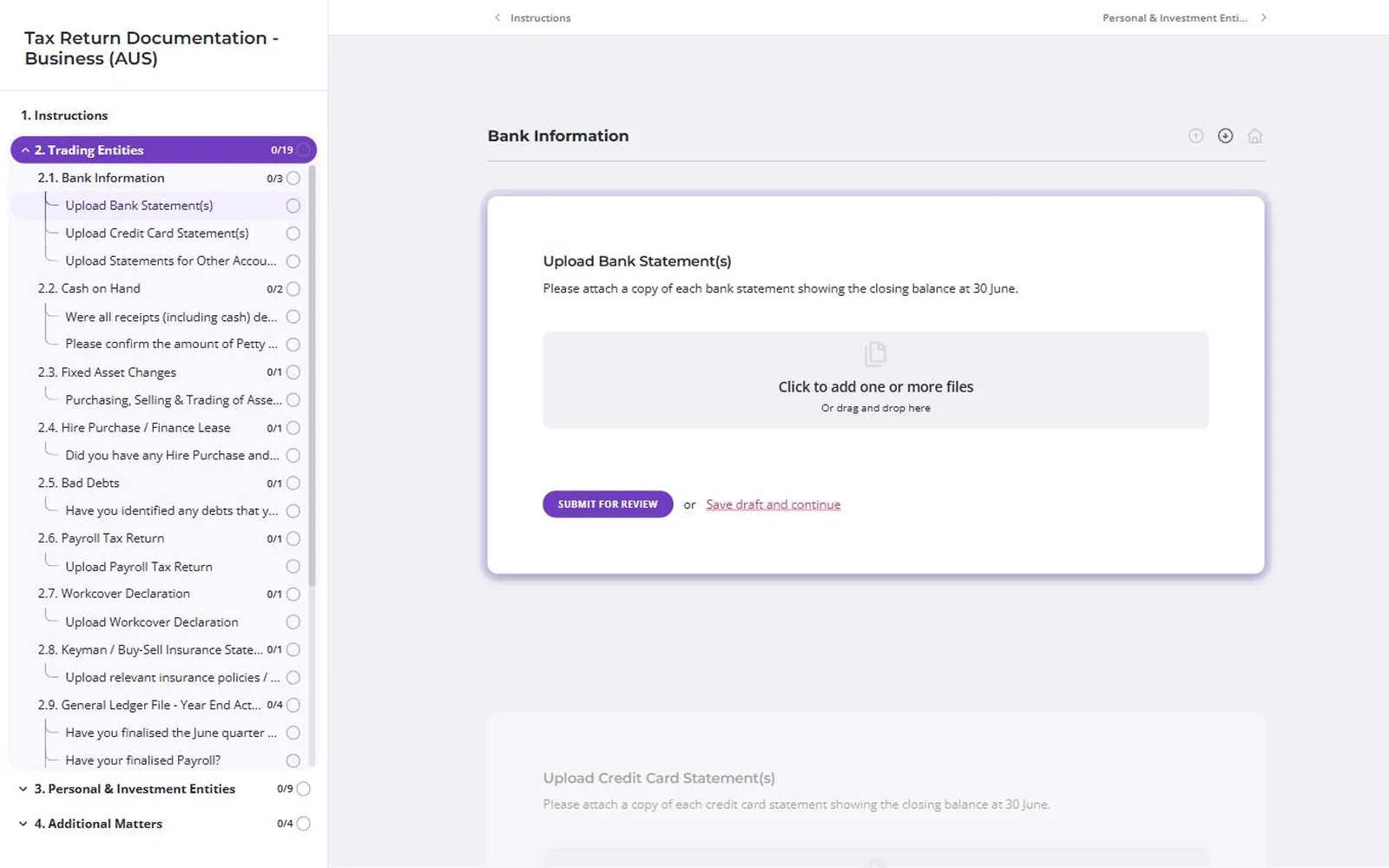
Content Snare is document collection software. Each request is a list of the documents and answers you need, which the client works through from a link, over as many sittings as it takes.
Why I picked Content Snare
Most chasing comes from the same requests going out again and again: tax return documents, year-end workpapers, bank statements, and the payslips and ID behind a loan application. Content Snare is built for that repeat work, for accountants, bookkeepers, mortgage brokers and law firms.
As document request software, it handles the parts your team usually has to do. Answers save as the client types, so they can start on Monday and finish on Thursday, and it reminds them about whatever’s outstanding on a schedule you set. If a bank statement is the wrong month, you reject that item and write why on it. You set file type and size rules, so clients can’t upload the wrong format. Each question can include instructions with a screenshot or video, and a stuck client can ask on that item instead of emailing you.
In Content Snare’s customer survey, customers reported spending 71% less time gathering information. It’s ISO 27001 certified.
Content Snare pros
- Answers save as clients type, across as many visits
- Reject one item, with the reason written on it
- Reminder emails you can rewrite in your own words
Content Snare cons
- Its signature field is a drawn sign-off. For a client to sign an actual PDF, you send it to FuseSign or Annature, a separate subscription.
- Use it to collect and check files, then export or sync them to the storage you use. It doesn’t replace a document management system.
- There’s no free plan, so a firm sending a few requests a year still needs a paid one.
What Content Snare users say
Collecting documents from clients used to be one of the most frustrating parts of our process. It was constant back-and-forth emails, missing files, and a lot of wasted time chasing people down.
I tracked my emails for six weeks, and my daily count went from about 120 down to 60.
Office Manager, Bell Partners
Works with: Xero Practice Manager, FYI, SuiteFiles, Google Drive, Dropbox, OneDrive, SharePoint, an API, Zapier, Make and a Calendly booking field. From inside the request, you can send a PDF to FuseSign or Annature for the client to sign, either one you upload or the request’s exported PDF. Plenty of firms run it next to Karbon, though the two don’t connect natively.
Pricing model: Monthly plans at a flat rate, set by how many requests you have open at once. Every plan has unlimited clients, and custom branding starts on the Plus plan.
2. FileInvite
Best for: banks, credit unions and commercial lenders collecting loan documents from borrowers and guarantors
- Type
- Collection tool
- Client login
- No, a secure link with no account
- Pricing model
- Annual plans by loan volume

FileInvite is a document collection tool that, since a 2026 rebrand, sells only to commercial and complex lenders, such as banks and credit unions.
Why I picked FileInvite
If you lend money, FileInvite is the most focused tool here. You build templates by loan product, collateral and party type. Borrowers don’t need an account, and ongoing reminders chase them through a long-running loan so you don’t have to. Its site no longer mentions accounting, so accounting firms should look elsewhere on this list.
FileInvite pros
- Bulk sends to up to 500 borrowers at once
- Strips Social Security and tax file numbers from PDFs
- Borrower portal in five languages
FileInvite cons
- It doesn’t connect to Xero, Xero Practice Manager, QuickBooks, Karbon or any other accounting software.
- Custom branding, a custom domain, SharePoint, the API and CRM-triggered requests are Enterprise only.
- Most reviews predate the lending focus. One visible Capterra review is from 2026, and the accounting ones run 2017 to 2023.
What FileInvite users say
It has really changed the way I work, I have a lot more time to focus on important tasks, rather than chasing people for the right documents.
Works with: Google Drive, OneDrive for Business and Box, plus SharePoint, Salesforce and HubSpot deal-stage triggers and an API on Enterprise. E-signature is built in, for one signer or several.
Pricing model: Two annual plans. Standard is one flat price for lenders running up to 100 commercial loans a year, and Enterprise is a quote. Setup fees are quoted separately.
3. Pipefile
Best for: small law, lending and tax offices wanting a no-login upload link that chases itself
- Type
- Collection tool
- Client login
- No, one branded secure link per request
- Pricing model
- Per user
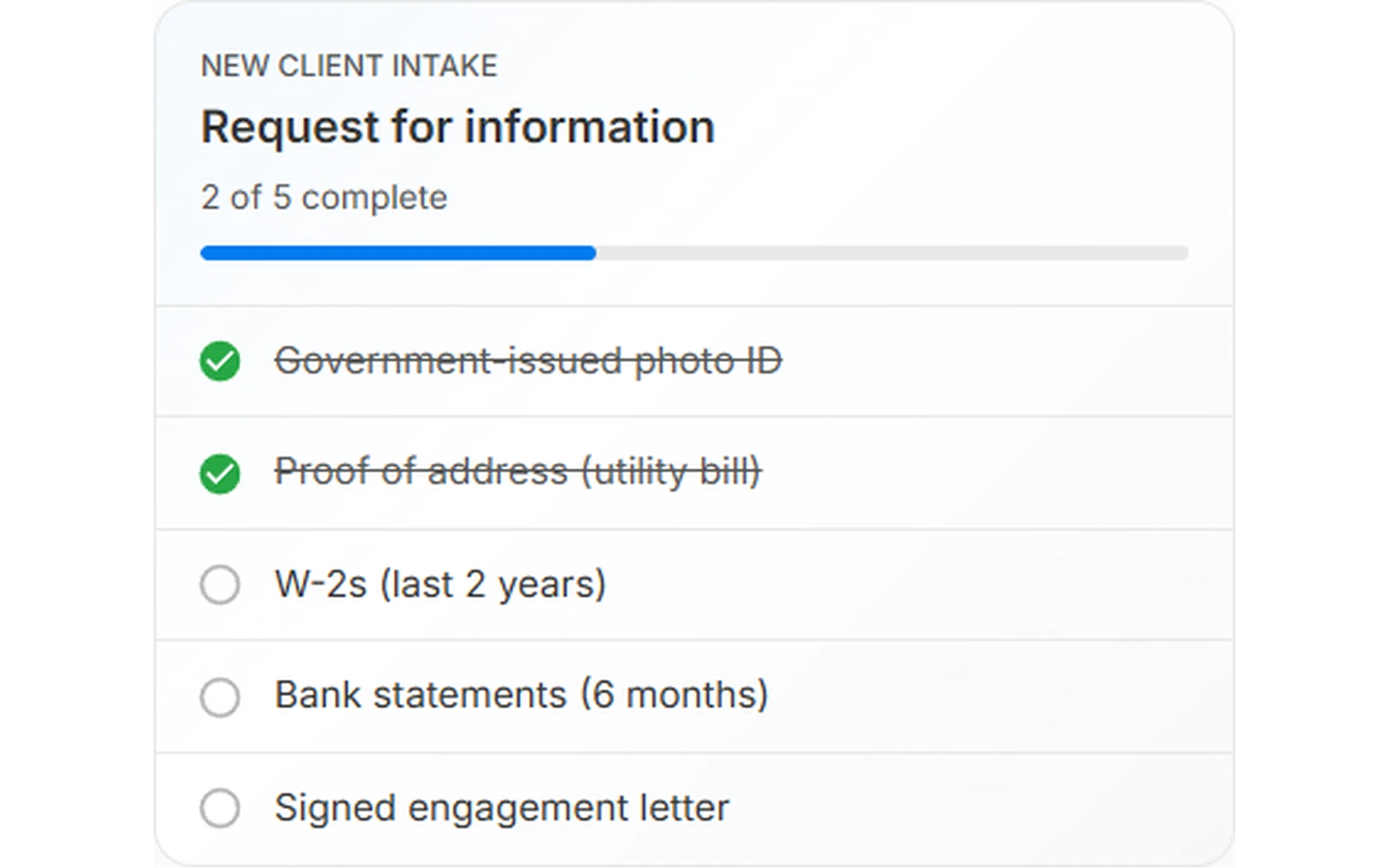
Pipefile is a secure document request tool for small firms. Each request is one branded link to a checklist, and clients upload to it without creating an account.
Why I picked Pipefile
Pipefile’s reviews are the most consistently positive of the small tools here, mostly from lawyers, mortgage brokers and tax offices. It reminds clients about anything missing. If an upload is wrong, you mark it incomplete with a reason, like a blurry scan, and it asks the client again. It integrates with Clio and was in the American Immigration Lawyers Association’s 2025 Innovators’ Spotlight.
Pipefile pros
- Browser document scanner, so clients install nothing
- Fillable PDF forms that save as clients type
- Built-in e-signature with no client account
Pipefile cons
- Its security rests on PGP encryption in the client’s browser, and it has no SOC 2 or ISO 27001 certification.
- Bulk send, cloud storage sync, custom branding, Zapier and webhooks start on the Professional plan.
- Clio is its only practice management integration. It doesn’t connect to any accounting software.
Works with: Google Drive, Dropbox, Box, Microsoft 365 and Zoho WorkDrive (approved files sync, from Professional), Clio, Zapier and webhooks. E-signature is built in.
Pricing model: Per user, monthly or annual, across three plans, with Enterprise on quote. SMS reminders are billed on top, and there’s a 14-day trial.
4. Clustdoc
Best for: firms running application-style intake, where each document is reviewed, signed and paid for
- Type
- Collection tool
- Client login
- Yes, a client account with a password
- Pricing model
- Plans by seats and volume

Clustdoc is a checklist portal that puts forms, file uploads, e-signature, payment capture and ID checks into one flow for the client.
Why I picked Clustdoc
Clustdoc suits intake that works like an application, such as a loan or a new supplier. Each uploaded file is approved or rejected with a timestamp, reminders fire on triggers you set, and clients can stop and pick up where they left off. It claims SOC 2 Type II and sells to regulated industries through demos.
Clustdoc pros
- E-signature, payments and ID checks built in
- Conditional logic changes the checklist per client
- Reminders by SMS as well as email
Clustdoc cons
- Clients need an account and password to come back.
- Every plan is “Talk to us”, and I couldn’t find a self-serve trial.
- Most Capterra reviews date from 2019 and 2020, and the three newest (2024 to 2026) are complaints.
What Clustdoc users say
The ability to create a document checklist and allow clients to upload itemized documents is very helpful. It makes it easier to track what documents are missing and which documents are not acceptable for filing.
Works with: HubSpot, Pipedrive, Salesforce, Zapier, Make, a REST API and webhooks. It says it copies files to Google Drive or Dropbox. E-signature is built in.
Pricing model: Plans set by seats, new applications a month and storage. The entry plan has a published price, the two above it are quoted, and every team member, the admin included, needs a seat.
5. Collect
Best for: software companies and agencies onboarding clients, with AI to name and sort uploads
- Type
- Collection tool
- Client login
- No, a magic link (a password can be added)
- Pricing model
- Plans with set users, extra users per head
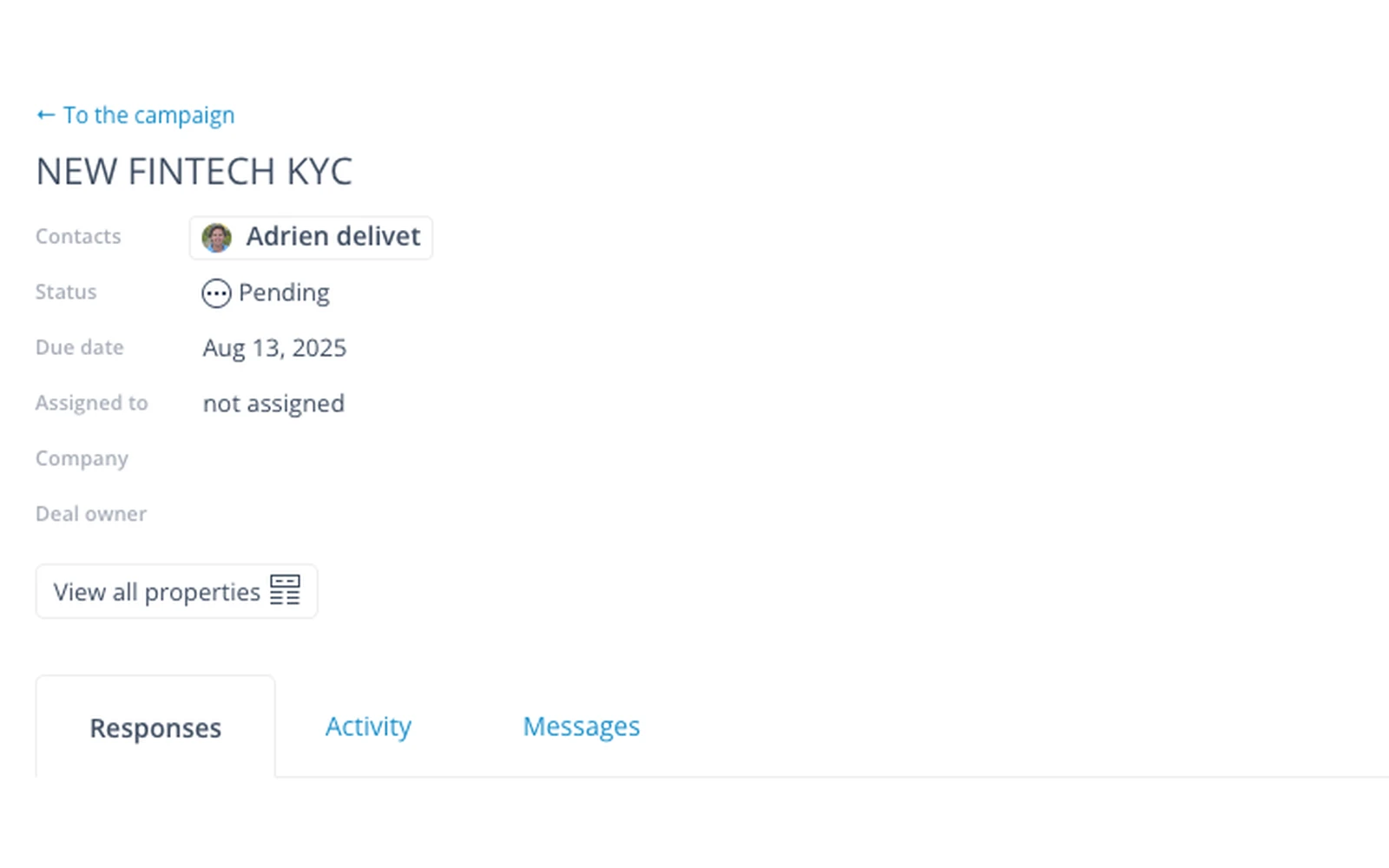
Collect (usecollect.com) is a branded client portal for documents, forms and approvals, on your own domain, which clients open without a password.
Why I picked Collect
Its most praised feature is conditional logic, which shows each client only what applies to them. You approve or reject uploads in the portal, and reminders go by email and SMS. Its reviewers run software, franchise and real estate businesses, and none are accounting or law firms.
Collect pros
- Data hosted in France or the US, your choice
- AI renames and sorts uploads as they arrive
- Hosted MCP server, so AI assistants can use it
Collect cons
- Three 2025 G2 reviewers found the settings overwhelming and asked for a visual workflow builder.
- I found no SOC 2 or ISO 27001 claim, and I couldn’t find a bulk send or CSV import either.
- The evidence is thin. It has 18 G2 reviews and no Capterra, TrustRadius or Trustpilot listing.
Works with: Box, Dropbox, Google Drive, OneDrive, SharePoint, HubSpot, Pipedrive, Zapier and a REST API with webhooks. E-signature runs through DocuSign.
Pricing model: Three plans, Pro, Business and Enterprise, each with a set number of users and extra users charged per head. Monthly or annual, with a 7-day trial.
6. Superdocu
Best for: small HR, real estate and broker teams collecting ID and compliance documents
- Type
- Collection tool
- Client login
- No, a magic link
- Pricing model
- Plans by active contacts
Superdocu is a document collection tool from France for HR, real estate, broker, immigration and compliance teams. Clients get a magic link, you approve or reject each item with a reason they see, and it collects documents again before they expire. It isn’t built for accountants, though. Reminders are email only, it doesn’t sync natively to cloud storage, I found no SOC 2 or ISO 27001 claim, and most reviews date from a 2022 lifetime deal. Data is hosted in France, and e-signature runs through DocuSign.
Pricing model: Plans tiered by active contacts a month, with more team users on each plan up. Priced in euros, and the 7-day trial needs a card.
Collection inside a storage or practice management tool
These suit firms that want one place to keep files or run the practice, and can live with a request feature that’s one part of a bigger product.
7. SmartVault
Best for: US accounting firms that want long-term document storage first and client requests second
- Type
- Document management + requests
- Client login
- Yes, a SmartVault guest login
- Pricing model
- Per user, minimum seats
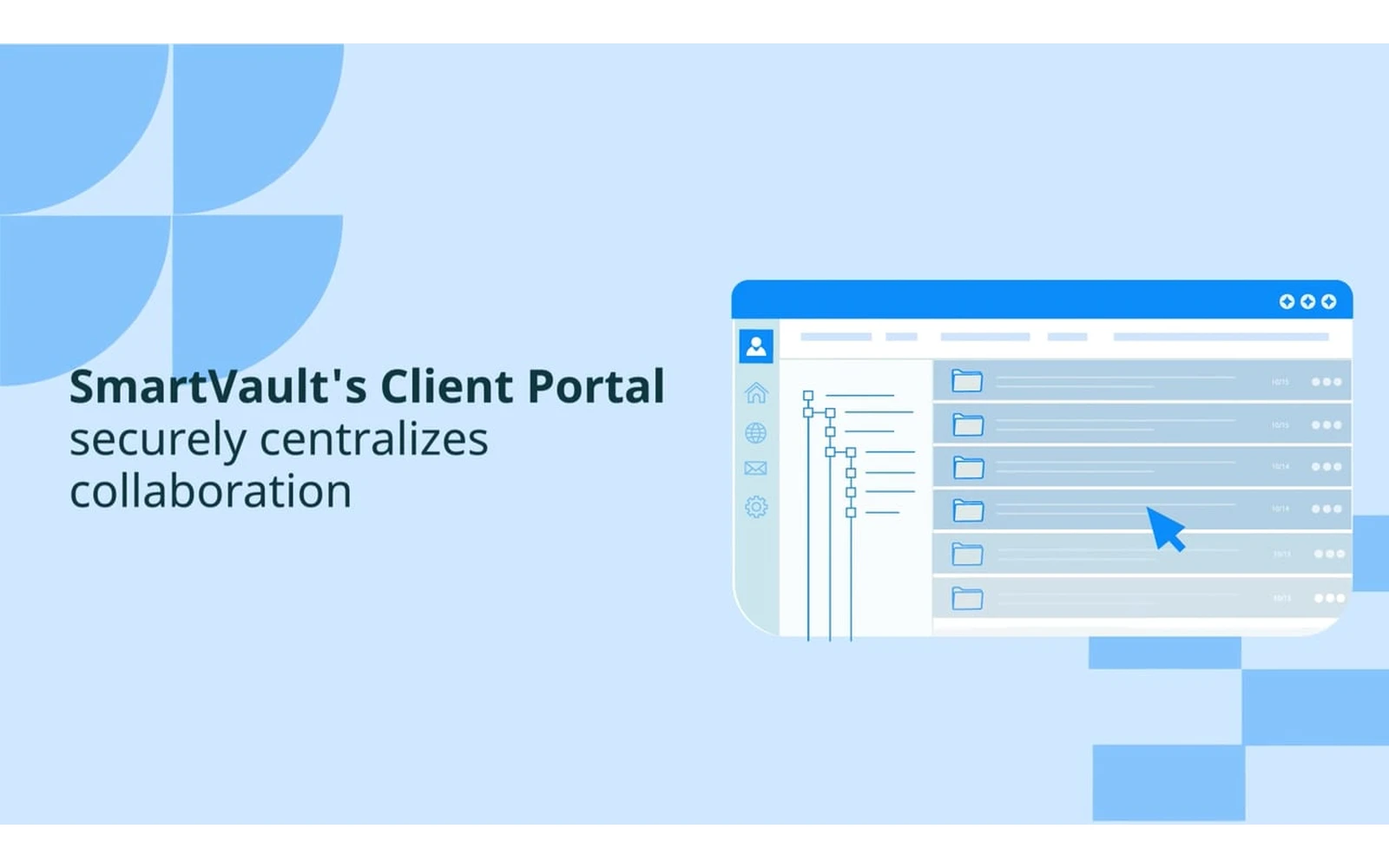
SmartVault is a document management system built for accountants. It adds requests and a client portal to storage, which holds the firm’s own files as well as what clients send.
Why I picked SmartVault
Pick SmartVault if you want one place to keep every client file for years, with requests handled there too. Request Docs sends a checklist to hundreds of clients at once and chases what’s missing, and SmartRequestAI, an add-on, builds the list from last year’s return.
SmartVault pros
- One home for firm files and client uploads
- Configurable links to UltraTax CS, Drake and CCH Axcess
- Claims SOC 2 Type 2, ISO 27001 and ISO 22301
SmartVault cons
- Its request page says clients just get a link, but its security page says documents need an authenticated login.
- I couldn’t find a way to approve or reject a single item.
- Accounting firm owners on Capterra report the price doubling in a year (2022) and rising with no new features (2024).
What SmartVault users say
SmartVault pairs seamlessly with Lacerte to provide an online portal for our tax clients to upload and download their data and tax returns.
Works with: Lacerte, ProConnect, ProSeries, UltraTax CS, Drake, CCH Axcess, QuickBooks, Xero (the ledger, not Practice Manager), TaxCalc and an open API. E-signature and ID checks run through DocuSign, an add-on except on the top plan.
Pricing model: Per user, monthly or annual, with a two or three user minimum depending on plan. SmartRequestAI is an add-on charged per return, and e-signatures cost extra except on the top plan.
8. ShareFile
Best for: firms already sharing files through ShareFile that want tracked document request lists
- Type
- File sharing + requests
- Client login
- Optional. A File Drop Link needs none, and request lists need the portal login
- Pricing model
- Per user, minimum seats
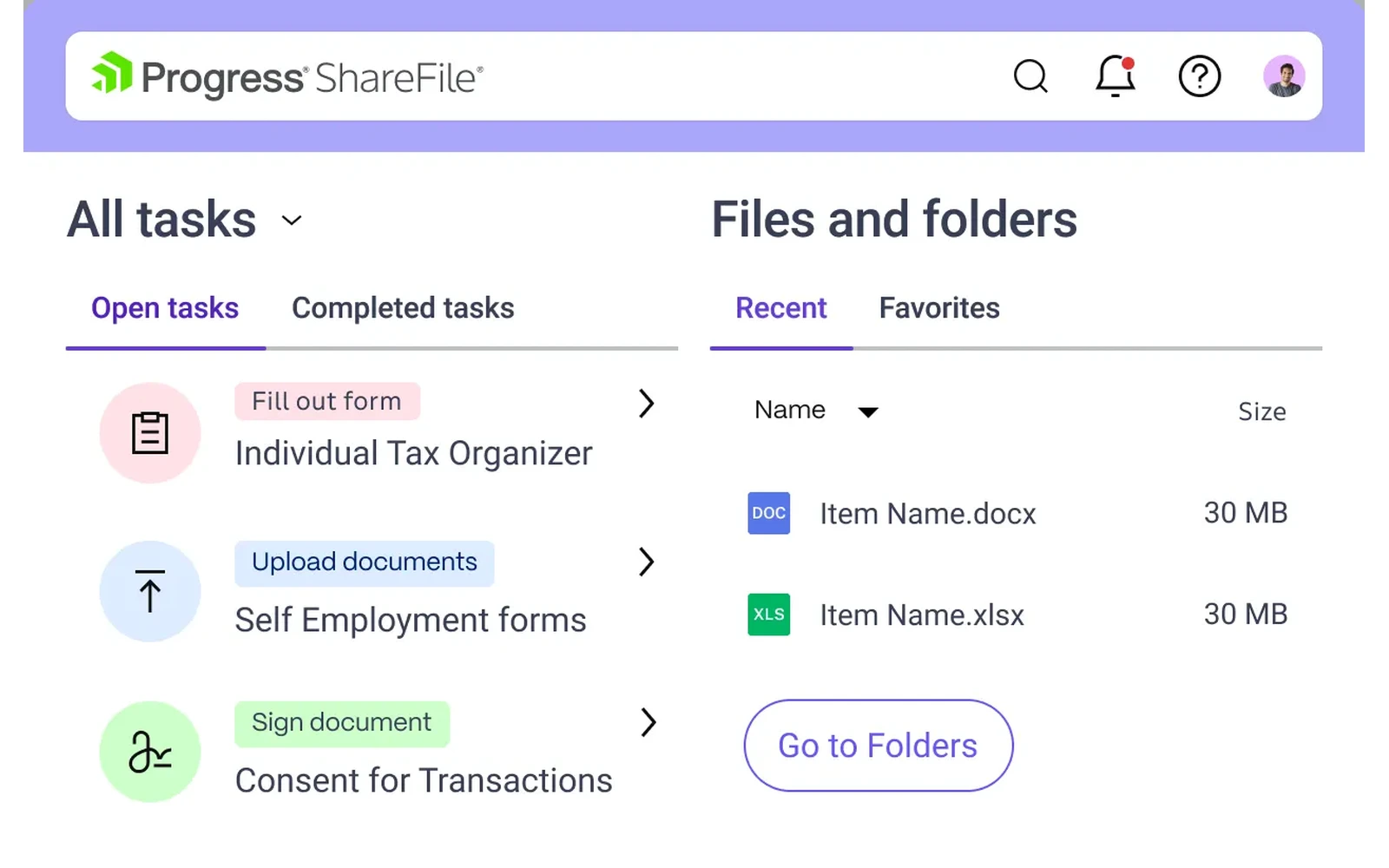
ShareFile is file sharing and e-signature software that Progress Software bought in October 2024. It collects from clients through File Drop Links and Request Lists.
Why I picked ShareFile
If ShareFile is already how your firm swaps files, it can handle collecting too. A File Drop Link, on every plan, gives clients a page to drop files into without logging in. Request Lists, from Premium, track what you’ve asked for and what’s arrived.
ShareFile pros
- AI drafts request lists and checks uploads
- Tax templates and imports on the accounting plan
- Single sign-on on every plan
ShareFile cons
- Automatic reminders on request lists aren’t listed as a feature, and users on its support forum asked for them in 2025.
- Request lists are behind the client portal login, and more than one reviewer says clients resist logging in.
- Since the Progress takeover, two Capterra reviewers (2025, 2026) have complained about billing and support.
What ShareFile users say
I like that Progress ShareFile is secure and easy to use, which gives me confidence that important files are protected and only accessible to the right people.
Works with: Microsoft 365, Gmail, Google Drive, Salesforce, QuickBooks Online and Xero (both “currently available for U.S. based control planes only”, per its pricing page) and Zapier. E-signature is built in.
Pricing model: Per user with a three-user minimum, in plans tiered by features. Request lists, forms and e-signature start on Premium, and the tax templates need the accounting plan.
9. TaxDome
Best for: US tax firms wanting organizers and document requests tied to their workflow and billing
- Type
- Practice management
- Client login
- Yes, a client account (web or mobile app)
- Pricing model
- Per user

TaxDome runs the whole practice for tax and accounting firms, and its tax organizers, document request lists and one-off client requests are part of that.
Why I picked TaxDome
In TaxDome a request doesn’t stand on its own. It’s linked to the client’s workflow, invoice and reminders, so approving a document can move their work to the next step, and IRS transcripts land in the client record. It won’t suit a firm that only wants better collection, because TaxDome expects to become the whole practice.
TaxDome pros
- Accept or reject a document before it’s final
- AI tags and renames uploaded documents
- Separate logins for each person on a joint account
TaxDome cons
- Every client registers with a password before sending you anything.
- Setup takes a while. Of its G2 reviews, 32 are tagged “Learning Curve” and 18 “Time-Consuming Setup”.
- Two practitioners on r/taxpros said its 2026 payments change hit firms in the middle of tax season.
What TaxDome users say
TaxDome is absolutely awesome but does have a pretty intimidating learning curve. I recommend paying for help setting up.
Works with: Drake, Lacerte, ProConnect, UltraTax, CCH Axcess, QuickBooks Online, IRS transcripts, Companies House, Stripe, Calendly and Zapier. E-signatures are built in and unlimited.
Pricing model: Per user, billed annually, across three published plans. Two and three year terms cost less, seasonal seats are available, and firms with 25 or more seats get a quote.
10. Dropbox File Request
Best for: one-off uploads from people who won’t make an account, straight into your existing Dropbox
- Type
- Storage feature
- Client login
- No, a link plus their name and email
- Pricing model
- Free with any Dropbox plan
Dropbox File Request is a Dropbox feature. It gives you a link that lets anyone, account or not, add files to a folder you choose.
Why I picked Dropbox File Request
When I’ve used it, the appeal is how little the client does. They click the link, add files and type their name and email. Files land in the folder you picked, you get an email for each upload, and naming rules can add the date or folder name. For the odd one-off request, that’s enough.
Dropbox File Request pros
- Free on every plan, the Basic plan included
- Clients can reuse the link to add more files
- Clients upload from any phone or computer browser
Dropbox File Request cons
- It’s one upload box. You can’t list the documents you need or see which are missing.
- A reminder goes out only if you set a deadline, and deadlines need a paid plan.
- You can comment on a file, but you can’t approve or reject it.
What Dropbox File Request users say
Dropbox file requests are super easy and secure way to have clients send files. They literally just click the link and there’s a big open box that says drop your files here. That’s it.
Works with: Dropbox only, for where files land. Zapier, the Dropbox API and Dropbox’s MCP server can create requests. Dropbox Sign is a separate product, so signing isn’t part of file requests.
Pricing model: Included on every Dropbox plan, the free Basic plan too. Deadlines and reminders need a paid plan. Each file can be up to 2 GB on Basic, Plus and Family, and 250 GB on the business plans.
Visit Dropbox File RequestSee Dropbox File Request’s pricing
What else I looked at
DocuWare and Box are document management systems, for storing, searching and controlling your own files. MasterControl does the same for regulated manufacturing and life sciences, and Alfresco for large enterprises. PandaDoc is for proposals and e-signatures, and Evernote is for notes. They turn up on other document collection lists, which is why I mention them.
Hightail is for creative teams swapping large media files. SuiteDash is an all-in-one client portal with CRM and billing, covered in my list of the best client portal software.
- File Request Pro: adds checklists, reminders and file renaming to upload links into your Google Drive, OneDrive, SharePoint or Dropbox, but has almost no independent reviews.
- Google Drive: has no file request feature, and every workaround needs the client to sign in with a Google account.
- OneDrive file requests: Microsoft 365 business accounts only, and they stop working if your IT team has turned off “Anyone” sharing links.
- Glasscubes: a UK-only portal for accounting firms, with line-item requests and automatic chasing.
Five reasons clients don’t send documents on time
Most firms treat a slow client as a client problem. It’s usually one of five problems with the process, and each points to something to look for in software.
1. They don’t know it’s coming
A request out of the blue goes to the bottom of the pile. Tell clients beforehand what you’ll need and by when, then put a due date and a short intro on the request. The collecting tools take instructions on each item. A Dropbox request has one description field.
2. There’s too much friction
If there’s friction, they’ll put it off. Look for a link they can open without an account. On this list, Clustdoc, SmartVault, TaxDome and ShareFile’s request lists need the client to log in, and the rest don’t.
3. They forget
They aren’t ignoring you. Your email got buried. Look for reminders that go out on their own about whatever’s still outstanding. Two tools here only half do this. Dropbox sends a reminder, on paid plans, when you’ve set a deadline, and I couldn’t confirm that ShareFile’s request lists send reminders at all. Pipefile, Clustdoc and Collect can send SMS as well as email.
4. It’s overwhelming
A 40-item list in one email gets put off, then put off again. Look for a request broken into pages or sections, a checklist the client can tick through, and answers that save as they go, so they can finish over a few sittings.
5. They don’t know how to answer
“Bank statements for the year” means something exact to you. To a client with four accounts and two cards, it’s a guessing game, so they wait. Look for instructions and an example on every item, ideally with a screenshot, and a way to ask a question on the item they’re stuck on.
Check the tools you’re weighing up against all five, and trial the one that handles the most.
What I’d pick for your situation
- Tax season volume: for one request going to hundreds of clients, Content Snare, because answers save as clients go and reminders do the chasing. A US firm wanting storage or the whole practice in one system should look at SmartVault or TaxDome.
- A one-off request: Dropbox File Request if your files already live in Dropbox. If you want a checklist and reminders without a big setup, Pipefile.
- Lending: FileInvite, if you’re a bank or commercial lender. A small mortgage broker will get more from Content Snare or Pipefile, which both have mortgage broker users.
- A regulated firm: ask every vendor for its certificate or audit report, because a padlock icon on a website tells you little. Clustdoc claims SOC 2 Type II and has ID checks built in, and ShareFile’s trust centre shows ISO 27001 certificates and a SOC 2 Type II report.
Start with one request
Pick the one request you chase hardest every year. For a lot of firms that’s tax return documents or year-end workpapers. Build it in your top two tools from this list, then send it to five clients who usually reply quickly.
Clients who usually reply quickly give each tool a fair test, because if one of them stalls, it’s probably the tool’s fault. After a week, look at which one got complete answers back with the least chasing from you.
Frequently asked questions
What is the best document collection software for small firms?
Content Snare is the best document collection software for small firms that send clients the same requests again and again, like tax return documents or loan paperwork, because it chases and checks each item for you. Pipefile suits small law and tax offices that want a simple upload link, and FileInvite suits banks and commercial lenders.
How do I stop chasing clients for documents?
Fix the process before you blame the client. Tell clients what’s coming and when, send a link they can open without an account, let reminders go out on their own, break long requests into sections, and put instructions on every item. Most chasing comes from one of five reasons clients don’t send documents on time, and each one has a fix.
What’s the difference between document collection and document management software?
Document collection software gets files and answers from other people and tracks which items are still missing. Document management software organises your own files once you have them, with folders, search, permissions and retention rules. A storage tool can take uploads, but unless it has a request feature added, it doesn’t know what you asked for or what hasn’t arrived.
Is Dropbox File Request enough for a business?
Yes for the odd one-off upload, if you already use Dropbox. It stops being enough once you need a list of items, reminders or a way to approve what arrives, because a file request is one upload box with a single reminder on paid plans. The Dropbox File Request entry has the details.
How do I collect documents from clients securely?
Use a dedicated collection tool instead of email attachments, and check that the vendor holds an independent certification such as ISO 27001 or SOC 2 Type II. Ask to see the certificate or the audit report itself, since anyone can write a security page. Then limit who can open each request, with a PIN or a login for sensitive work if the tool offers one.