Quick summary
Content Snare is the strongest pick for collecting documents and answers from clients without a login. SuiteDash suits solo operators wanting CRM and invoicing in one account, Assembly suits small agencies wanting one branded hub, and Moxo suits firms running multi-step approvals with several sign-offs.
This is for the owner or operations lead at a small service business, such as an accounting practice, law firm, mortgage broker, consultancy or agency, who’s shopping for a client portal.
It covers getting documents and information from clients and working with them day to day. Storing your own files and running a help desk are left out.
The short answer
Portals built for collecting documents and information
- 1 Content Snare : Best for getting documents and answers from clients without a login
All-in-one client portals
- 2 SuiteDash : Best for solo operators wanting CRM, invoicing and projects in one account
- 3 Assembly (formerly Copilot) : Best for small agencies wanting one branded hub for messages and invoices
- 4 Moxo : Best for repeated multi-step client processes with several people signing off
Portals for sharing files with clients
- 5 Clinked : Best for fully white-labelled file sharing and approvals for small firms
- 6 ShareFile : Best for sending large or sensitive files from inside Microsoft 365
Other ways to get a portal
How I chose these
I’ve set up client onboarding and document workflows for a lot of service businesses, so I checked every tool against five things:
- What it’s built for: collecting, sharing, messaging, billing or project updates.
- Client effort: can a client reply from a link, or do they need an account, a password or an app?
- Chasing: does it remind clients about what’s still missing, or do you have to?
- Checking what comes back: can you approve an upload, or send it back with a comment?
- Setup: how much building is there before the first client sees anything?
My sources were each vendor’s product, help, pricing and security pages, and what users wrote on G2, Capterra, TrustRadius, Trustpilot and Reddit. I haven’t scored anything or listed prices, so every entry gives the pricing model and links to the vendor’s prices.
Not included: help desks and support-ticket portals like Zendesk, because they’re built for support requests rather than working with clients.
Facts checked September 2026.
Five things firms use a client portal for
Ask five vendors what a client portal is and you’ll get five answers, because the phrase covers five different uses. Most lists mix them together, which is why no two “best client portal” lists agree. Of the lists ranking for this search when I checked, no tool turned up in more than half of them.
So pick the use you need most first, then the tool.
| What you need | Who needs it most | Best fit on this list |
|---|---|---|
| Collecting documents and information | Accounting, legal and mortgage firms, and anyone sending checklists | Content Snare, or Moxo for multi-step approvals |
| Sharing files with clients | Firms sending large or sensitive files and finished work | ShareFile, Clinked |
| Messaging | Agencies and consultants moving client chat out of email | Assembly, Moxo |
| Billing | Small service businesses billing retainers and subscriptions | SuiteDash, or TaxDome for accounting firms |
| Project updates | Agencies and consultants showing clients where the work is up to | SuiteDash, or Assembly for simple task lists |
The all-in-ones do four of those five better than Content Snare does. None of the tools here is built only for project updates, so that row goes to the two all-in-ones that handle it best.
Content Snare is first anyway. In my experience, collecting is the one most firms are buying a portal for, because it’s the part that holds the work up. One independent web designer’s review described Content Snare as sitting “upstream of the portal stage”, and I think that’s right.
Client portal software compared
| Tool | Best for | Type | Client login needed? | Client app or link | Main use | Pricing model |
|---|---|---|---|---|---|---|
| Content Snare | Getting documents and answers from clients without a login | Collection portal | No (secure link)1 | Link, works in a phone browser | Collecting | Flat plans by volume |
| SuiteDash | Solo operators wanting CRM, invoicing and projects in one account | All-in-one portal | Yes (client account)2 | Branded web app (installable) | Billing, projects | Flat plans, unlimited users |
| Assembly (formerly Copilot) | Small agencies wanting one branded hub for messages and invoices | All-in-one portal | No (magic link)3 | Web only | Messaging, billing | Free plan + tiered by users and clients |
| Moxo | Repeated multi-step client processes with several people signing off | Workflow portal | No (magic link)4 | Link, optional branded app | Multi-step processes | Annual plans by volume5 |
| Clinked | Fully white-labelled file sharing and approvals for small firms | File sharing portal | Yes (client account)6 | Web, iOS and Android, branded app extra | Sharing files | Per user7 |
| ShareFile | Sending large or sensitive files from inside Microsoft 365 | File sharing portal | Optional8 | Web, plus iOS and Android apps | Sharing files | Per user, minimum seats |
| TaxDome | Accounting firms running the whole practice from one system | Practice management | Yes (account or app) | Web, plus iOS and Android app | Everything, for accounting firms | Per user |
| Softr | Building your own portal on data you already have | No-code app builder | Optional9 | Web, installable app on higher plans | Whatever you build | Free plan + tiered by users and clients |
- The default is a link that needs no account or password. You can switch on a PIN, or have clients create a full account.
- File requests and “Form Cannons” go out as links that don’t need a login.
- The client has to be added as a contact first. Each link works once, or for three days.
- Client passwords, client two-factor sign-in and link expiry are available, depending on plan.
- Metered by flows per year, with unlimited seats.
- Guest Share and File Request links work without an account.
- Charged per registered user, with unlimited guest and client users.
- Clients can upload through a File Drop Link without logging in. Request lists live inside the client portal, which needs a login.
- You choose the method: password, magic link, one-time code or Google sign-in.
Portals built for collecting documents and information
For firms buying a portal to get documents and answers back from clients, complete and on time.
1. Content Snare
Best for: firms whose clients need to send documents and answers without creating a login
- Type
- Collection portal
- Client login
- No, a secure link (a PIN or client account can be switched on)
- Pricing model
- Flat plans by volume
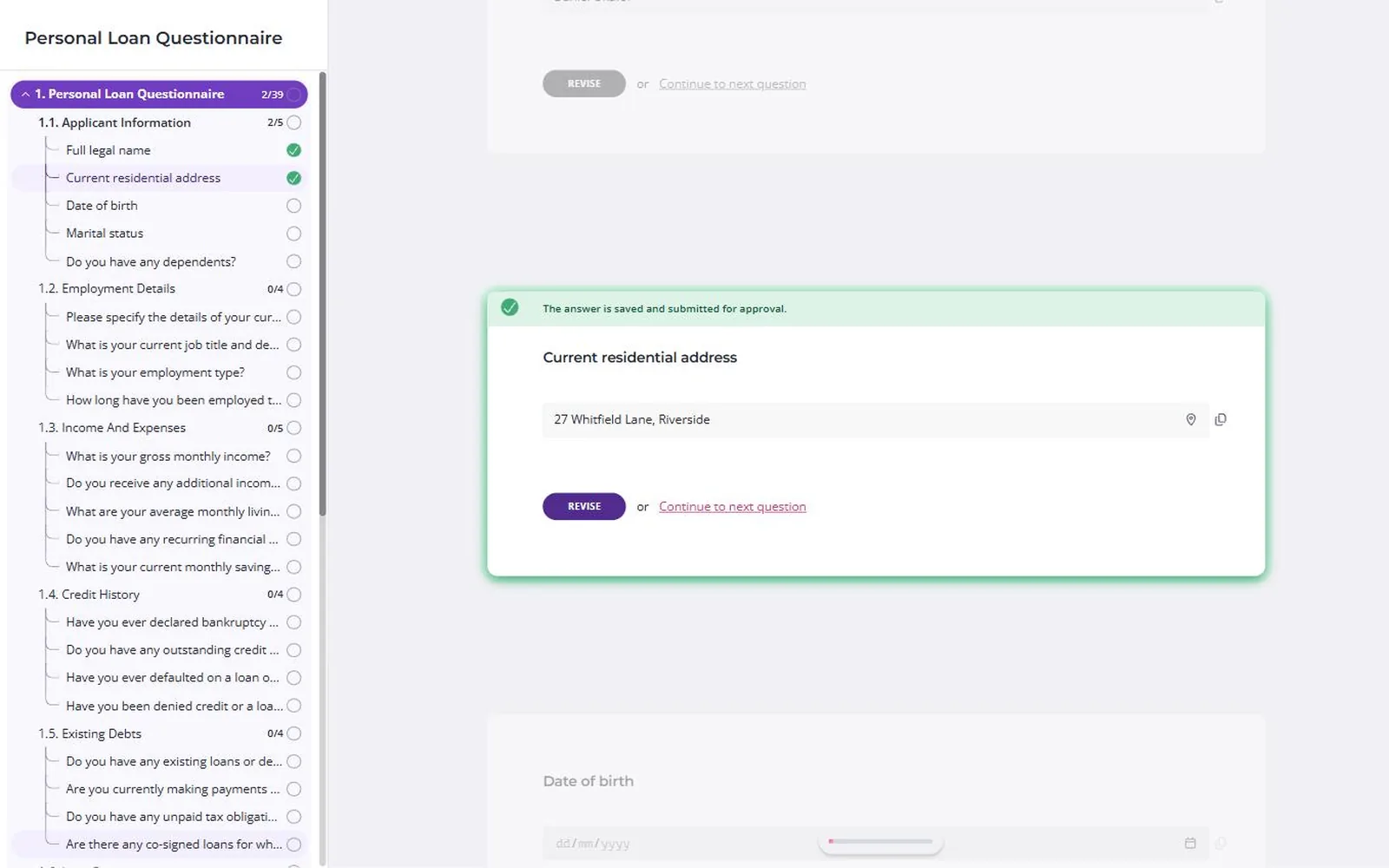
Content Snare is a client portal for collecting documents and information. Clients open a request from a link and work through its questions and uploads, over as many sittings as they need.
Why I picked Content Snare
Most firms I’ve worked with don’t buy a portal because they need somewhere to put files. They buy one because clients are slow to send what the work needs, and one missing bank statement or ID holds everything up. Content Snare is built around that problem.
Clients don’t need an account. They click the link in the email and they’re in, and you can add a PIN or turn on full accounts for sensitive work. You can see what’s missing for each client on one dashboard. A client stuck on one item asks about it on that item, and you answer there instead of starting another email thread.
Accounting, legal and mortgage firms use it most, and agencies use it too. From the Plus plan, your logo and colours go on every request, and you can rewrite the buttons and labels clients see. It’s ISO 27001 certified. In Content Snare’s customer survey, 79% of customers reported direct positive feedback from their clients (customer-reported).
For files going the other way, each client gets their own space in the Client Portal, opened from a magic link. It’s on every plan.
Content Snare pros
- Answers and uploads save as clients go
- Automatic reminders until the request is done
- Approve each item or send it back with a comment
Content Snare cons
- There’s no invoicing or payments, so getting paid stays in whatever you use now.
- There are no project boards or task tracking for the work that starts once documents arrive.
- You can’t chat with a client outside a request. Every discussion hangs off a question.
What Content Snare users say
And clients love it. In our first year of using it we received multiple calls and emails to tell us how good it is.
We’re getting notifications to say that people have completed things that I didn’t know they were even capable of doing.
Director & Founder, Dream Accounting & Business Advisory
Works with: Google Drive, Dropbox, OneDrive and SharePoint, Xero Practice Manager, a Calendly booking field, Zapier, Make and an API. Firms often run it alongside Karbon, though there’s no native integration. A request can hold a signature field, which is a drawn sign-off on the form. For a signed PDF, you send one you upload, or the exported request, to FuseSign or Annature for the client to sign.
Pricing model: Flat monthly plans, tiered by how many requests are open at once, with unlimited clients on every plan. Custom branding starts on the Plus plan.
All-in-one client portals
For small service businesses that want billing, messaging, files and projects behind one branded login, and will put in the setup time.
2. SuiteDash
Best for: solo and small service businesses wanting CRM, invoicing and projects in one branded account
- Type
- All-in-one portal
- Client login
- Yes, a client account (file requests and forms can go by no-login link)
- Pricing model
- Flat plans, unlimited users
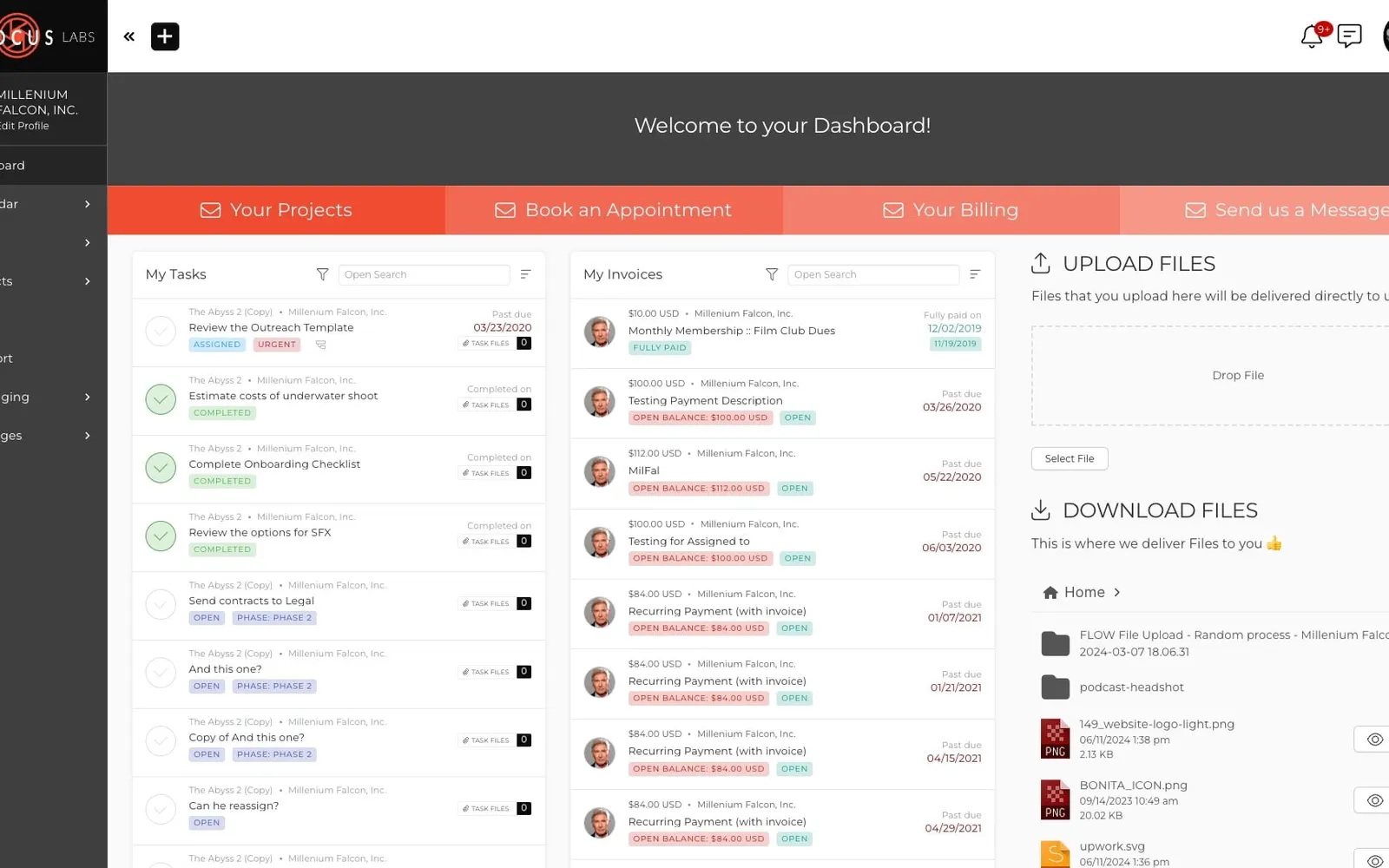
SuiteDash is all-in-one business software built around a white-label client portal, with CRM, forms, e-signature, invoicing and projects on one flat price.
Why I picked SuiteDash
It’s the most complete all-in-one here, with unlimited staff and clients on every plan. You can use your own domain and give clients a branded app to install from the login page. For collection, you choose between file requests, several form types and FLOWs, which are guided onboarding sequences you wire together yourself. FLOWs are on the top plan only.
SuiteDash pros
- CRM, invoicing, proposals and projects under one login
- Unlimited staff and clients on every plan
- Your own domain and an installable branded app
SuiteDash cons
- To chase a file request, you press a resend button. Automations can’t fire on a request that’s still incomplete.
- You can’t approve or send back a client’s upload or form answer.
- The Save Draft option on its forms relies on browser cookies, so a saved draft only comes back in the same browser.
- G2 tags “Learning Curve” or “Steep Learning Curve” on 41 reviews. Support is email only unless you pay more.
What SuiteDash users say
As a solo professional, I wanted to look more organized and “bigger” than a one-person shop, and SuiteDash really helps with that.
Works with: QuickBooks Online, Stripe, PayPal, Braintree, Authorize.Net, Google Calendar, Zoom, Twilio for SMS, Zapier and webhooks. Xero only through Zapier. E-signature is built in.
Pricing model: A flat price per account across three plans, with unlimited staff and clients on every plan. FLOWs, the full automation toolkit and support tickets are on the top plan only, and paid Power-Ups cost extra.
3. Assembly (formerly Copilot)
Best for: small agencies and consultancies wanting one branded hub for messages, files and invoices
- Type
- All-in-one portal
- Client login
- No, a magic link (the client must be a contact first)
- Pricing model
- Free plan + tiered by users and clients

Assembly, formerly Copilot, is a branded client portal for messages, files, forms, contracts, invoices and tasks, with a light CRM for your team.
Why I picked Assembly
G2’s top tags for it are Ease of Use (147) and Easy Setup (80). Clients sign in from a magic link instead of a password, and can reply to messages by email without logging in. Clients get automatic reminders on forms and contracts, 3 and 7 days after you send them. The homepage now leads with an AI app builder, but the portal is what most reviewers use.
Assembly (formerly Copilot) pros
- Magic link access, and clients can reply by email
- Automatic reminders on forms and contracts
- Clients sign contracts in the portal with the Contracts app
Assembly (formerly Copilot) cons
- Forms can’t branch. Its own help docs say conditional logic “is not possible yet”.
- The built-in apps have no per-document checklist or approval step. An AI-built “Document collector” template arrived in August 2026, still unreviewed.
- There’s no mobile app, which Assembly confirmed in a G2 reply in August 2026.
What Assembly users say
My clients have a branded login where they can access all of their project assets in one place instead of digging through emails or multiple platforms.
Works with: QuickBooks Online and Xero (one way, from Assembly into the ledger), Stripe, Zapier, Make, an API and webhooks, an MCP connector for AI assistants, and embeds for tools like Calendly and Typeform. Payments are Stripe only. E-signature is built in.
Pricing model: Free, Starter, Professional, Advanced and Enterprise plans, each with a set number of internal users and a cap on active client contacts. A custom domain starts on Professional.
Visit Assembly (formerly Copilot)See Assembly (formerly Copilot)’s pricing
4. Moxo
Best for: firms running the same multi-step client process often, with several people signing off
- Type
- Workflow portal
- Client login
- No, a magic link (password and two-factor depend on plan)
- Pricing model
- Annual plans by volume
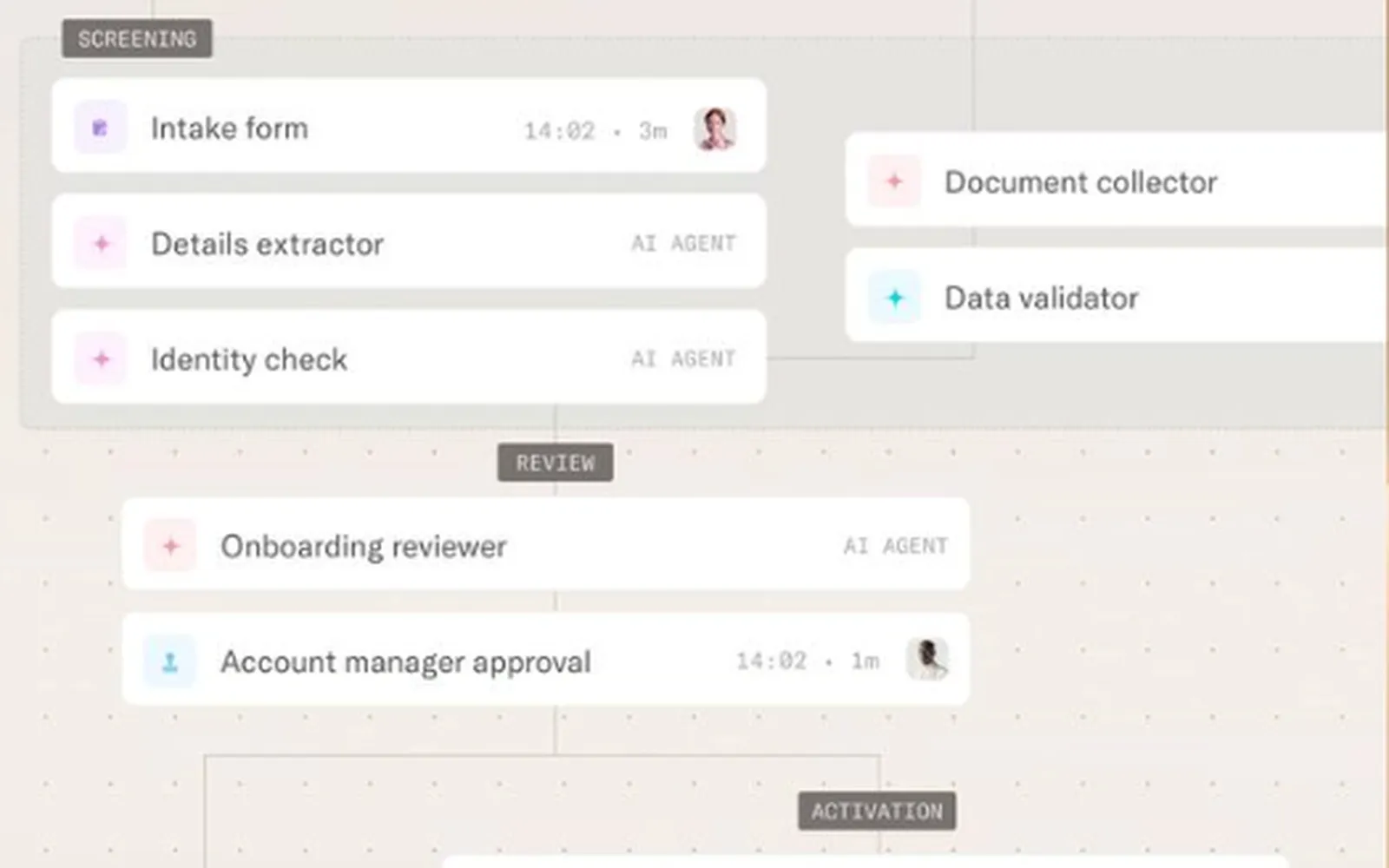
Moxo, formerly Moxtra, runs multi-step client processes in a branded workspace. Uploads, forms, reviews, approvals, e-signatures and payments are each a step in a flow.
Why I picked Moxo
A client opens one magic link and works through the steps in order: upload, review, approve, sign, pay. It’s the strongest collector of the all-in-ones. A reviewer can Confirm an upload, or Reopen it with a comment asking for new files, and clients can Save for Later on a file request.
Moxo pros
- Confirm or reopen each upload, with a comment
- Clients can save a file request and finish later
- Unlimited seats on every plan
Moxo cons
- It’s priced and built for bigger teams. A G2 reviewer (September 2025) called it “costs inefficient for small companies”.
- Each file request carries one description, so giving every document its own instructions means one request per document.
- G2 puts average implementation at two months. Branching, the API and the audit log start above the entry plan.
What Moxo users say
If all clients used Moxo, it would be great, but since most are still using text and email, it becomes challenging to use Moxo effectively.
Works with: built-in e-signature plus a DocuSign action, Box, Dropbox, Google Drive, OneDrive, Salesforce, HubSpot, QuickBooks, Xero, Stripe and Zapier. Check which plan includes the integrations you need.
Pricing model: An annual subscription with unlimited seats, metered by flows per year and AI usage. The entry plan’s price is published, and the higher plans are quote-based.
Portals for sharing files with clients
For firms that mostly send files to clients, whether those are large or sensitive files or finished work.
5. Clinked
Best for: small firms that want a fully white-labelled portal for sharing files and getting approvals
- Type
- File sharing portal
- Client login
- Yes, a client account (Guest Share and file request links need none)
- Pricing model
- Per user
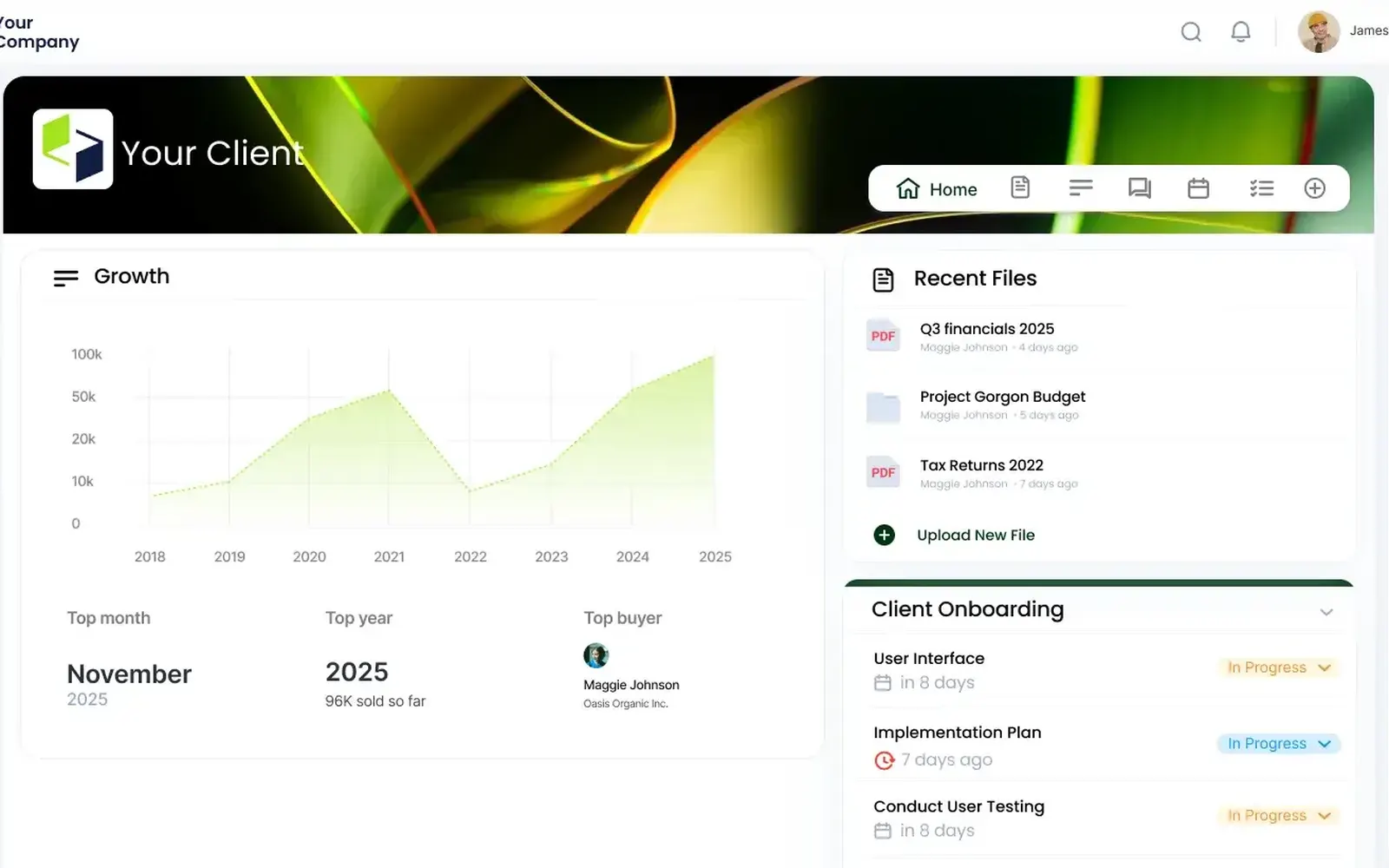
Clinked is a white-label client portal for sharing files and working with clients, with branded workspaces, tasks, chat and approvals.
Why I picked Clinked
It turns up in more “best client portal” roundups than almost anything else. Its strength is sharing, with branded workspaces on your own domain, a branded mobile app and per-folder permissions. You can collect files of any size from anyone with File Requests, and sign off a document with File Approvals.
Clinked pros
- Per-folder permissions across branded client workspaces
- File Requests work for people without an account
- File Approvals for signing off documents
Clinked cons
- I couldn’t find automatic reminders for outstanding file requests, on its feature pages or in reviews.
- There’s no built-in form builder. Questionnaires run through the Jotform integration.
- There’s no billing or invoicing.
- Two Capterra reviewers (October and December 2024) said their teams took a while to get used to it.
What Clinked users say
It could be installed relatively fast and the learning curve was near zero. I am able to simply drop files, make a comment, and proceed without following up.
Works with: Google Drive and Google Workspace, OneDrive, SharePoint, DocuSign, Adobe Acrobat Sign, Jotform and Zapier, plus SSO on Enterprise. E-signature is listed as a built-in feature too.
Pricing model: Per registered user, with unlimited guest and client users on every plan and a discount for two-year terms. The data room product is sold separately.
6. ShareFile
Best for: firms that send large or sensitive files to clients and work inside Microsoft 365
- Type
- File sharing portal
- Client login
- Optional (none for File Drop Links, the portal login for request lists)
- Pricing model
- Per user, minimum seats
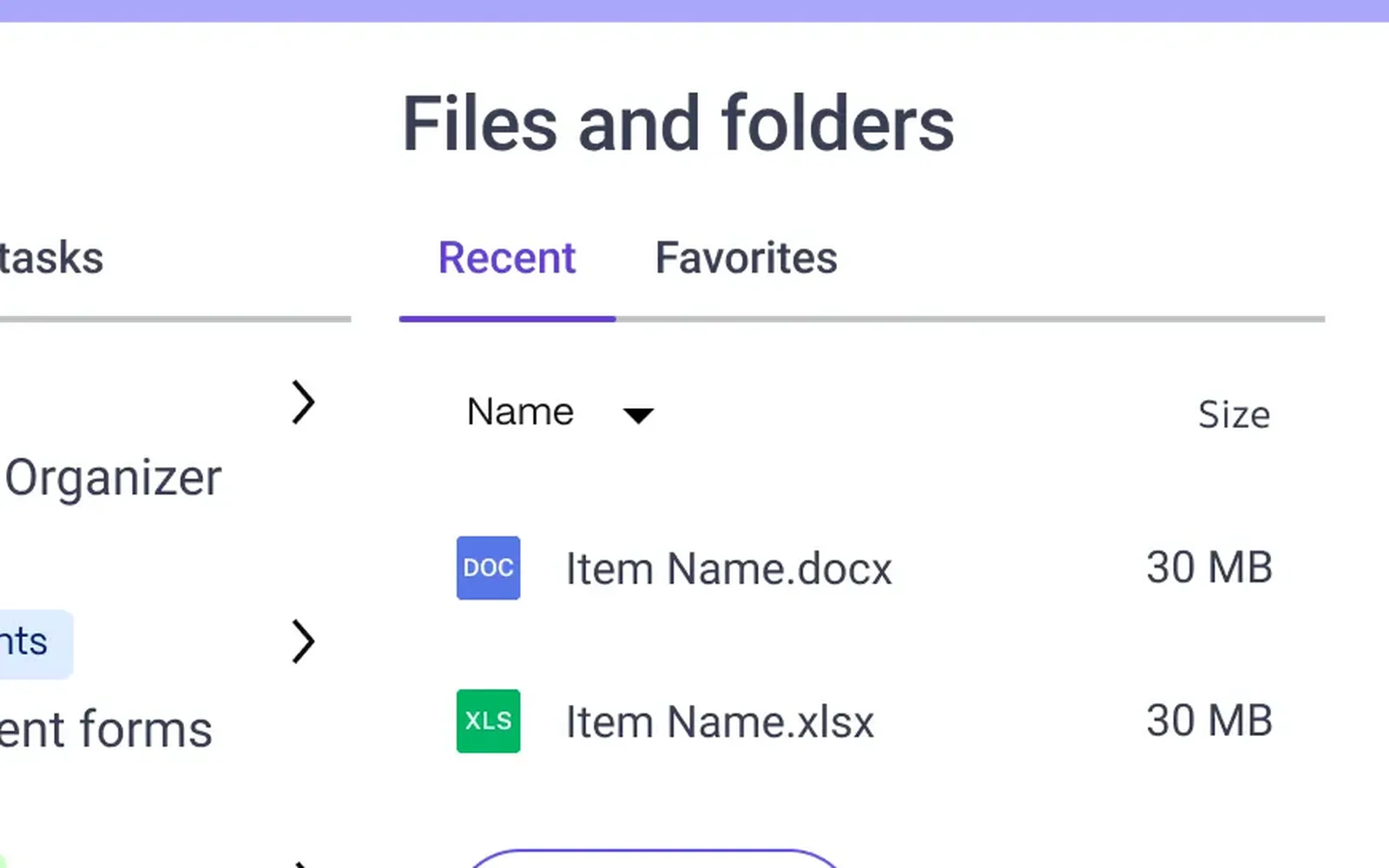
ShareFile is file sharing and e-signature software for businesses that handle sensitive documents. Progress Software has owned it since October 2024.
Why I picked ShareFile
It’s the heavyweight for sending files to clients. Outlook and Microsoft 365 add-ins mean large files go out from where your team already works. E-signature is built in (RightSignature), with bulk send, and you can ask for your files to be stored in the US, the EU, Australia or several other regions.
ShareFile pros
- Send and request large files from inside Outlook
- Built-in e-signature with bulk send
- Storage zones in the US, EU, Australia and more
ShareFile cons
- I couldn’t confirm automatic client reminders on requests, and reviewers were asking for them in 2025.
- Request lists, forms and e-signature start on Premium, with a three-user minimum.
- Its Xero and QuickBooks integrations are “currently available for U.S. based control planes only”, per its pricing page.
What ShareFile users say
It integrates nicely with tools like Outlook, Microsoft 365, and other business apps. The branding options make it feel custom and professional when sharing files with clients.
Works with: Outlook and Microsoft 365, Gmail and Google Drive, Salesforce, QuickBooks Online and Xero (US only), Zapier and SSO. E-signature is built in.
Pricing model: Per user, per month, with a three-user minimum and plans tiered by features. The data room plan is separate.
Other ways to get a portal
One portal here comes inside accounting practice management. The other you build yourself, on data you already have.
7. TaxDome
Best for: tax and bookkeeping firms ready to run the whole practice from one system
- Type
- Practice management
- Client login
- Yes, a client account (web or app)
- Pricing model
- Per user
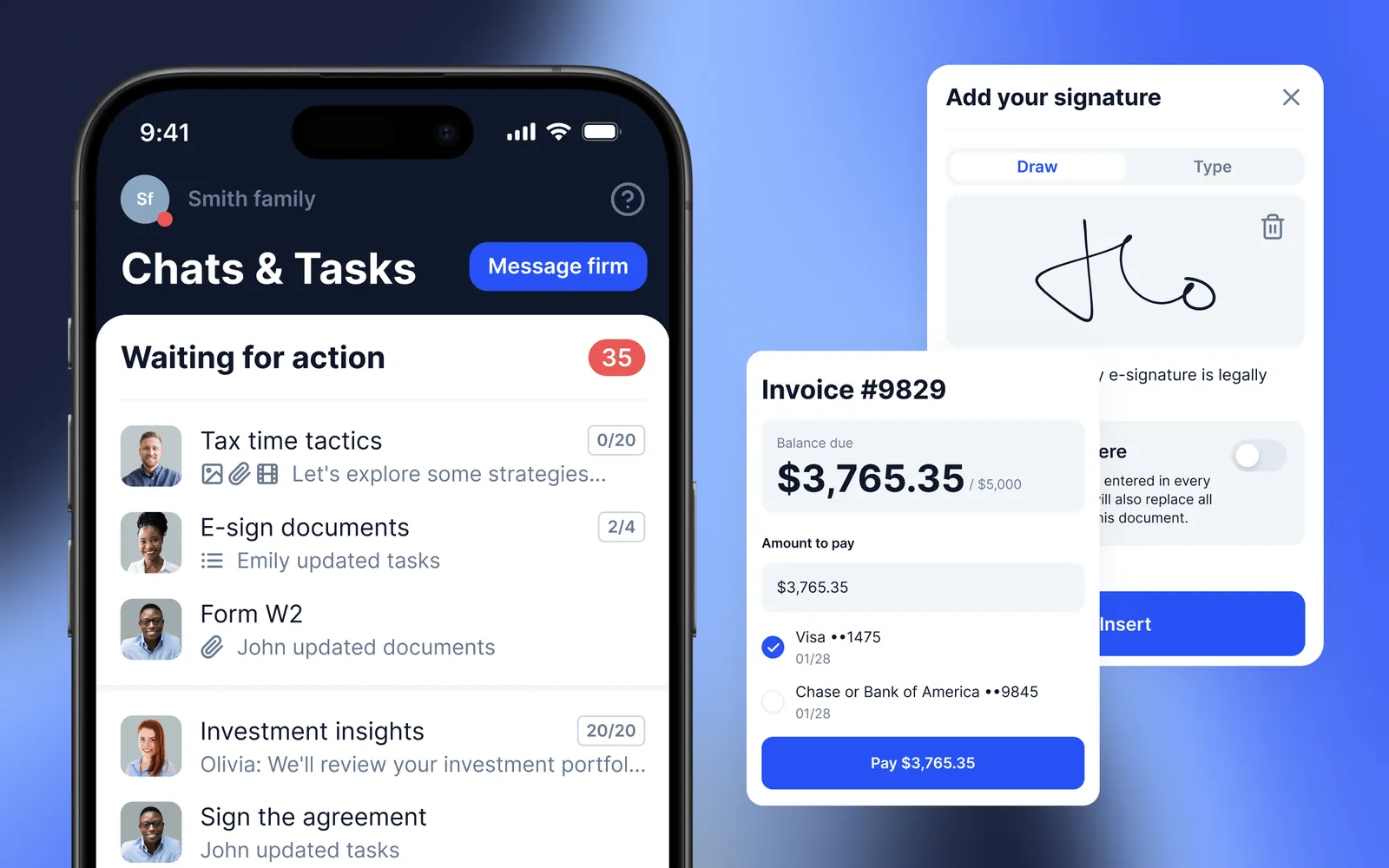
TaxDome runs an accounting practice end to end, from CRM and workflow to billing and e-signature, with a portal and phone app for clients.
Why I picked TaxDome
If you’re an accounting firm and want everything in one place, TaxDome is the pick. It’s the only tool here that covers all five uses in one login, with organizers and request lists that chase clients, document approvals, messaging, invoicing and payments, and workflow. Clients get a phone app with a document scanner. For anyone outside accounting, it’s the wrong tool.
TaxDome pros
- All five portal uses under one client login
- Document approvals, with automatic reminders to clients
- Client phone app with a built-in scanner
TaxDome cons
- Clients create an account and password from an invite link. I couldn’t find a no-login option.
- G2 tags “Learning Curve” 32 times and “Time-Consuming Setup” 18 times.
- Payments now run through its own Stripe-based product. Two r/taxpros practitioners said the CPACharge switch disrupted firms mid-season in 2026.
- Xero connects through Zapier only. There’s no native integration.
What TaxDome users say
The pipelines free me from having to use spreadsheets to track clients and my workflow.
Works with: QuickBooks Online, Drake, Lacerte, ProConnect, UltraTax, IRS transcripts, Companies House (UK), Stripe, PayPal, Calendly and Zapier. Unlimited e-signatures are built in, with knowledge-based authentication.
Pricing model: Per user, billed annually, across three published plans, with discounts for two and three year terms and seasonal seats for temporary staff. Firms with 25 or more seats get a quote.
8. Softr
Best for: firms that want to build exactly the portal they need on their own data
- Type
- No-code app builder
- Client login
- Optional (password, magic link, one-time code or Google sign-in)
- Pricing model
- Free plan + tiered by users and clients
Softr is a no-code builder that turns an Airtable base, a Google Sheet or its own database into a branded portal where each client sees only their own records. It’s here for firms that want to build exactly the portal they need. You have to build reminders, approve and reject steps, and save-and-resume by hand. The cost also rises with how many clients log in.
Pricing model: A free plan, then paid tiers with set allowances for builders, client users, records and workflow actions. Custom domains, the installable app and audit logs sit on higher tiers.
What else I looked at
If you need a portal for support tickets, a help desk like Zendesk is built for that. If you run an accounting firm, Liscio, SmartVault and Client Hub are built for you, and I’ve covered them in the accountants roundup.
- Dock: built for software companies’ sales and customer success teams, to share sales material and onboarding plans with new customers. I couldn’t find accounting or law firms using it.
- Onehub: secure file storage and virtual data rooms with a client portal on top, so it suits sharing more than collecting.
Do your clients even want a portal?
Every login, password reset and app download is a small hurdle, and clients who hit one put the task off. They don’t tell you they’re stuck. They text you, email the file anyway, or do nothing.
Behavioural scientists call this sludge, meaning friction that stops people doing what they meant to do. The opposite is a nudge, design that makes the right action the easy one. A portal that wants a password reset before a client can upload a payslip is sludge, even if the dashboard looks tidy to you.
So before you ask which portal, ask how a client gets in. This list covers the whole range:
- An account and an app: TaxDome.
- A branded login: SuiteDash and Clinked.
- A magic link: Assembly and Moxo.
- A plain link, with a PIN if you want one: Content Snare.
A Moxo reviewer on Capterra wrote in 2025: “You must be patient with client adoption. Clients will need to be gently reminded to use Moxo instead of email or text.” A marketer on r/marketing who tried SuiteDash in 2023 said one client “refused to use it. He preferred to text me a 10pm on a Saturday.”
More login gets you more control, and gives the client a proper history of everything they’ve sent you. Less login means more clients finish. For clients who send you documents once or twice a year, I’d lean towards less.
Why all-in-ones struggle with collection
Collecting documents looks like one line on a feature list. In practice it’s a hundred small touches: a reminder schedule, instructions on each item, a way to approve an upload or send it back with a comment, answers that save as the client goes, and a view of what’s missing across every client.
A product that also does billing, chat and projects rarely gives those touches much attention, because each one is a small corner of a big product.
- SuiteDash has no automatic chase on file requests, only a manual resend button.
- Assembly’s forms can’t branch. One G2 reviewer wrote in August 2026: “I need to be able to have some options like a yes or no. And if the client says yes, the form continues. If they say no, they’re done.”
- Clinked has no document reminders that I could find.
Some all-in-ones do handle it. Moxo’s review and reopen step covers collection well, and so do TaxDome’s document approvals and reminders. TaxDome gets there by being the whole practice, with a client account in front of it.
If collecting is the main reason you want a portal, test that part hardest. Send a ten-item request to a colleague, have them leave three items undone, and watch what each tool does about it over the next week.
Checking a portal’s security
Ask who audited it, and ask to see the report. A padlock icon and “bank-grade” on a website don’t count. Based on each vendor’s own pages:
- ShareFile’s trust centre lists ISO 27001 and SOC 2 Type II.
- TaxDome, Assembly and Softr state SOC 2 Type II. Assembly will send its report on request through its trust centre.
- Moxo states SOC 2 Type II and SOC 3, with no public report or named auditor.
- Clinked’s website says it’s ISO 27001 certified, while its UK government G-Cloud filing says its security is “aligned to ISO/IEC 27001 principles”. Ask for the certificate.
- SuiteDash points to its hosting provider’s (AWS’s) reports rather than its own.
- Content Snare’s security page lists ISO 27001 certification, with yearly surveillance audits.
Before you book a demo
Write down which of the five uses you need this year, and circle the one that matters most. Shortlist two tools that lead on it.
Then build a real request or page in each, and send it to the least technical person you know outside the firm. Don’t explain anything first. Whichever one they finish without calling you is your portal.
Frequently asked questions
What does a client portal do?
A client portal gives your clients one secure place to deal with your business online. Depending on the tool, that means sending you documents and information, receiving files from you, messaging your team, paying invoices, or checking where their project is up to. Most tools are strongest at one or two of those, so decide which you need before you compare them.
How much does a client portal cost?
It depends on the pricing model, and there are five common ones. SuiteDash charges a flat price per account. ShareFile, TaxDome and Clinked charge per user. Assembly and Softr have a free plan, then tiers set by how many users and clients you have. Moxo sells annual plans metered by volume, and others charge flat plans by how much you use them.
What is the best free client portal software?
Assembly and Softr are the two tools here with free plans. Free plans cap how many people can use them, and Assembly’s covers one internal user and five active client contacts. SuiteDash, Moxo, ShareFile and TaxDome don’t have free plans, though several offer free trials.
Do clients need to log in to a client portal?
Not always. Content Snare sends a plain link, with a PIN or account if you switch one on. Assembly and Moxo use magic links that sign clients in without a password. TaxDome, SuiteDash and Clinked expect a client account, though SuiteDash and Clinked have no-login links for file requests. The login column in the comparison table has the detail for every tool.
What is the best client portal for accountants?
It depends on what’s slowing you down. If clients are slow to send documents, Content Snare handles collection and leaves your practice management tool in place. If you want one system for the whole practice, TaxDome covers it. I’ve compared 11 options in the client portal for accountants roundup.